介绍
中文介绍正在准备中,下面暂时显示原文。
⚠️ Resource Pack Required
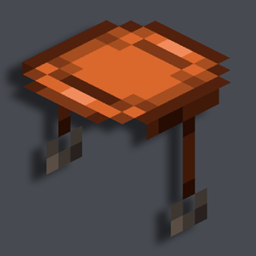
You can literally sit anywhere you want.


📥How to Install
- 1) Download the Data Pack
- 2) Chose the world you want to install the Data Pack in and navigate to its “datapacks” folder
- 3) Copy the downloaded Data Pack file (Sit AnyWhere) into this folder
- 4) Join the world and run
/reloadcommand
📖Features
With this Data Pack you can sit almost on every block.
To sit on any block, you will first need to craft a “Seat” saddle, then, while holding it in your hand, right-click on the block you want to sit on.
To remove a placed “Seat” you can just right-click on it with a sword of any type.
-YouTube Showcase
📤Uninstall the Data Pack
To uninstall the Data Pack run the command “/function sit:uninstall”. When the uninstallation process is completed a confirmation message will be sent in chat.
常见问题
Sit AnyWhere [Data Pack] 支持哪些 Minecraft 版本?
Sit AnyWhere [Data Pack] 支持 Minecraft Java 版 1.19–1.20.1,共 7 个版本。下载时注意选择和你游戏版本一致的文件。
Sit AnyWhere [Data Pack] 怎么安装?
把下载的 .zip 文件(不用解压)放进游戏目录的 resourcepacks 文件夹,进游戏后在「选项 → 资源包」里把它移到右边启用。
Nico4play 的其他作品
查看全部 →
Better Lanterns
by Nico4play
改进灯笼和锁链模型,增强3D外观,带来更沉浸的体验。
1254万
1 个月前
Modrinth · CurseForge

3D Ladders
by Nico4play
更改并改进了梯子的模型,使其变为3D!
211.7万
1 个月前
Modrinth
Nico’s 3D Ladders
by Nico4play
将梯子的模型改为3D。
179.2万
1 个月前
CurseForge

MasterCutter
by Nico4play
石切机现在比以往更加实用,新增超过 500 个配方,包括木材加工、增强基础石材切割、回收和“拆解合成”。
142.9万
23 天前
Modrinth · CurseForge
评论
登录后评论和评分