
截图
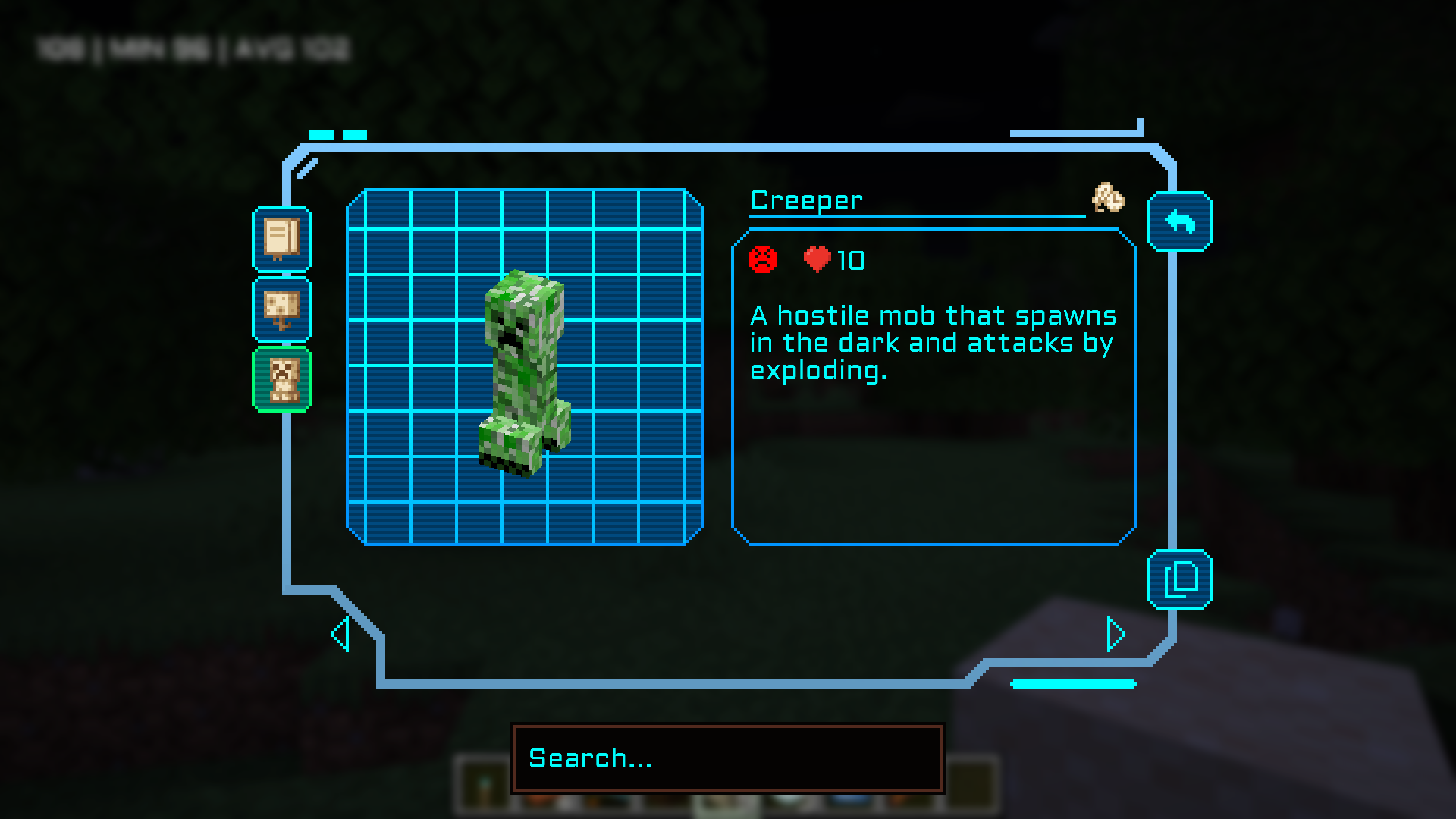
介绍
Absolutely love Field Guide but it doesn’t fit in with my tech pack. I’ve made a bright blue techie-inspired skin for the GUI.
Obviously, Field Guide is a requirement, for without it nothing will change.
The silhouettes are changed via the Field Guide client config. To get them to match change them to the following:
{
“showPauseMenuButton”: true,
“pauseButtonXOffset”: 0,
“pauseButtonYOffset”: 0,
“showInventoryButton”: true,
“inventoryButtonXOffset”: 126,
“inventoryButtonYOffset”: 61,
“defaultScreen”: “last_opened_screen”,
“scanIconYOffset”: 0,
“scanIconXOffset”: 0,
“showScanIcon”: true,
“playScanningSound”: true,
“playUnlockSound”: true,
“showOutOfRangeOverlay”: true,
“scanOverlayColor”: “#00FFFF”,
“scanOverlayAlpha”: 0.5,
“textColor”: “#00FFFF”,
“textTitleColor”: “#00FFFF”,
“textMutedColor”: “#00FFFF”,
“textCursorColor”: “#00FFFF”,
“pageNumberColor”: “#00FFFF”,
“listSilhouetteColor”: “#008DF2”,
“listSilhouetteAlpha”: 1.0,
“listUnlockedSilhouetteColor”: “#008DF2”,
“listUnlockedSilhouetteAlpha”: 1.0,
“detailsSilhouetteColor”: “#008DF2”,
“detailsSilhouetteAlpha”: 1.0,
“detailsUnlockedSilhouetteColor”: “#008DF2”,
“detailsUnlockedSilhouetteAlpha”: 1.0,
“useRealWorldDate”: false,
“showUnlockDate”: true,
“showToasts”: true,
“showSeasonIcons”: true,
“exposureAddPhotographButton”: true,
“exposureShowPhotographsInGrid”: true
}
常见问题
Sci-fi Skin for Field Guide 支持哪些 Minecraft 版本?
Sci-fi Skin for Field Guide 支持 Minecraft Java 版 1.21.1。下载时注意选择和你游戏版本一致的文件。
Sci-fi Skin for Field Guide 怎么安装?
把下载的 .zip 文件(不用解压)放进游戏目录的 resourcepacks 文件夹,进游戏后在「选项 → 资源包」里把它移到右边启用。
biggsmcb 的其他作品
查看全部 →
Gunpowder Ore
添加了一种自然的替代火药来源。

Enriching Blaze Powder
一种无需下界即可获取烈焰粉的方法

Easy Wind Charges for Aeronautics
清洗烈焰棒,获得微风棒

Realistic Torches From Campfires
为 Realistic Torches 添加篝火附属内容。
评论
登录后评论和评分