
Saiko Lightsaber Pack
CIT pack to change swords and shields into lightsabers using anvil
截图

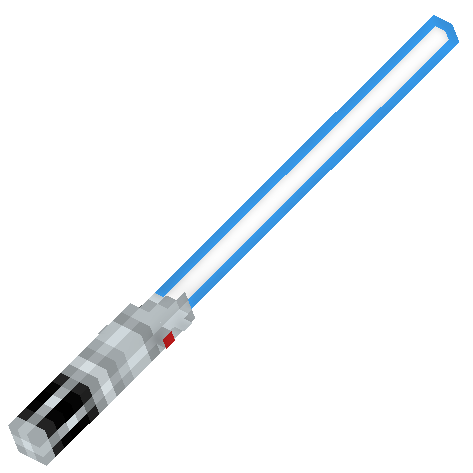
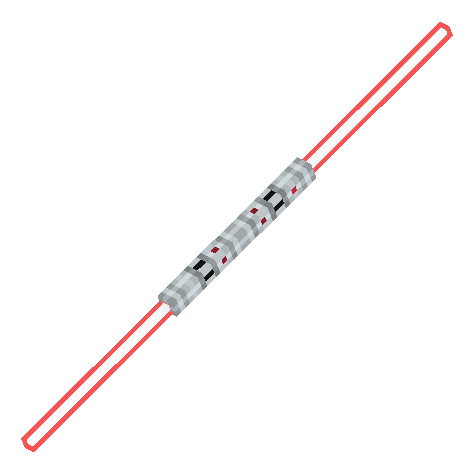
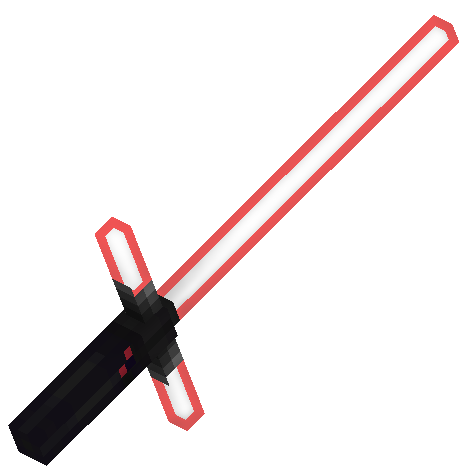
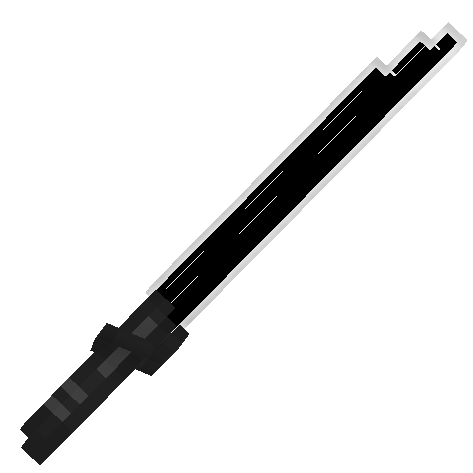
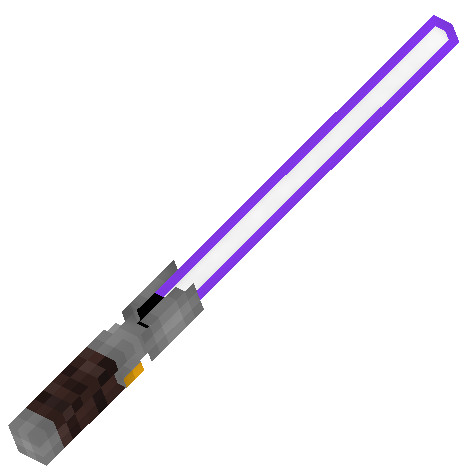


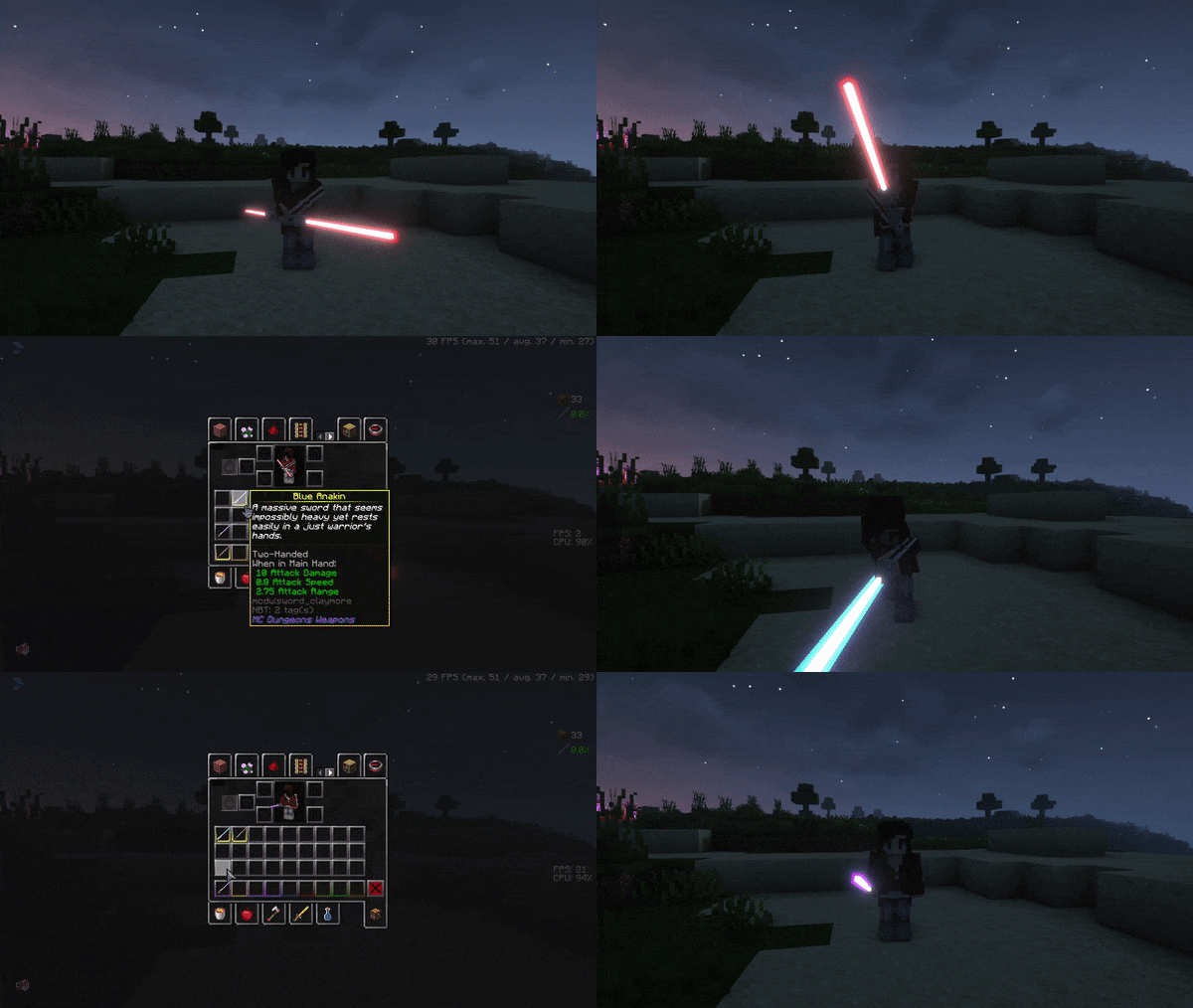

介绍
📝 Please note:
1. The pack is being ported over to Vanilla format so it no longer requires people to use mods like optifine or CITResewn. I will keep the old guide for the naming as the new format will look a little bit different for first version ditching the ability to choose custom colors until I make the adjustments
2. the models will recieve tweaks to make them appear more rounder, keeping the blocky style but making the cubes no longer have the same rotation as the previous ones
3. there is no need to use shaders or mods that add emissive texture since mojang added the ability to make parts of the models emissive
[Vanilla Format (1.21.4 and onwards)]
[Aviavble Models]
- `
Anakin's Lightsaber` [prev. “Blue Anakin”] - `
Obi Wan's Lightsaber(alt.Obi Wan's 2nd Lightsaber`) [prev. “Blue Obi Wan 2”] - `
Obi Wan's 1st Lightsaber` [prev. “Blue Obi Wan 1” - `
Luke's Lightsaber` [prev. “Green Luke”] - `
Kylo's Lightsaber` [prev. “Red Kylo”] - `
Maul's Lightsaber` [prev. “Red Maul”] - `
Inquisitor's Lightsaber` [prev. “Red Inquisitor”] - `
Darksaber` [prev. “Dark Mando”] - `
Custom Lightsaber` [prev. “{any color} Custom”]
[New additions]
- `
Ezra's Lightsaber` - `
Kanan's Lightsaber` - `
Vader's Lightsaber` - `
Windu's Lightsaber`
[Optifine and CITResewn versions prior to Vanilla Item States (1.21.3 and downwards)]
schemat for name is “anything you want” [“color” “model”]
use anvil to name iron/diamond/netherite sword or shield to change into lightsaber
and options for different parts are
colors:
- blue
- green
- purple
- red
- yellow
- white
- dark [simply white outline with black center]
- rainbow [animated texture] /!\ might have some glitches /!\
================
upcoming 2.0 colors
- pink
- orange
================
models:
- anakin
- obi wan 1
- obi wan 2
- luke
- kylo
- maul
- mando
- dooku
- inquisitor
- custom
================
upcoming 2.0 handles
- vader
- windu
- kanan
- ezra
================
How to use resource pack
Optifine:
-Install optifine as client in your minecraft launcher
-use anvil to rename iron/diamond/netherite sword or shield
with format given above [“color” “model”]
{example “Blue Anakin”}
If the model doesn’t show in game make sure to have custom items on in settings
If the blade of lightsaber doesn’t glow
Make sure to e able emissive textures in settings
For shaders make sure shaders support LabPBR format and a able it in settings for shaderpack of your choice
Iris:
-install fabric mod loader
-install following
Iris, sodium, indium, CIT Resewn
Make sure Iris version is 1.5.0 or 1.5.2
1.5.1 had issues with PBR
-rename item in anvil
-use shaders that use PBR
If it doesn’t work then check your cit Resewn config and if shaders you use support PBR
常见问题
Saiko Lightsaber Pack 支持哪些 Minecraft 版本?
Saiko Lightsaber Pack 支持 Minecraft Java 版 1.12–1.20.4,共 35 个版本。下载时注意选择和你游戏版本一致的文件。
Saiko Lightsaber Pack 怎么安装?
把下载的 .zip 文件(不用解压)放进游戏目录的 resourcepacks 文件夹,进游戏后在「选项 → 资源包」里把它移到右边启用。
Saiko_Kyuno 的其他作品
查看全部 →
Saiko’s Tools & Swords
采用我原创设计的地牢风格物品

Allay Totem of Undying
simple remodel of totem of undying into shape of an Allay mob [the resourcepack will be ported to newer versions but won't get any new things] -S4Ik0_

Saiko’s Beds
simple change of sheets on beds

Voodoo Doll of Undying
Changes totem of undying into a doll that can be customized
评论
登录后评论和评分