Red Cloud Sky
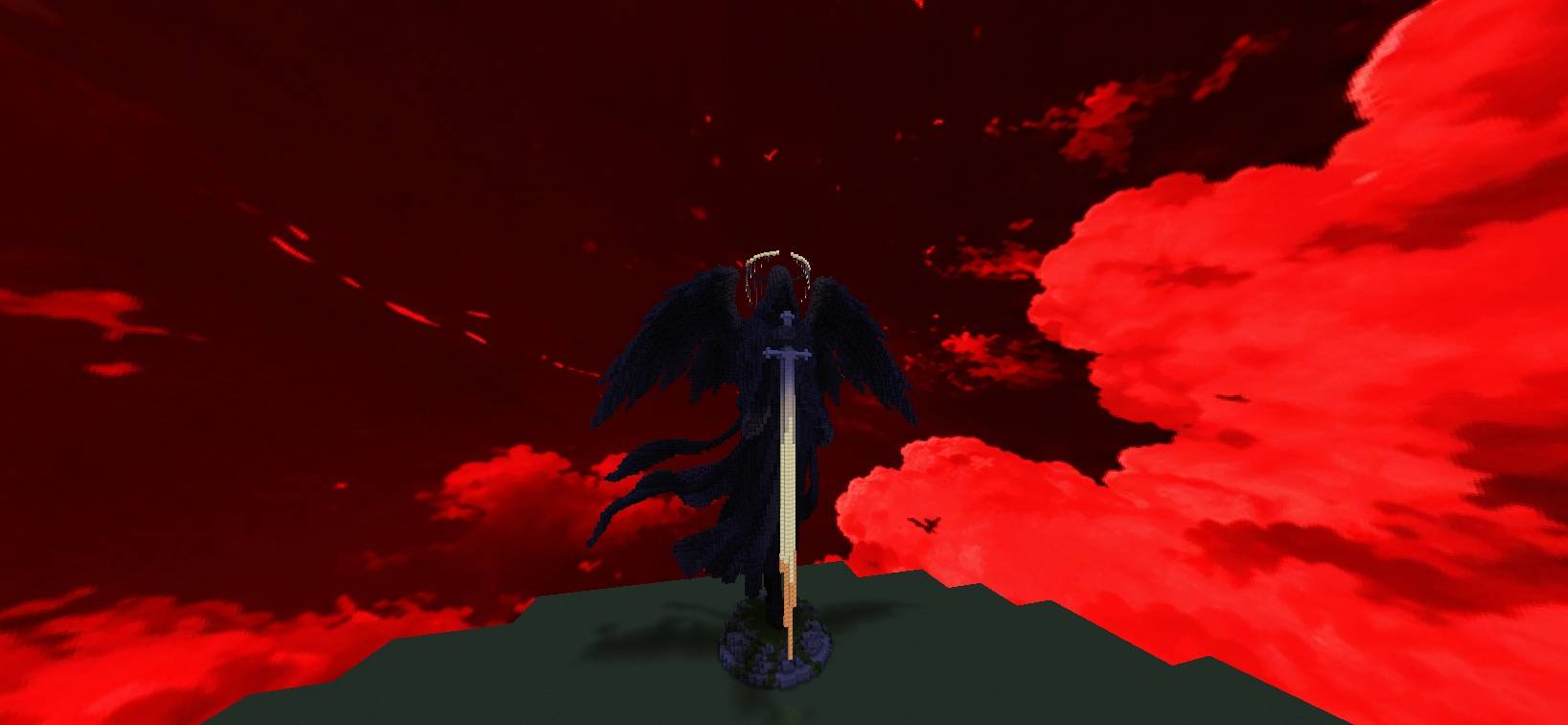
A dramatic red custom sky featuring glowing crimson clouds and a dark atmospheric sky.
截图

介绍
## 🔴 **Red Cloud Sky**
Transform your Minecraft sky with a dramatic red atmosphere filled with glowing crimson clouds.
Red Cloud Sky gives Minecraft a unique dark-red sky aesthetic while keeping the focus on the clouds and atmosphere.
## ✨ **Features**
– 🔴 Bright red and crimson clouds
– 🌑 Dark red/black sky atmosphere
– ☁️ Detailed custom cloudscape
– 🎨 Custom high-resolution sky
– 🌌 Designed for a dramatic Minecraft atmosphere
## 🧩 **Compatibility**
**Fabric:** Requires Skyboxify for custom sky support.
**OptiFine:** Uses the OptiFine custom-sky format.
## 📍 **Dimension**
This pack is designed for the **Overworld sky**.
The Nether and End skies are not changed.
## 📥 **Installation**
1. Download **Red Cloud Sky**.
2. Put the ZIP file into your Minecraft `resourcepacks` folder.
3. Open Minecraft and enable the resource pack.
4. For Fabric, install **Skyboxify**.
## 🌫️ **Skyboxify Mod Link**:
#### https://modrinth.com/project/DWuwk8aA
## ⚠️ **Note**
For Fabric, Skyboxify is required for the custom sky to appear.
****And Thanks for Downloading**** 😊
常见问题
Red Cloud Sky 支持哪些 Minecraft 版本?
Red Cloud Sky 支持 Minecraft Java 版 1.21.11–26.3,共 3 个版本。下载时注意选择和你游戏版本一致的文件。
Red Cloud Sky 怎么安装?
把下载的 .zip 文件(不用解压)放进游戏目录的 resourcepacks 文件夹,进游戏后在「选项 → 资源包」里把它移到右边启用。
OG_Gamer26 的其他作品
查看全部 →
Better Bushys Leaves
用 Better Bushys Leaves 让你的 Minecraft 世界更有生气!
Blackhole Sky
🌌 一个自定义末地天空资源包,呈现巨大的逼真黑洞和发光的吸积盘。

OG X-Ray
OG X-ray 是一个资源包,旨在让地下探索时更容易发现重要矿石。它有助于提高可见度,让你更快找到资源,减少搜寻时间。

Blackhole Sky
🌌 A custom End sky resource pack featuring a massive realistic black hole and glowing accretion disk.
评论
登录后评论和评分