
Painter’s Eye
Makes the Painting item more accessible. Now supports 1.21.5 and Macaw's Paintings!
截图


介绍

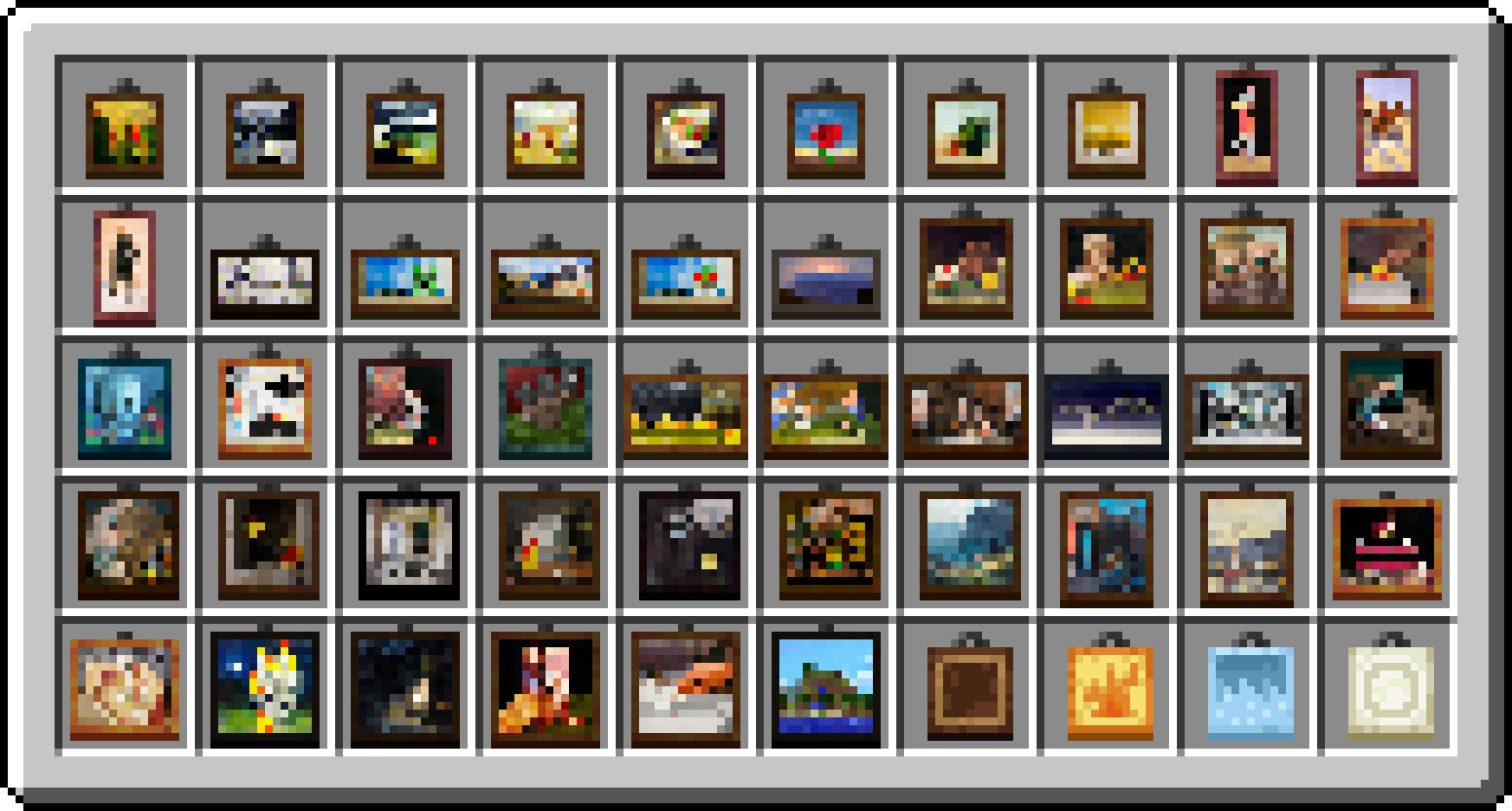


Beginning in Minecraft 1.19.4, you could get a painting item that places a specific variant from the Creative Mode Inventory rather than having to keep replacing the paintings you place trying to get the right one. The only issue with this was that every painting had the same texture, making it very tedious to find the right one you needed.
“Painter’s Eye” is a small resource pack that fixes that issue by giving each painting a unique texture, making it easier to find the specific painting you want. It’s very light-weight, follows Jappa’s art style, and includes texture for the new paintings in 1.21.
This resource pack also contains support for the popular Macaw’s Paintings mod, giving each of the 55 paintings a unique texture to identify them in the Creative Inventory!
Do I Need OptiFine?
As of 1.21.5, this resource pack works _completely in vanilla_! No mods are required to run it going forward, however older versions (1.21.4 and below) will require OptiFine or another CIT mod to get the textures working.
Support
I don’t actively use any main social media accounts nor do I own an account for donations, but if you want to support me you can always check out my YouTube channel. I like to make content on Minecraft and other games I enjoy, and sometimes stream games I’m playing with my friends. There’s also my Planet Minecraft page, where I’ve released another popular resource pack called “Better Trims” that makes trimmed armor more accessible. If any of that interests you, then check out the links below!


常见问题
Painter’s Eye 支持哪些 Minecraft 版本?
Painter’s Eye 支持 Minecraft Java 版 1.20–1.21.5,共 13 个版本。下载时注意选择和你游戏版本一致的文件。
Painter’s Eye 怎么安装?
把下载的 .zip 文件(不用解压)放进游戏目录的 resourcepacks 文件夹,进游戏后在「选项 → 资源包」里把它移到右边启用。
GraysBlock 的其他作品
查看全部 →
Magnificent Gameplay
Improves the performance of Minecraft with fun tweaks and addons.

Designer Bundles
A CIT resource pack that adds new Bundle variants.

24w45a Resin Fix
Fixes a bug where you can't use Resin Bricks as trims in the latest snapshot.
评论
登录后评论和评分