截图




介绍

–> PLEASE USE OPTIFINE <–
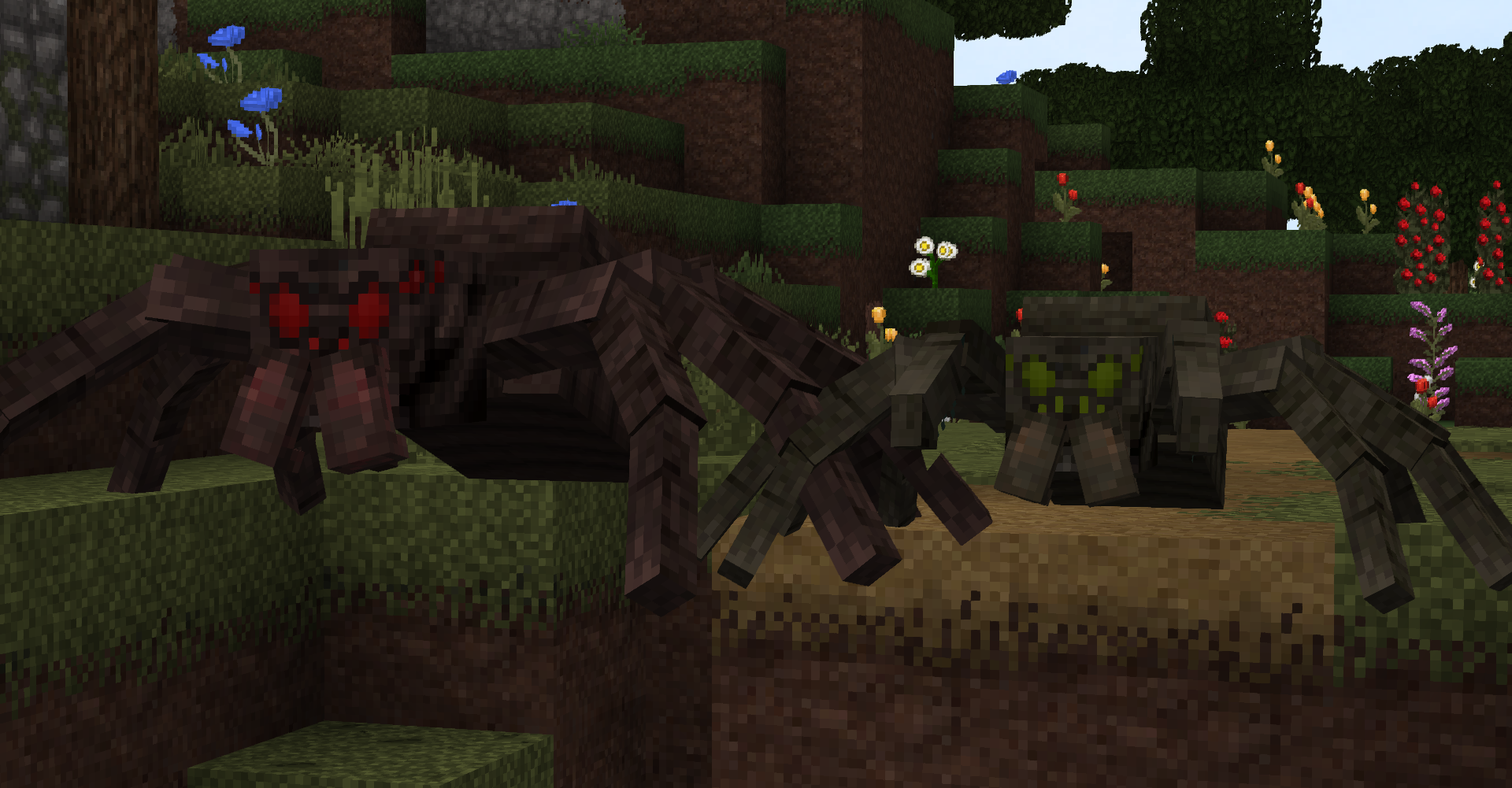
This resource pack changes Minecraft from every angle! Overgrowth tries to update the textures and give them a new fresh look, but still leaving the vanilla style. You will also have cool 3D models for blocks and mobs. Very epic and unique resource pack in its own way, which significantly changes the game world (although it remains the same cool atmosphere). Replaced a lot of textures-blocks, mobs, some things with tools. In addition, the textures are drawn in a resolution of 32 x 32 pixels, Clever use of many optifine features that you wont have seen before!.
Kofi:
ko-fi.com/itschawk
Discord:
https://discord.gg/acC2tfv
Twitter:
https://twitter.com/ItsChawk
Recommended settings:
Graphics: Fancy
Smooth Lighting: Maximum
Details:
Clouds: off
Trees: Default
Sky: ON
Sun & Moon: ON
Fog: Fast
Cloud height: OFF
Alternate blocks: ON
Quality:
Emissive Textures: ON
Better grass: OFF
Custom Font: ON
Connected Textures: Fancy
Custom Sky: ON
Custom Entity Models: ON
Random Entities: ON
Better Snow: OFF
Custom Colours: ON
Natural Textures: ON
Custom Items: ON
Custom GUIs: O
Overgrowth is a 32×32 resource pack that changes Minecraft in so many different ways but manages to keep things new and fresh but also keeps things rather familiar to vanilla Minecraft.
The pack has numerous features such as 3d models for both blocks & mobs that I’m sure you will like a lot! Also it looks great with shaders!
How to install Minecraft resource packs:
1. Download a resource pack, you should get a .zip file
2. Open the folder to which you downloaded the file
3. Copy the .zip file
4. Open Minecraft
5. Click on “Options”, then “Resource Packs”
6. Choose “Open resource pack folder”
7. Paste the file into the resource folder in Minecraft
8. Go back to Minecraft, the resource pack should now be listed (if not listed then go to the main menu by pressing Esc and repeat step 5 and you can activate it by choosing it and hitting “Finished”
Thanks!
常见问题
Overgrowth 32x [1.18+] 支持哪些 Minecraft 版本?
Overgrowth 32x [1.18+] 支持 Minecraft Java 版 1.14.4–1.18.1,共 14 个版本。下载时注意选择和你游戏版本一致的文件。
Overgrowth 32x [1.18+] 怎么安装?
把下载的 .zip 文件(不用解压)放进游戏目录的 resourcepacks 文件夹,进游戏后在「选项 → 资源包」里把它移到右边启用。
评论
登录后评论和评分