Outlined Ores – Java Edition
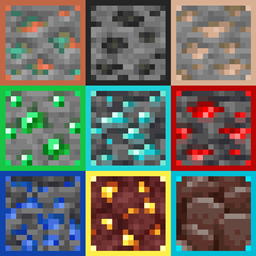
All ores are outlined and easily visible, even when partly covered by lava! Make mining easier with ores that stand out in the mines, with this texture pack.
截图


介绍
This pack has 12 adjustable options! It includes the new ore textures and the original ore textures, with an option to use borders for both! Choose between red, orange, yellow, green, aqua, blue, pink, purple, RGB, black, and white!
Easily spot diamonds and Netherite with this enhanced texture pack! All ores are outlined for better visibility—even when partially obscured by lava or fire. Ancient Debris is clearly distinguishable from netherrack, making it much easier to locate in the Nether.
Whether you’re blasting for Netherite or exploring deep caves for diamonds, this pack makes hidden ores stand out—even in tight corners or behind hazards. The outlined borders ensure you won’t miss a thing. Good luck, and happy mining!
Texture Variations
This pack offers a variety of color options for ore outlines. You can stick with the default outlines—each tailored to the specific ore—or choose from a range of solid colors like red, green, blue, and more. Some variants feature subtle corner-only outlines for a less intrusive look, or options that highlight only Ancient Debris, keeping other textures untouched while still making Netherite easier to spot.
How to Change the texture for Java Edition?
For Java Edition, there are multiple options of different color outlines in the files tab. Download and install the colors you want most!.
常见问题
Outlined Ores – Java Edition 支持哪些 Minecraft 版本?
Outlined Ores – Java Edition 支持 Minecraft Java 版 1.18–26.3,共 32 个版本。下载时注意选择和你游戏版本一致的文件。
Outlined Ores – Java Edition 怎么安装?
把下载的 .zip 文件(不用解压)放进游戏目录的 resourcepacks 文件夹,进游戏后在「选项 → 资源包」里把它移到右边启用。
gildedbedrock 的其他作品
查看全部 →
X-Ray Texture Pack
See through the world to uncover valuable ores, caves, and hidden structures with this powerful X-Ray pack for Minecraft. It highlights only the blocks you need, cutting out visual clutter for easier resource hunting.
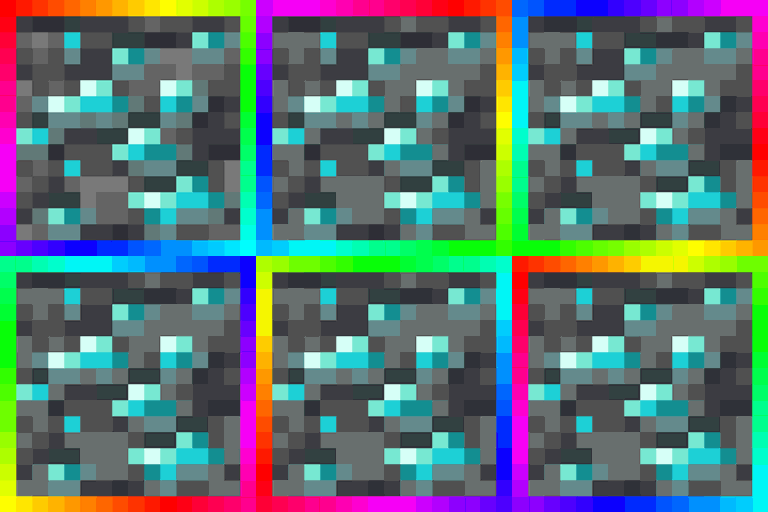
Animated Outlined Ores — Java Edition
All Minecraft ores (including ancient debris) will be highlighted by a rotating gradient! Easily find ores when caving, mining, or nether blasting! The animated borders will spin and highlight the ore for an easy spotting.
评论
登录后评论和评分