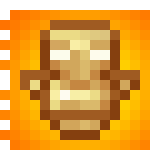
oSzoukaua’s: Totem HUD overlays
这个资源包专为自定义而制作!它改变了玩家手持不死图腾时的外观,且仅对持有它的玩家可见,并允许在你的 HUD 上添加可更改为任意内容的叠加层。
截图


介绍
Description:
This resource pack is made for Customization! it changed what the totem looks like when it is held, only for the player holding it, and allows for a overlay on your HUD that can be changed to anything.
The totem of undying looks the same as the vanilla Totem (Mostly) while in containers, your hand(in third person), the floor, and in an item frame, but when it is held (either hand) and the player holding it is in first person, it appears as a texture that spans your whole screen, that can be customized to display any image youd like!
By Default the totem overlay will be a message telling you that you need to select an overlay texture, you can do this by unzipping the file and reading the instructions 🙂
Example/demonstration:
To change the texture, unzip the resource pack, go to assets > minecraft > textures > item
Inside the textures folder is a file named overlay.png, change the texture of the “overlay.png” file to change the overlay texture when holding the Totem in-game
Notes:
Client-Side: meaning that it needs to be installed on the Client
This resource pack contains some pre-made overlays, you are free to use them and modify them!
The screen overlay is attached to the hand holding the totem, meaning that it is subject the the hand sway of that hand in first person.
Other:
License: ATTRIBUTION-NONCOMMERCIAL-SHAREALIKE 4.0 INTERNATIONAL
If you would like me to port this to any other Minecraft version, i would be more than happy to do so, please contact me! my details are below.
If you do find any issues/have any recommendations, suggestions for optimizations, improvements, or new features to add, feel free to contact me!
Discord
@oSzoukaua
src=”https://github.com/oSzoukaua/branding_assets/blob/main/kofi_button_link.png?raw=true”
alt=”Support me over at Ko-Fi! <3"
width=”400″
height=auto
style=”border:0px;”
/>
src=”https://github.com/oSzoukaua/branding_assets/blob/main/other_button_link.png?raw=true”
alt=”Check out my other links! <3"
width=”400″
height=auto
style=”border:0px;”
/>
Ko-Fi: ko-fi.com/oszoukaua
Other: linktr.ee/oSzoukaua
Technical details:
常见问题
oSzoukaua’s: Totem HUD overlays 支持哪些 Minecraft 版本?
oSzoukaua’s: Totem HUD overlays 支持 Minecraft Java 版 1.16.2–1.21.10,共 30 个版本。下载时注意选择和你游戏版本一致的文件。
oSzoukaua’s: Totem HUD overlays 怎么安装?
把下载的 .zip 文件(不用解压)放进游戏目录的 resourcepacks 文件夹,进游戏后在「选项 → 资源包」里把它移到右边启用。
oSzoukaua 的其他作品
查看全部 →
oSzoukaua’s: Lucky Blocks
oSzoukaua 的幸运方块 这是我 oSzoukaua 制作的数据包,灵感来自名为“Lucky Blocks”的原版模组。 数据包新增了可合成的幸运方块,包含不同的幸运等级,以及许多可能触发的不同“事件”。
oSzoukaua’s: Realistic Spiders
这个整合包让蜘蛛更真实!也更可爱!

oSzoukaua’s: No Water & Fog
这个资源包会移除游戏中的所有水和雾气效果!

oSzoukaua’s: Bee Small
一个能缩小蜜蜂的数据包/模组! (也可以设置自定义默认尺寸!)
评论
登录后评论和评分