
No More Pumpkin Blur
No pumpkin blur: wear a carved pumpkin with a clear view. Ultra-light, vanilla-compatible (1.6.1–26.2).
截图
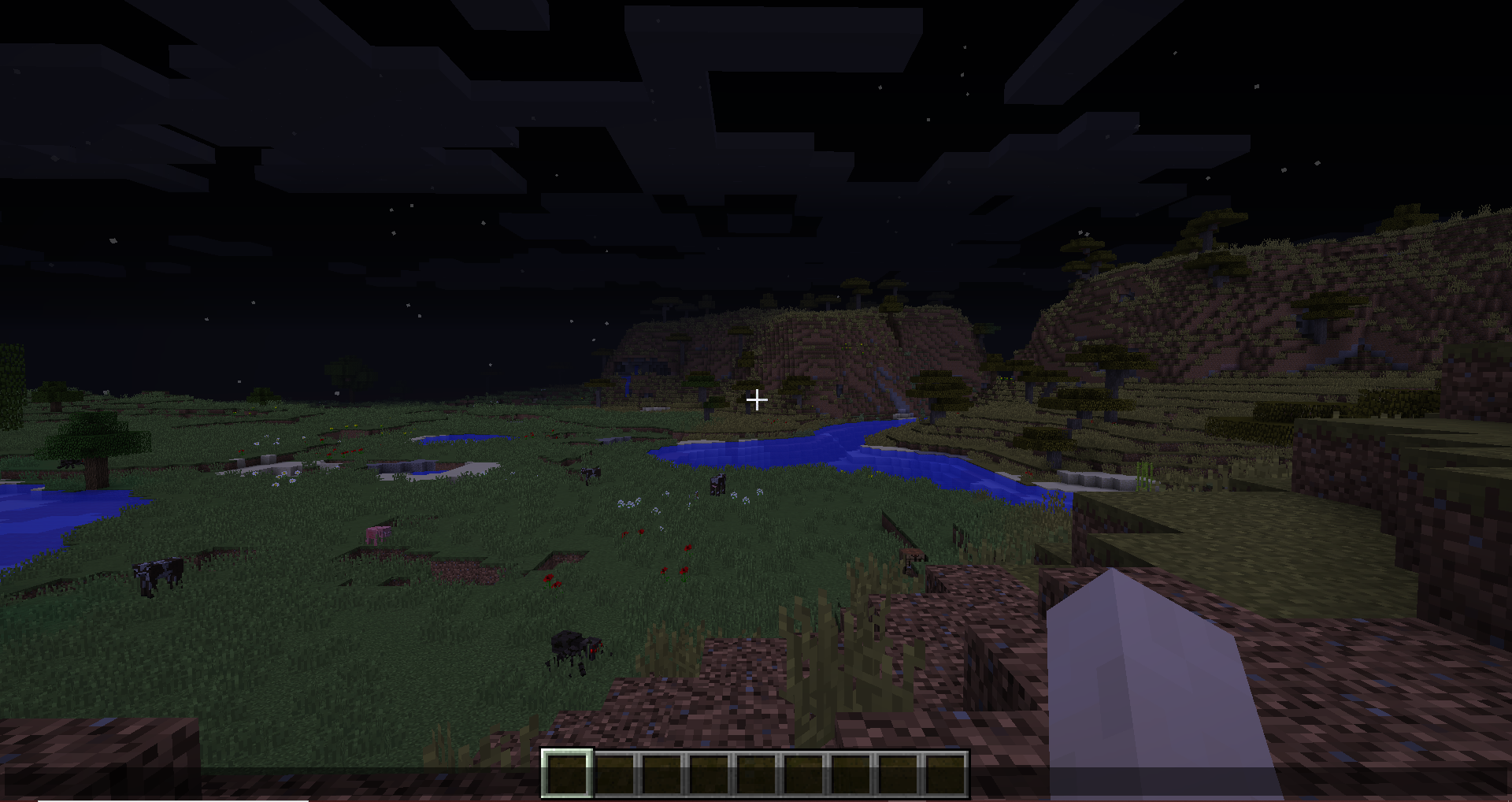
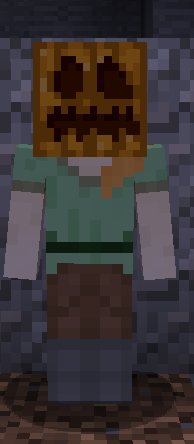
介绍
Wear a carved pumpkin without the orange blur covering your screen.
No More Pumpkin Blur replaces the pumpkin overlay texture with a transparent one, so you keep Enderman protection (and any other pumpkin use) with a clear view. Nothing else in the game is changed.
Features
- Removes the pumpkin blur overlay completely
- Extremely lightweight: only one texture is replaced
- Works with vanilla Minecraft and other resource packs
- Compatible across a huge range of Minecraft versions
Installation
- Download the pack
- Place it in your
.minecraft/resourcepacksfolder - Enable it in Options → Resource Packs
Put this pack above other packs that also touch the pumpkin overlay.
Compatibility
This pack only replaces assets/minecraft/textures/misc/pumpkinblur.png.
As long as Mojang doesn’t rename or move that file, any version of this pack should work on any Minecraft version; even if the pack format number doesn’t match your game.
Supported from Minecraft 1.6.1 through current releases (pack formats 1-88).
Links
- CurseForge (300k+ downloads)
- GitHub
常见问题
No More Pumpkin Blur 支持哪些 Minecraft 版本?
No More Pumpkin Blur 支持 Minecraft Java 版 1.6.1–26.3,共 90 个版本。下载时注意选择和你游戏版本一致的文件。
No More Pumpkin Blur 怎么安装?
把下载的 .zip 文件(不用解压)放进游戏目录的 resourcepacks 文件夹,进游戏后在「选项 → 资源包」里把它移到右边启用。
Mystery2099 的其他作品
查看全部 →
Clear Spyglass Scope
Clear spyglass overlay: removes the foggy zoom tint while keeping the vanilla scope border. No shaders, just a clearer spyglass view.

Colorful Diamonds Mod
Dye diamonds in all 16 Minecraft colors and craft matching blocks, armor, tools, and weapons
Colorful Diamonds Mod
Dye diamonds in all 16 Minecraft colors and craft matching blocks, armor, tools, and weapons

VoxLib
Gone are the days when you must create a new voxel shape for every direction your block faces! With the help of this library, with can be done with the use a simple function.
评论
登录后评论和评分