No Foliage
作者:Lightre
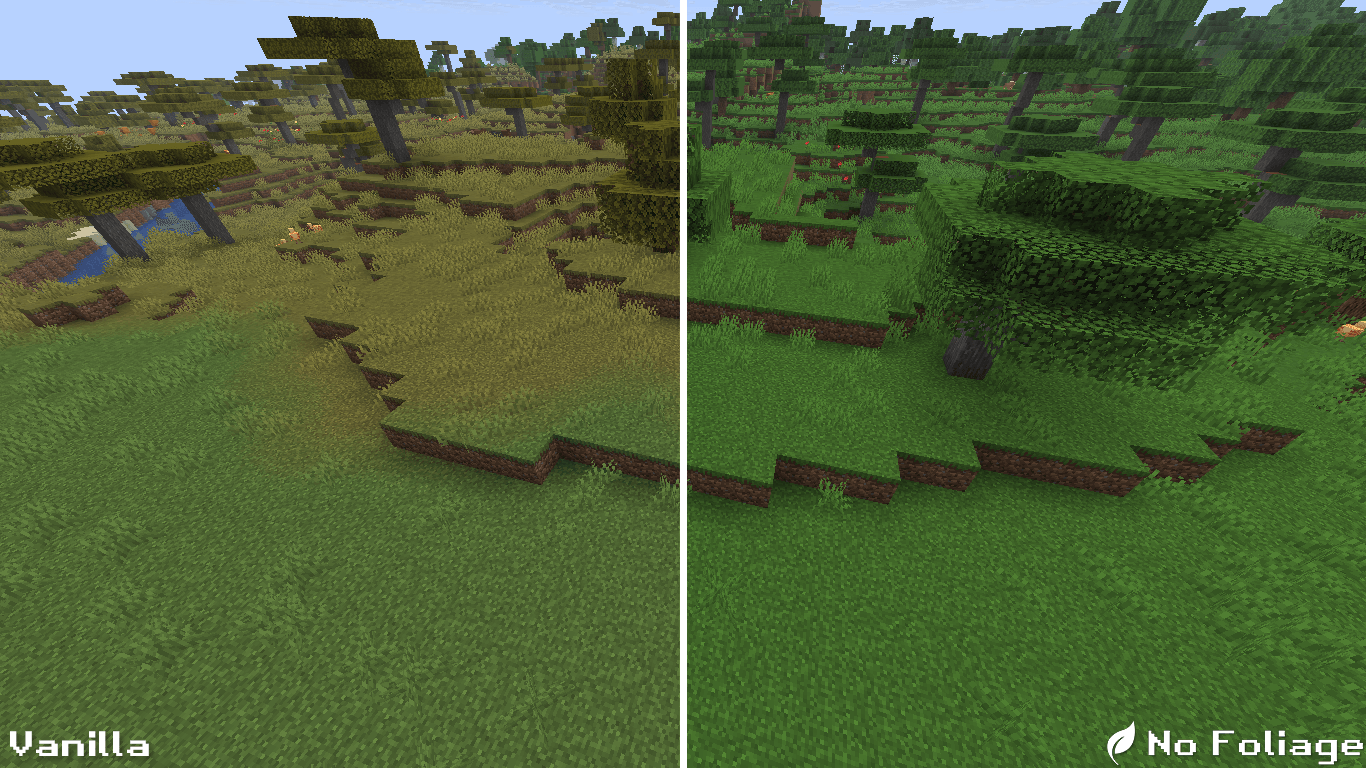
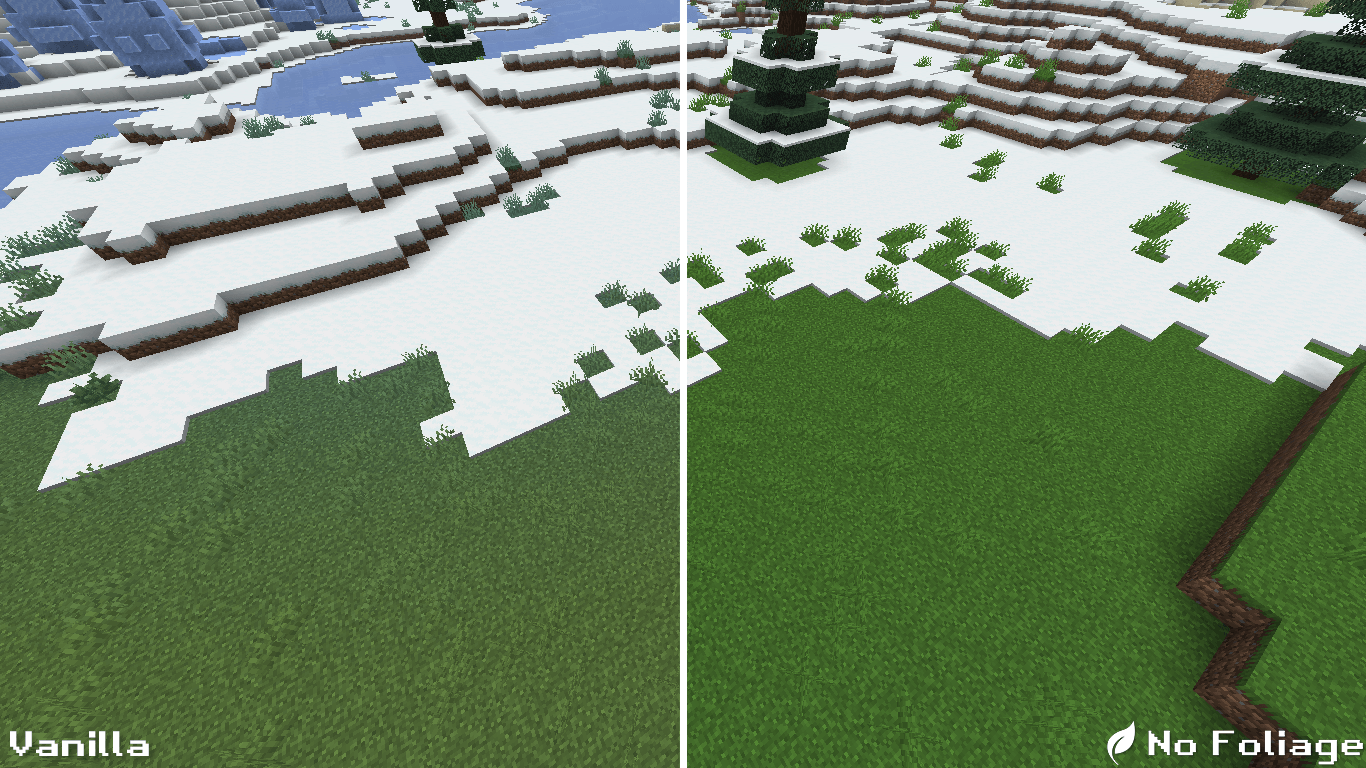
No Foliage removes biome and leaves color variations, giving your world a cleaner atmosphere.
截图
介绍
中文介绍正在准备中,下面暂时显示原文。

🌿 No Foliage
No Foliage is a simple texture pack that removes biome and leaves color variations.
The result? A cleaner, more minimal, and distraction-free world.
✨ Features
- 🍂 Unified leaves and biome colors
- 🌄 Minimalist, clear visuals
- 🧩 Lightweight and easy to use
🛠️ Installation
- Download the
.zipfile. - Open Minecraft → Options → Resource Packs → Open Pack Folder.
- Move the
.zipinto theresourcepacksfolder. - Select No Foliage in-game and click Done.
Enjoy a calmer and sharper Minecraft. 🌱
常见问题
No Foliage 支持哪些 Minecraft 版本?
No Foliage 支持 Minecraft Java 版 1.8.9–1.21.8,共 58 个版本。下载时注意选择和你游戏版本一致的文件。
No Foliage 怎么安装?
把下载的 .zip 文件(不用解压)放进游戏目录的 resourcepacks 文件夹,进游戏后在「选项 → 资源包」里把它移到右边启用。


评论
登录后评论和评分