截图


介绍




NiNuNa’s Fancy Font
_A sleek and fancy serif typeface._ ✒️🕯️🌹
📖 – About
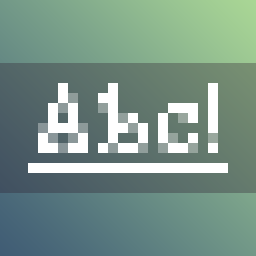
_Hey there! This resource pack replaces the standard Minecraft font with a fancy, sleek serif typeface._
_The idea was to make the characters look more fantasy-like, making the font perfect for fantasy and medieval worlds!_
_The font is also very compact and slim, and its semi-transparent pixels give it a distinctive appearance._
⚙️ – Installation
_Follow the steps below to install and enable the font:_
- Download the correct ZIP file for your version of Minecraft.
- Launch the game.
- Go to ‘Options’ > ‘Resource Packs’ > ‘Open Pack Folder’.
- Copy the ZIP file into the folder without extracting it.
- Move the resource pack from the ‘Available’ section to the ‘Selected’ section by pressing the arrow key while hovering over the pack.
- Confirm and enable the resource pack by pressing ‘Done’.
🔗 – Compatibility
_This resource pack should be compatible with all others, provided you do not allow another font replacer to override it by default._
_Currently, support for diacritics and accents is only partial._
🐛 – Troubleshooting
_If you cannot see the font in the game, try the following options in no particular order:_
- Make sure that you only have one version of this font installed and that it is the correct one.
- In the ‘Resource Packs’ menu, move this pack to the top of the list to ensure it takes precedence over any other packs that might replace the font.
- Finally, disable Unicode fonts by going to ‘Options’ > ‘Language’ > ‘Font Settings…’ and turning off ‘Force Unicode Font’.
©️ – Licence
_© 2026 NiNuNa. All rights reserved._
- Not an official Minecraft product.
- Not approved by or associated with Mojang or Microsoft.
_Do you have any questions about the resource pack? Is anything broken or not working as expected? Do the characters from your language’s alphabet look wrong?_
Please let me know!
Thank you for downloading, and enjoy! 🖤
常见问题
NiNuNa’s Fancy Font 支持哪些 Minecraft 版本?
NiNuNa’s Fancy Font 支持 Minecraft Java 版 1.0–26.3,共 106 个版本。下载时注意选择和你游戏版本一致的文件。
NiNuNa’s Fancy Font 怎么安装?
把下载的 .zip 文件(不用解压)放进游戏目录的 resourcepacks 文件夹,进游戏后在「选项 → 资源包」里把它移到右边启用。
评论
登录后评论和评分