
截图


介绍
If you like my resource pack but it’s not available for the Minecraft version you need or doesn’t support a mod you use, let me know in the comments or on Discord, and I’ll try to make it happen!
If you find a bug or have an idea for an improvement, just let me know and I’ll do my best.
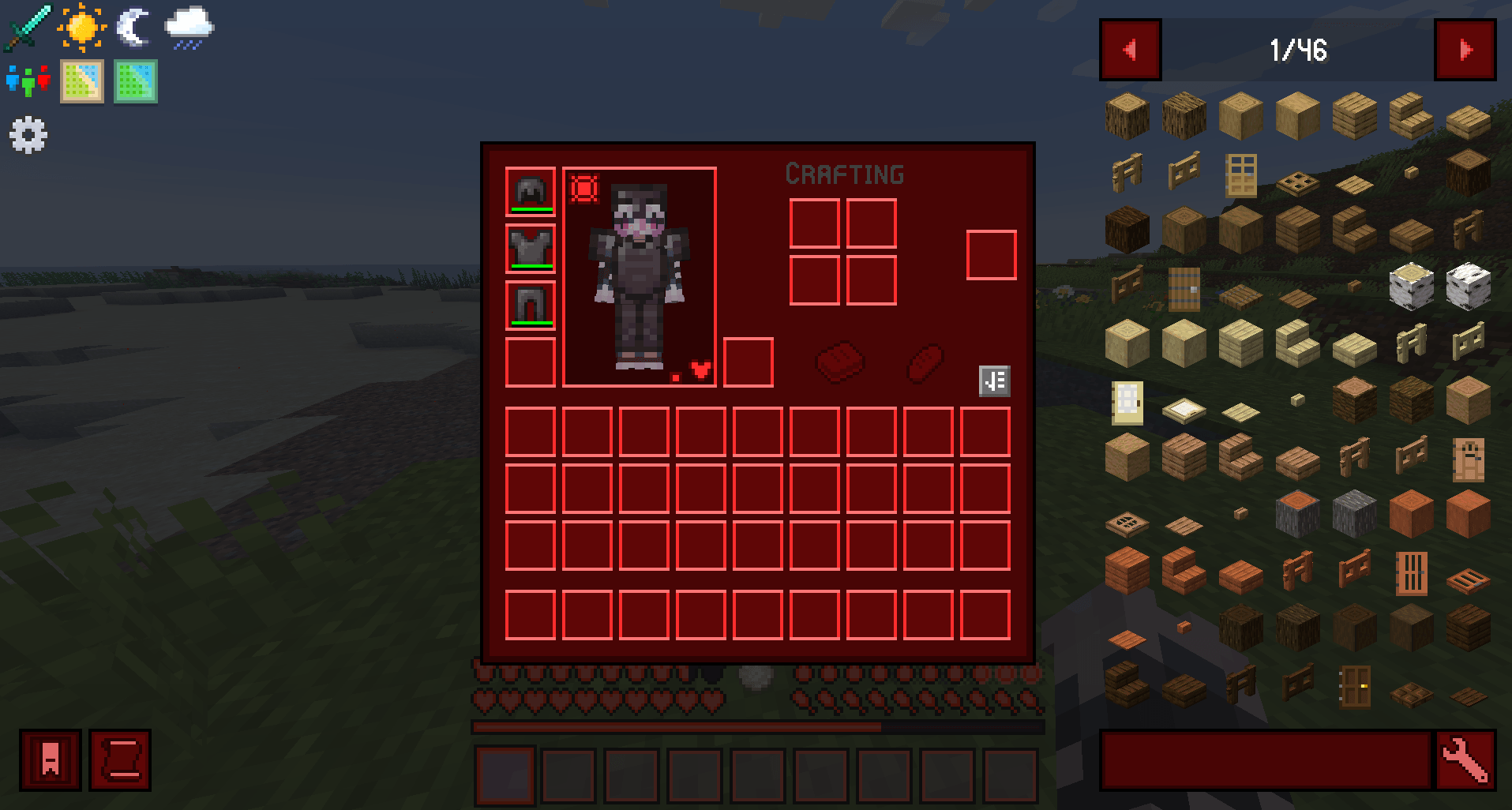
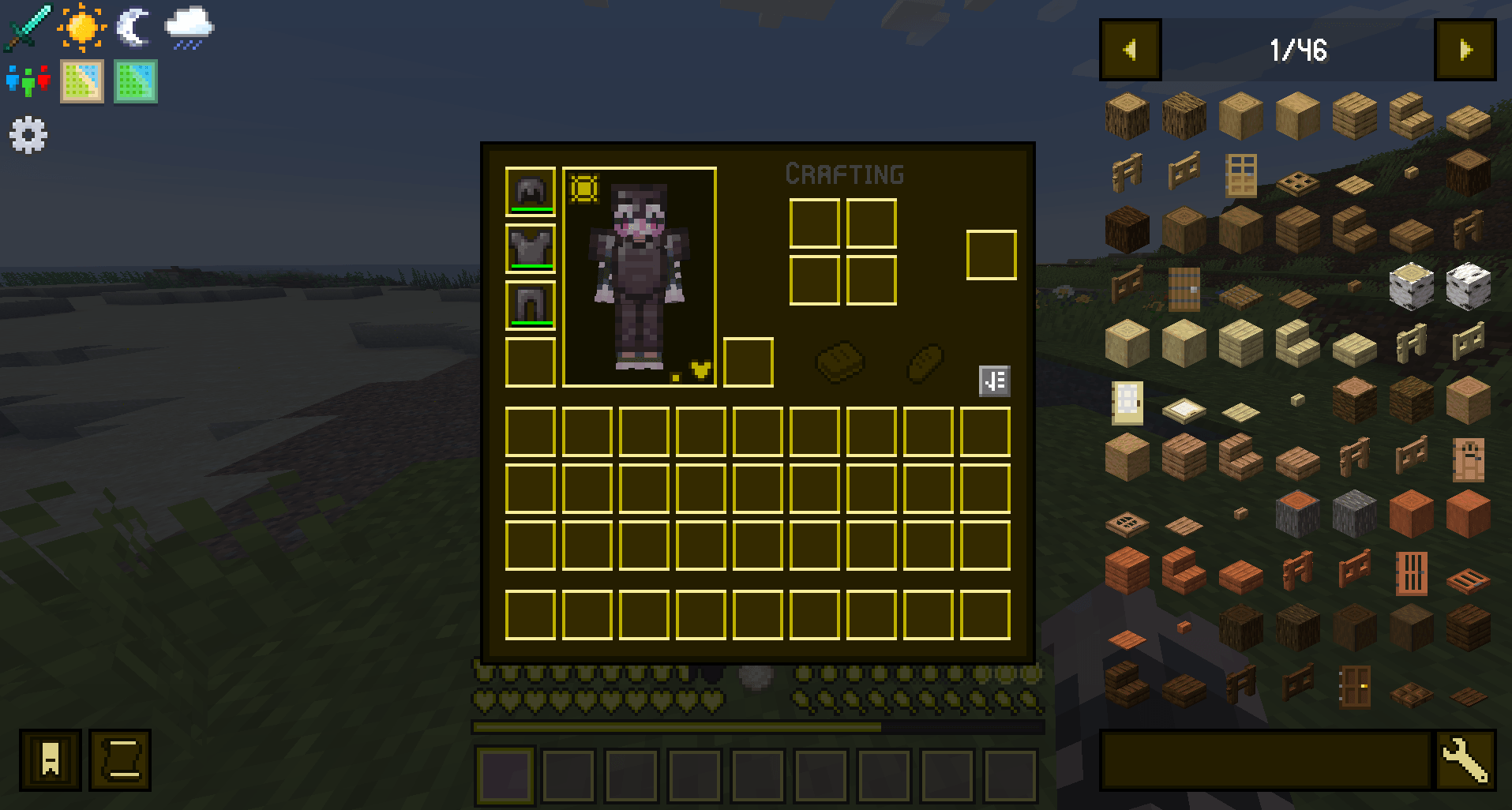
Dark mode for the Minecraft UI and HUD.
Made for the Nekoro Pokemon modpack.
Pairs well with Nekoro Font and Nekoro Enchanted Books.
Made and tested on Minecraft 1.21.1. It should also work on 1.20.2 up to 26.3, but UI elements added after 1.21.1 keep their vanilla look.
Available colors:
The CurseForge app installs Purple. For another color, download it from the list below and put the .zip file in your resourcepacks folder.
– Blue
– Dark Blue
– Green
– Orange
– Pink
– Purple
– Red
– Yellow
Besides vanilla Minecraft, the pack also restyles the UI and HUD of these mods:
– Cobblemon
– Cosmetic Armor Reworked
– Curios
– Enchanting Infuser
– FTB Chunks
– FTB Quests
– FTB Teams
– FTB Ultimine Addition
– Jobs+
– Just Enough Items
– Legendary Survival Overhaul
– Nutritional Balance
– ProjectE
– Quark
– Sophisticated Backpacks
AI Usage
I use AI (Claude) only for writing code and editing text.
I don’t like releasing things that aren’t in the best shape I can make them. AI saves me many hours on the parts I find tedious, which leaves me more time for the creative side.
I draw most of the pixel art myself. Anything I didn’t make is listed in the License or Credits section, together with the terms I use it under.
License
My edits, recolors and new textures are released under CC BY 4.0, so you can use this pack in modpacks, videos and on servers, share it and edit it, as long as you credit Alolan Xardas.
Textures based on Minecraft belong to Mojang Studios, and textures based on other mods belong to their authors.
常见问题
Nekoro Dark Mode 支持哪些 Minecraft 版本?
Nekoro Dark Mode 支持 Minecraft Java 版 1.16–26.3,共 40 个版本。下载时注意选择和你游戏版本一致的文件。
Nekoro Dark Mode 怎么安装?
把下载的 .zip 文件(不用解压)放进游戏目录的 resourcepacks 文件夹,进游戏后在「选项 → 资源包」里把它移到右边启用。
AlolanXardas 的其他作品
查看全部 →
Nekoro Coins
120 枚金币图案,包含猫咪、宝可梦属性、物品和图标。

Nekoro FTB Chunks Cobblemon Icons
Cobblemon icons on the map from FTB Chunks.

Nekoro Pokemon
Modpack for my server, but single-player is supported.

Nekoro Random Drop
Configurable extra random drops from blocks, mobs and Cobblemon Pokémon.
评论
登录后评论和评分