
Mision:Bingo GUI
Replaces inventory, recipe book, changes hotbar, hearts and armor icons. Ready for the mission?
截图


介绍
Description
Gear up for the mission.
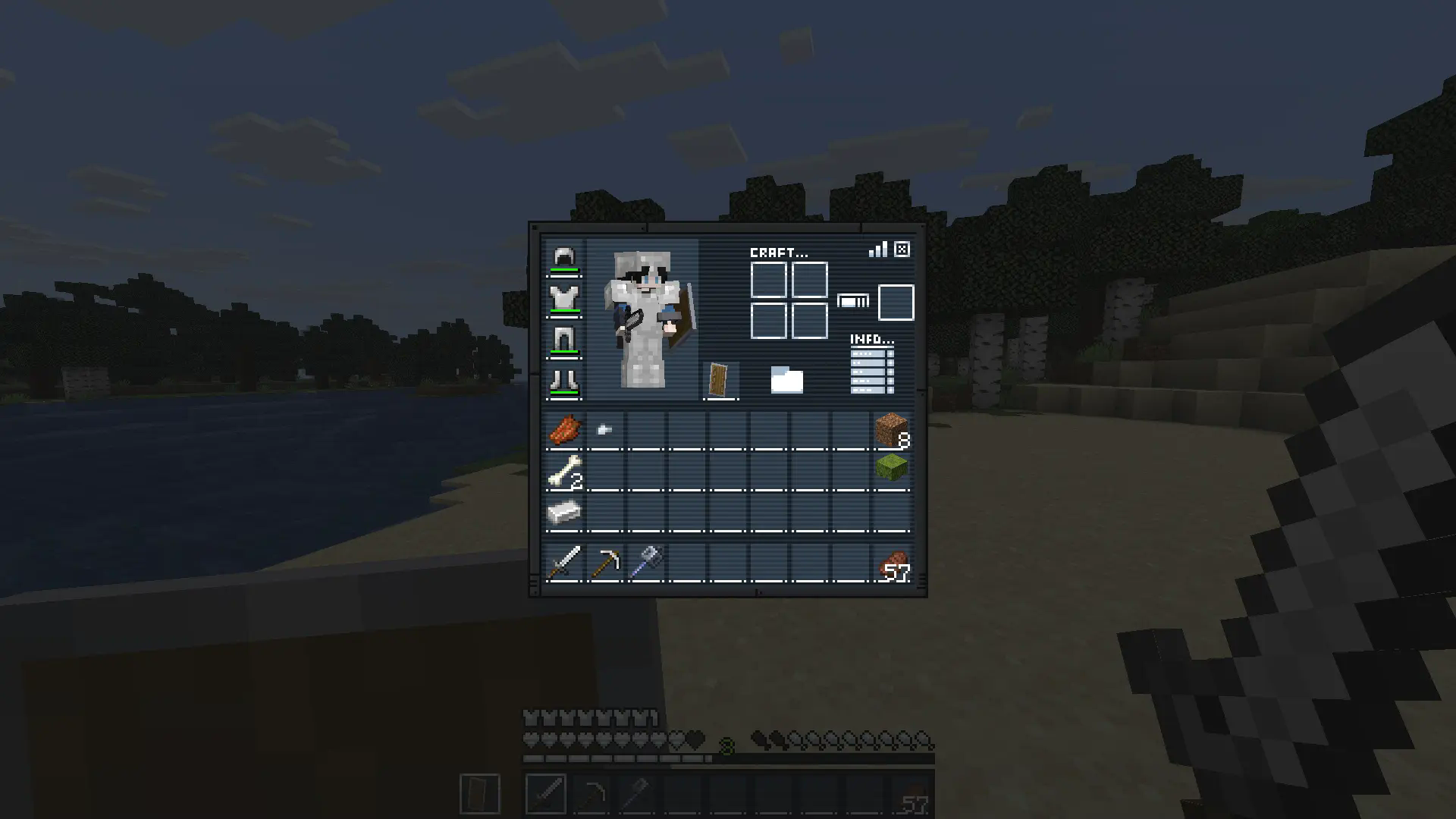
Mission: Bingo GUI transforms Minecraft’s interface with a complete mission-themed redesign, replacing the inventory, recipe book, hotbar, hearts, and armor icons for a sleek tactical look.
Perfect for players who want a more immersive and stylized HUD experience.
Ready for the mission?
How It Works
This resource pack replaces several default GUI and HUD textures with a custom mission-inspired design.
Installation / Usage
- Download and install the resource pack
- Enable it in Minecraft’s Resource Packs menu
- Open your inventory or enter gameplay
- Enjoy the new mission-style interface
Included Changes
- Custom inventory redesign
- Replaced recipe book interface
- New hotbar textures
- Custom heart icons
- Custom armor icons
- Full mission-themed HUD aesthetic
In-Game Preview
常见问题
Mision:Bingo GUI 支持哪些 Minecraft 版本?
Mision:Bingo GUI 支持 Minecraft Java 版 1.20.2–26.3,共 22 个版本。下载时注意选择和你游戏版本一致的文件。
Mision:Bingo GUI 怎么安装?
把下载的 .zip 文件(不用解压)放进游戏目录的 resourcepacks 文件夹,进游戏后在「选项 → 资源包」里把它移到右边启用。
Drift007_ 的其他作品
查看全部 →
Elysis Hammers
A mod that adds mining and combat hammers with area effects and special abilities. Includes secret hammers, upgrades, and compatibility with other mods, all with a unique and optimized style for Minecraft.

Elysis Radiation Mod
A simple Fabric mod for the Nucleaquaria roleplay SMP series. This mod introduces radiation to aquatic environments, filling oceans and rivers with new challenges and radioactive danger.

Bare Bones x Capybara Totem
Change your vanilla totem into a Capybara-themed totem! ✨

Bare Bones x Flower Tools
Replace your Minecraft armor and tools with truly floral ones in the Bare Bones style 🌸
评论
登录后评论和评分