
Minecraft Utilitarian
Replaces every texture with it most prominent colour, Minecraft flatter that you've ever seen it!
截图


介绍

Every texture. One colour.


What is this?
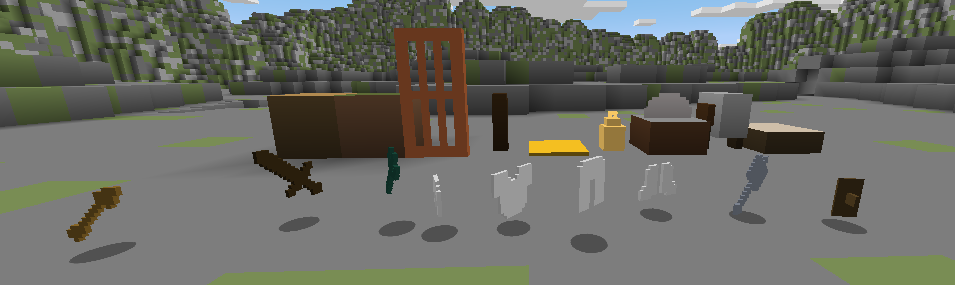
MC-Utilitarian replaces every Minecraft texture with a single flat colour — specifically, whatever colour appears most in that texture.
Grass becomes a flat green square. Stone becomes a flat grey square. Lava is a flat orange square. Every block, item, mob, and UI element reduced to its single most dominant colour.
Is it beautiful? No. Is it useful? Surprisingly, sometimes. Is it hilarious to show your friends? Absolutely.
Could actually be useful for…
- Low-end machines — fewer pixels to render means marginally better performance
- Colour palette reference — instantly see what “colour” each block is without texture noise
- Accessibility testing — great for checking how readable your builds are by colour alone
- Streaming overlays / screenshots — weirdly clean brutalist aesthetic
Installation
- Download the pack
.zip - Place it in your
.minecraft/resourcepacks/folder - Go to Options → Resource Packs and enable it
- Press Done and question everything you thought you knew about Minecraft
Compatibility
| Minecraft | Status |
|———–|——–|
| 1.21.x | ✅ Supported |
| Other | ❓ Untested — pack format may differ |
No mods required.
常见问题
Minecraft Utilitarian 支持哪些 Minecraft 版本?
Minecraft Utilitarian 支持 Minecraft Java 版 1.20–1.21.11,共 19 个版本。下载时注意选择和你游戏版本一致的文件。
Minecraft Utilitarian 怎么安装?
把下载的 .zip 文件(不用解压)放进游戏目录的 resourcepacks 文件夹,进游戏后在「选项 → 资源包」里把它移到右边启用。
HydrogenRocket 的其他作品
查看全部 →
Jade x StarHud Retexture
A small pack that re-textures the Jade dark theme overlay to allow it to fit in more with StarHud HUD
Jade x StarHud Retexture
A small pack that re-textures the Jade dark theme overlay to allow it to fit in more with StarHud HUD

Better Spruce Doors
Fixes the mismatch between Spruce Doors and Trapdoors
评论
登录后评论和评分