MC Bahnschrift
A clean, legible, and no fuss font variation of the famous DIN 1451 font. "Bahnschrift", which was created and released by Microsoft for Windows 10, is now used in a variety of places, such as the XBOX main UI amongst others.
截图
介绍
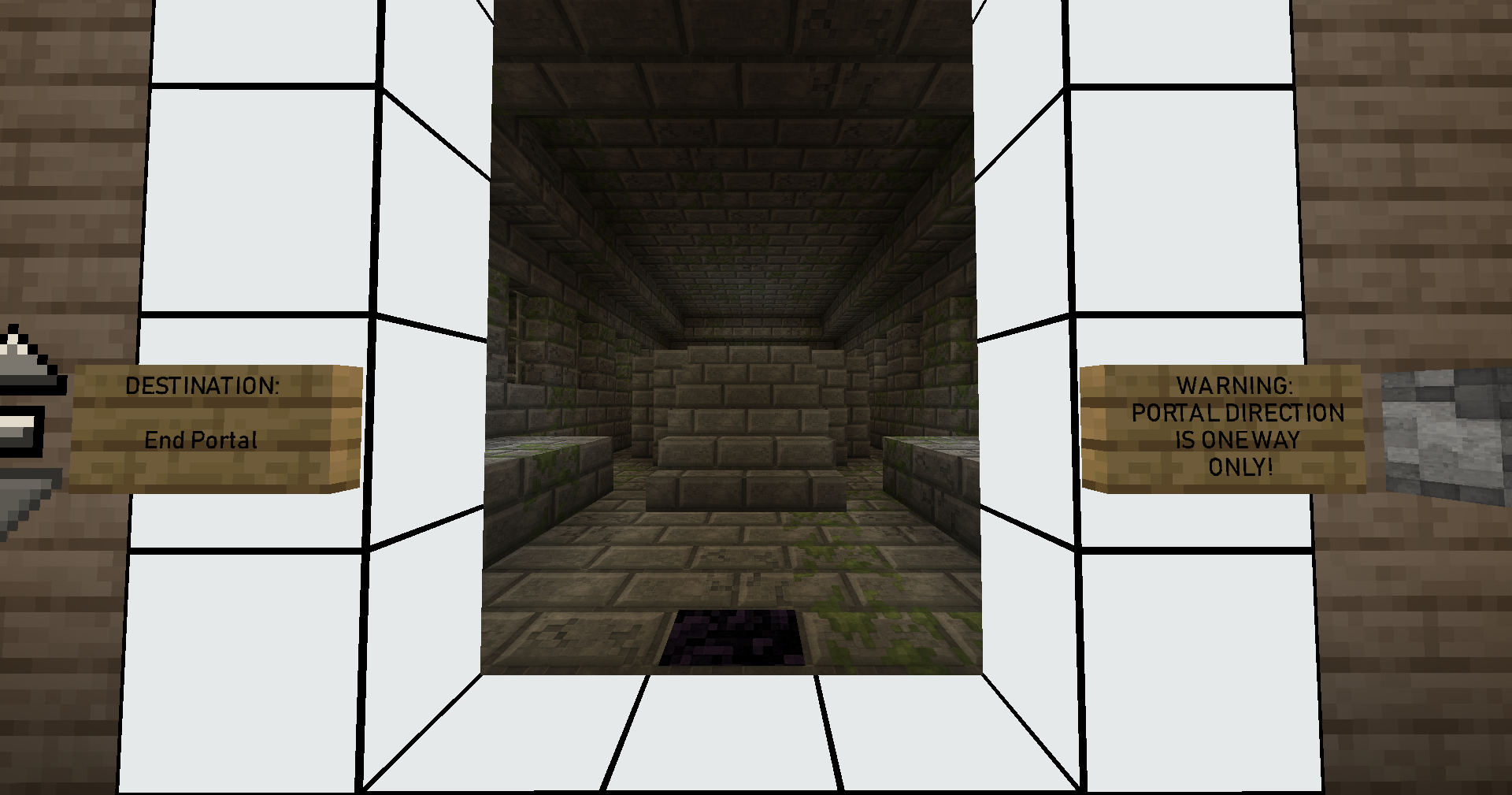
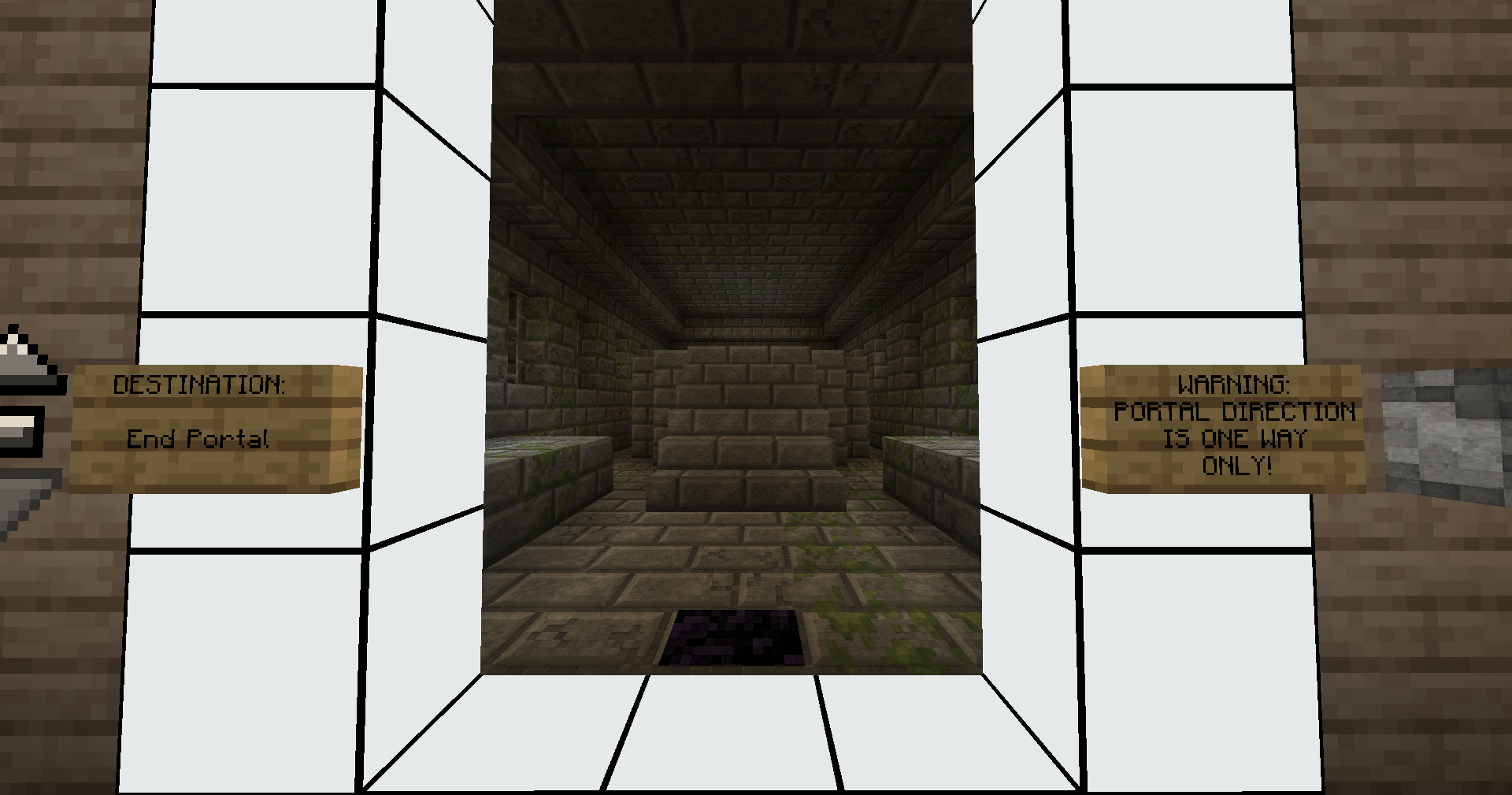
A clean, legible, and no fuss font variation of the famous DIN 1451 font. “Bahnschrift”, which was created and released by Microsoft for Windows 10, is now used in a variety of places, such as the XBOX main UI amongst others. I am using this font all over my system, programs such as Discord/Firefox, etc. However:
I had been longing for the ability to change my font in Minecraft to a more legible one, of which Bahnschrift is the cleanest one by far (fight me about it). Minecraft never ended up with such a functionality however, and only mods ever implemented such a feature. The mod which implemented said feature unfortunately never was really updated for Fabric or higher versions of Minecraft, so the functionality eventually wasn’t there anymore either. However, Minecraft ended up allowing the swapping of fonts via Resource Packs, and I was hoping for someone to make one for the cleanest and best font in the world (once again, fight me about it). This never ended up happening, so thanks for nothing. Kidding, I did it myself instead, and here is the result.
The Bahnschrift font was created by Microsoft, which is an adaptation of the original German DIN 1451 font, used all across Germany for highway signs, other signage, and also for signage in the railroad system, hence the name “Bahnschrift”, because “Bahn” means “Train/Railroad” and “Schrift” stands for “Scripture/Font” in German.
Check out the screenshots for a direct comparison.
Disclaimer:
Bahnschrift was created by Microsoft. For more info, check out Microsoft’s own page on Bahnschrift. I am not affiliated with Microsoft, and neither is this mod.
常见问题
MC Bahnschrift 支持哪些 Minecraft 版本?
MC Bahnschrift 支持 Minecraft Java 版 1.20.1。下载时注意选择和你游戏版本一致的文件。
MC Bahnschrift 怎么安装?
把下载的 .zip 文件(不用解压)放进游戏目录的 resourcepacks 文件夹,进游戏后在「选项 → 资源包」里把它移到右边启用。
LokeYourC3PH 的其他作品
查看全部 →
Industrial ReZolution
An industrial mod made for Fabric and fixed for Fabric Loader 0.15.x!

Dreadlands Foundation Universe
Dreadlands Foundation Universe The modpack aims to create an experience of an open-world which allows for many play-styles. Build a fully automated base, explore as you see fit, build and connect cities, or fight in adventure style bosses at your behest!
评论
登录后评论和评分