
LyamRay’s Chirstmas Pack!
This texturepack has some unique features that makes your world a unique christmas-themed world!
截图
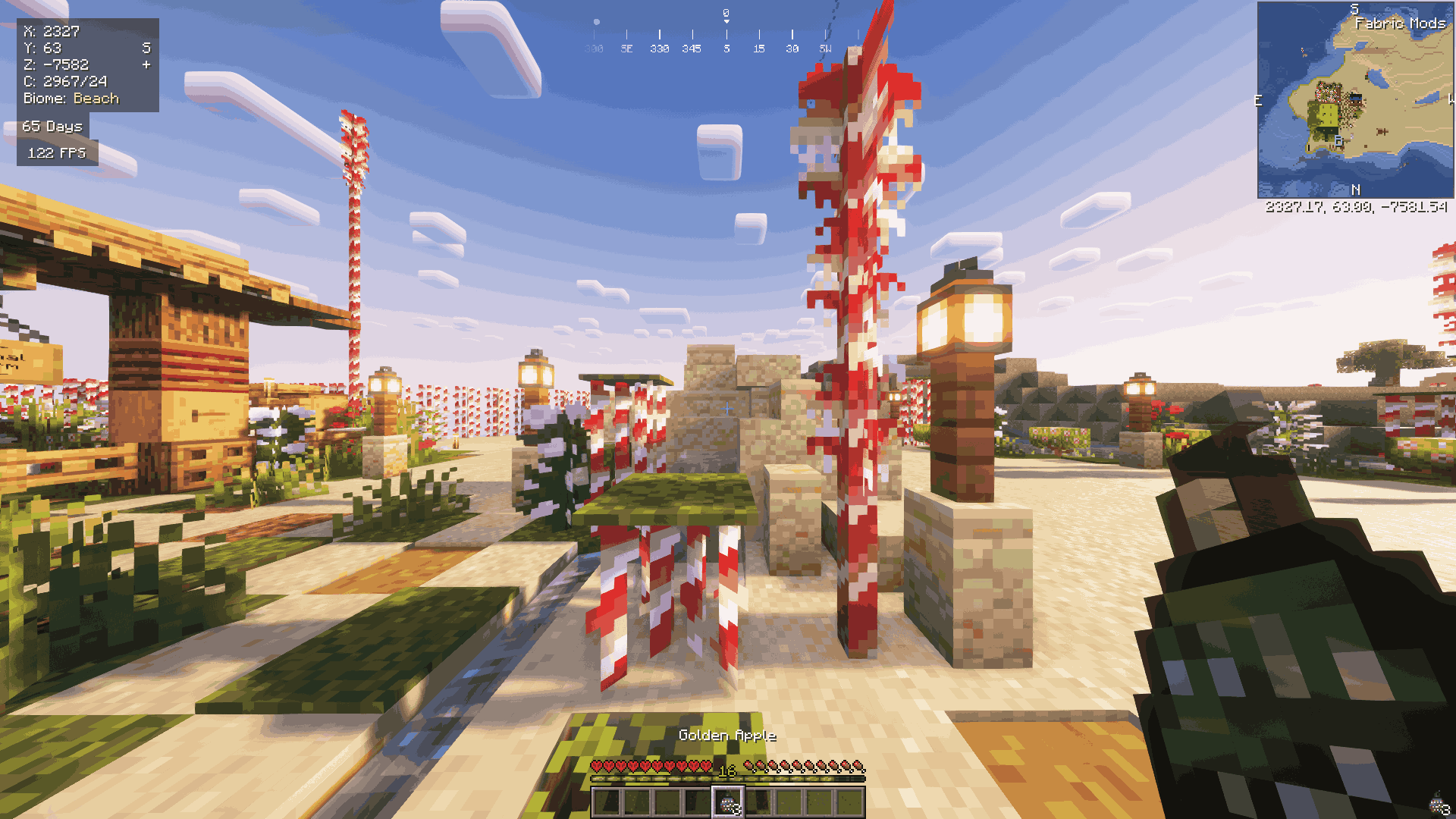
介绍
LyamRay’s Christmas-Pack: A Christmas Texture Pack for Minecraft 1.21.3!
_Transform your Minecraft world into a magical winter wonderland with LyamRay’s Christmas-Pack! This Christmas-themed texture pack brings festive charm and cozy holiday vibes to every block and biome. Here’s what you can expect:_
🎄 Holiday Blocks Galore:
- Snow-dusted grass and frosted trees. {Working on it..}
- Sparkling presents replacing chests!
- Sparklin present replacing the ender-chest!
🎅 Character Overhaul:
- Adorable Santa hats for villagers. {Working on it..}
- A whole Snowman remake.
- A reindeer-inspired texture for horses!
❄️ Environment Enhancements:
- A magical winter sky with auroras and softly falling snowflakes.
- Twinkling stars and icy moon textures.
🛠️ Item Redesigns:
- Candy cane swords, gingerbread shields, and Christmas cookie food items.
- Glimmering ornaments and gift-wrapped tools.
🎁 Bonus Features:
- Custom Christmas music and jingles for added cheer.
- Delightful ambient sounds, like crackling fires and sleigh bells.
Get ready to celebrate the season in LyamRay’s Christmas-Pack! Perfect for adventurers looking to add warmth, sparkle, and a touch of holiday magic to Minecraft 1.21.3. 🎉
Download now and let the festivities begin!
How to use this texturepack?
- Download this texturepack.
- Move this texturepack from your download folder into your resourcepack folder. Example: C:\Users\lyamr\Downloads>LyamRay’s Christmas-Pack.zip -> C:\Users\lyamr\AppData\Roaming\.minecraft\resourcepacks
- Go launch your minecraft and enable the texturepack ingame.
- Enjoy this wonderfull texturepack and happy holidays! 🙂
常见问题
LyamRay’s Chirstmas Pack! 支持哪些 Minecraft 版本?
LyamRay’s Chirstmas Pack! 支持 Minecraft Java 版 1.21.3。下载时注意选择和你游戏版本一致的文件。
LyamRay’s Chirstmas Pack! 怎么安装?
把下载的 .zip 文件(不用解压)放进游戏目录的 resourcepacks 文件夹,进游戏后在「选项 → 资源包」里把它移到右边启用。
评论
登录后评论和评分