Low Fire Plus
A clean and vanilla-friendly Fire Down resource pack that improves first-person visibility while keeping Minecraft's original fire style and animation.
截图
介绍
# 🔥 Fire Down Resource Pack
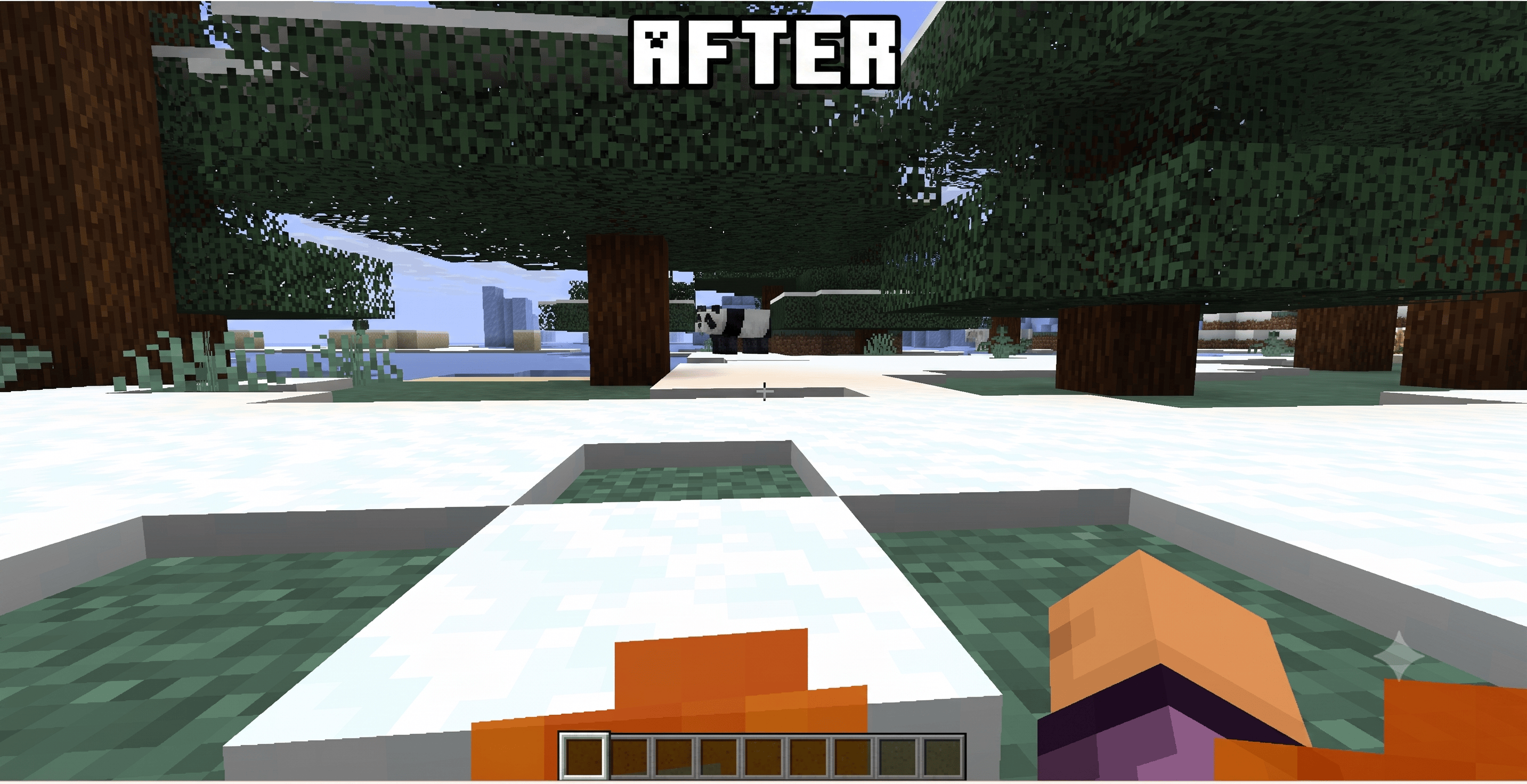
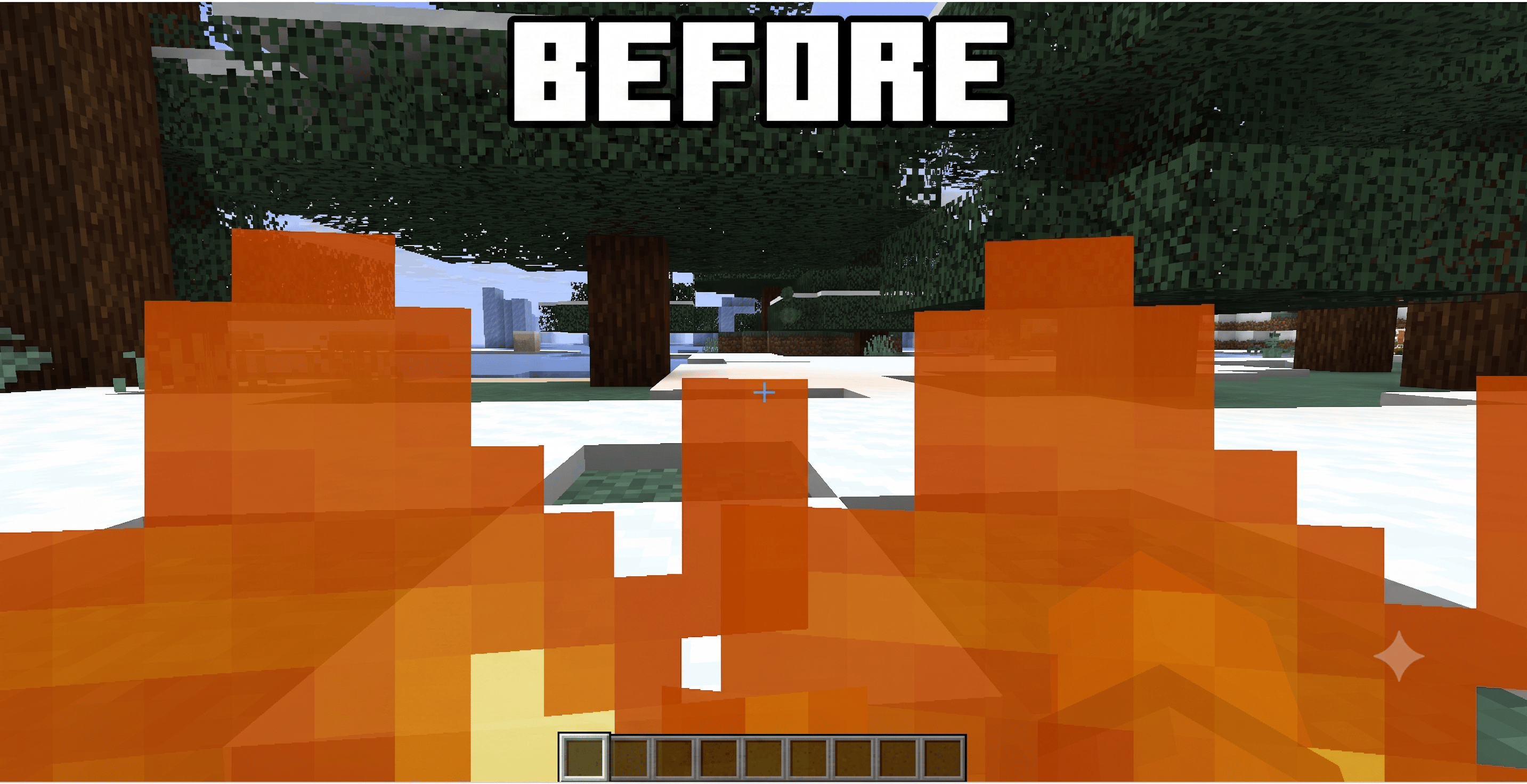
Low Fire Plus is a lightweight Low Fire resource pack for Minecraft Java Edition. Whether you’re searching for Low Fire, Lower Fire, Fire Overlay, Better Fire, or a PvP Fire pack, Fire Down is designed to improve visibility without changing Minecraft’s vanilla feel.
This resource pack lowers the fire appearance, making gameplay more comfortable during combat, exploration, and survival.
—
## ✨ Features
– 🔥 Low Fire for improved visibility
– 🎨 Preserves the vanilla Minecraft style
– ⚡ Lightweight and optimized
– 🧩 Compatible with Vanilla, Fabric, Forge, and OptiFine
– 🌍 Multiplayer friendly
– 📦 Easy to install
—
## 📥 Installation
1. Download the resource pack.
2. Place the ZIP file in:
`.minecraft/resourcepacks`
3. Open Minecraft.
4. Go to:
**Options → Resource Packs**
5. Enable **Low Fire Plus**.
—
## 📌 Compatibility
– Minecraft Java Edition 1.21.+,26.2+
– Resource Pack Format 46+
– Supports future compatible resource pack formats
—
## 👨💻 Author
Created by **AbhiTech**
If you enjoy this resource pack, consider leaving a ⭐ and sharing your feedback.
Thank you for your support!
常见问题
Low Fire Plus 支持哪些 Minecraft 版本?
Low Fire Plus 支持 Minecraft Java 版 1.21–26.2,共 16 个版本。下载时注意选择和你游戏版本一致的文件。
Low Fire Plus 怎么安装?
把下载的 .zip 文件(不用解压)放进游戏目录的 resourcepacks 文件夹,进游戏后在「选项 → 资源包」里把它移到右边启用。
AbhiTech 的其他作品
查看全部 →
Night Vision Datapack (No OptiFine)
轻量级原版数据包,为单人世界或服务器中的所有玩家提供可切换的自动夜视功能。

Night Vision no Optifine
轻量级原版数据包,为单人游戏或服务器中的所有玩家提供自动、可切换的夜视支持。
Single Player Sleep – Skip Night Easily
A lightweight and lag-free One Player Sleep datapack that lets only one player skip the night or stop phantoms for everyone. Works on singleplayer & multiplayer without commands, mods, or plugins.

Fast Sleep – Single Player Sleep
A lightweight and lag-free One Player Sleep datapack that lets only one player skip the night or stop phantoms for everyone. Works on singleplayer & multiplayer without commands, mods, or plugins.
评论
登录后评论和评分