
Lite Tools (Half Size)
Makes weapons and tools appear at half their normal size in first-person.
截图


介绍
Makes weapons and tools appear at half their normal size in first person. This helps improve visibility, reduces visual clutter, and makes it easier to focus on PvP, building, or general gameplay without large items blocking your view. Perfect for players who prefer a simple, lightweight visual tweak that keeps the default style while making first-person combat and feel more open and comfortable.
Try out a slightly bigger version here: https://modrinth.com/resourcepack/lite-tools-0.333
Subscribe to my YouTube: https://www.youtube.com/@OasisSucksAtMc?sub_confirmation=1
常见问题
Lite Tools (Half Size) 支持哪些 Minecraft 版本?
Lite Tools (Half Size) 支持 Minecraft Java 版 1.21–1.21.11,共 12 个版本。下载时注意选择和你游戏版本一致的文件。
Lite Tools (Half Size) 怎么安装?
把下载的 .zip 文件(不用解压)放进游戏目录的 resourcepacks 文件夹,进游戏后在「选项 → 资源包」里把它移到右边启用。
OasisSucksAtMC 的其他作品
查看全部 →
ManePear’s Scythe
Replaces the mace into the scythe from ManePear's videos.
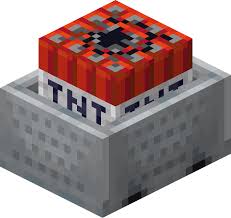
3D TNT Minecart
Changes the 2D sprite item texture into a 3D item model!

Compact Utilities
Makes items smaller in first person.

32x Classic Netherite Armor
Redesigns Netherite armor from Faithful 32x to match the shape of Diamond armor.
评论
登录后评论和评分