
Laser Swords
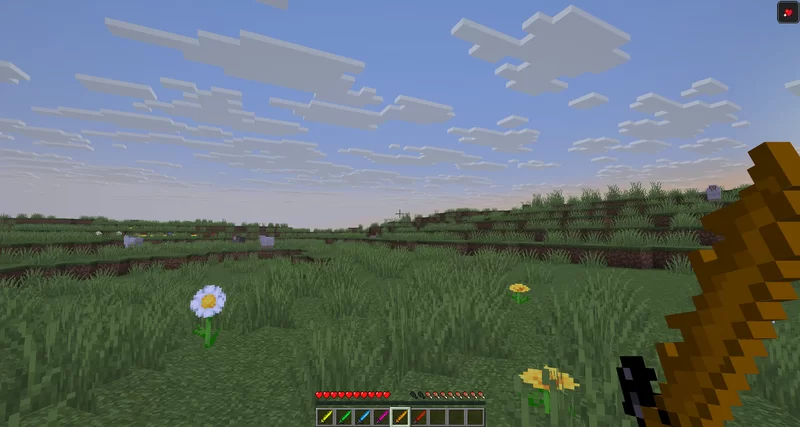
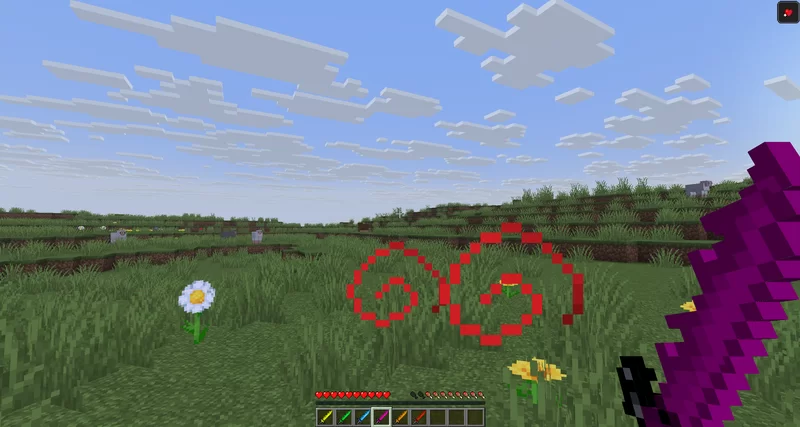
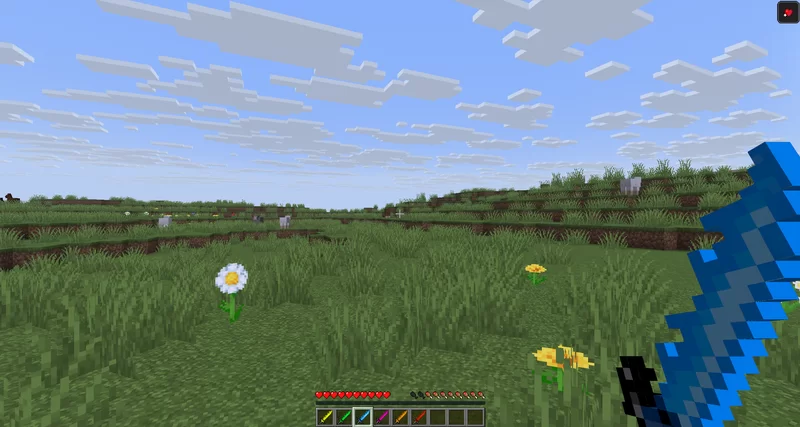
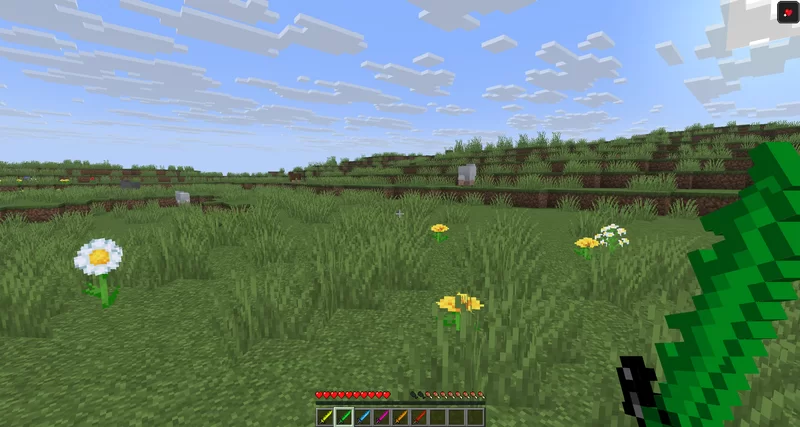
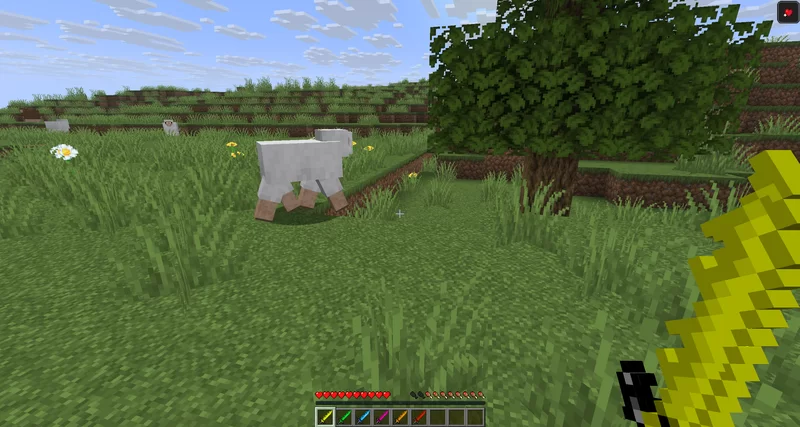
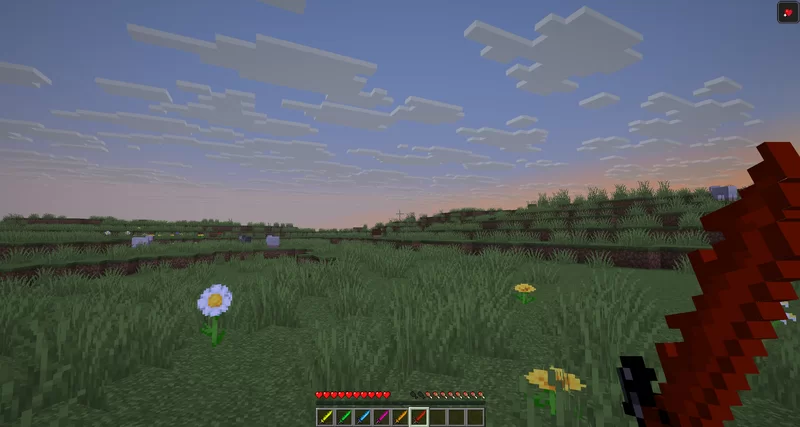
This resource pack features custom sword textures and updated visuals for the strength and weakness effects.
截图
介绍
⚔️ Laser Swords – Custom Swords & Status Visuals
Transform your Minecraft combat experience with a complete visual overhaul for your weaponry and status effects! This resource pack introduces uniquely styled, vibrant custom sword textures alongside cleaner, more intuitive visuals for combat-related status effects.
✨ Features
🔹 Legendary Custom Swords
The centerpiece of this resource pack is the reimagined sword lineup. Say goodbye to the standard, boring vanilla blades and wield powerful, glowing elemental weapons:
- Unique Textures: Every sword tier features a custom pixel-art design with a striking, flammant energy-blade appearance.
- Vibrant Blue Energy: Designed with sharp, glowing blue gradients that look stunning in both PvP battles and casual survival mode.
- Sleek Hilt Designs: Detailed guards and handles that look perfect in both first-person and third-person perspectives.
💥 Enhanced Status Effect Visuals
To give you a better edge and cleaner visibility in combat, the visual indicators for key status effects have been completely redesigned:
- 💪 Strength Effect: Cleaner, more distinct particles and a modernized icon that clearly signals when you are powered up and ready to deal massive damage.
- 🌀 Weakness Effect: Rewritten visuals that instantly notify you when your attack power is compromised, without cluttering your screen during intense fights.
📸 Preview & Style
The pack stays true to the classic Minecraft Pixel-Art Style ($16\times16$ / $32\times32$ feel) while delivering a powerful fantasy punch. It fits perfectly into any PvP setup, vanilla+ client, or modded adventure.
⚙️ Installation Guide
- Download the latest
.zipfile of the resource pack. - Open Minecraft and navigate to Options > Resource Packs > Open Pack Folder.
- Drag and drop the downloaded
.zipfile into the folder. - Select the pack from the “Available” list to move it to “Selected”, then click Done!
Note: For the best visual experience and potential emissive (glowing) textures, using OptiFine or the Iris/Sodium stack with ETF (Enhanced Block Entities) / EMF is highly recommended, though the pack works perfectly in pure vanilla!
🛠️ Compatibility
- Minecraft Versions: Compatible with all recent versions of Minecraft (simply ignore the version warning if it appears, the textures will load perfectly!).
- Mods: Works seamlessly alongside combat mods, HUD improvements, and texture changes that don’t overwrite item models.
常见问题
Laser Swords 支持哪些 Minecraft 版本?
Laser Swords 支持 Minecraft Java 版 1.20–1.20.6,共 7 个版本。下载时注意选择和你游戏版本一致的文件。
Laser Swords 怎么安装?
把下载的 .zip 文件(不用解压)放进游戏目录的 resourcepacks 文件夹,进游戏后在「选项 → 资源包」里把它移到右边启用。
Timexo_YT 的其他作品
查看全部 →
Chest Preview
This mod allows you to see the content of a chest or other containers by just looking at them.

Damage = Jump higher
This mod let's you jump higher if you get damaged.

GroqCraft AI
This project adds the way to chat with the groq ai in minecraft chat.

Lose Time, Lose Life
Lose Time, Lose Life — Every second counts: break blocks to gain time, take damage to lose it, and if the timer hits zero, you die instantly!
评论
登录后评论和评分