
KakashiPlayz PvP Pack
作者:KakashiPlayz
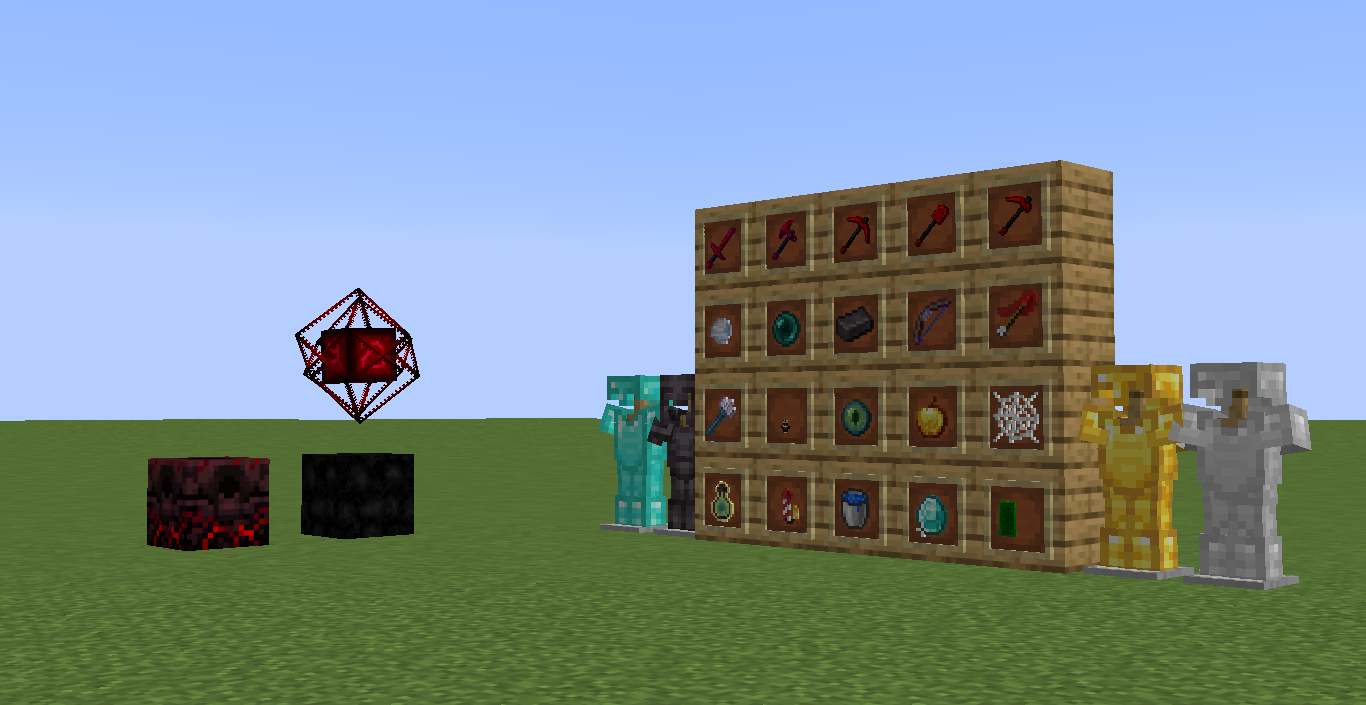
This PvP Pack is a Clean, Optimized Resource Pack Designed For Competitive Minecraft PvP.
截图
介绍
中文介绍正在准备中,下面暂时显示原文。
KakashiPlayz PvP Pack
Overview
KakashiPlayz PvP Pack is a Minecraft resource pack featuring clean visuals and simplified textures. The pack focuses on a minimal style suitable for PvP gameplay.
Features
- Clean and smooth resolution textures
- Short swords for improved visibility during fights
- Custom hit particles and combat effects
- Clear and minimal GUI
- Custom textures forweapons, and PvP items
- Reduced visual clutter
Pack Details
- Version: V1
- Category: PvP / Combat
Compatibility
Works With Most Modern Minecraft Version’s.It Can Be Used in Both Singleplayer and Multiplayer Servers.
Installation
- Download the “.zip” file
- Open Minecraft
- Go to Options → Resource Packs
- Click Open Pack Folder
- Move the pack into the folder
- Enable it in-game
Author Information
- Creator: KakashiPlayz!
- Portfolio Website: https://kakashiplayz.vercel.app
- Discord Server: https://discord.gg/QdTN4BFkTv
Support
For issues, suggestions, or feedback, join the Discord server: https://discord.gg/QdTN4BFkTv
常见问题
KakashiPlayz PvP Pack 支持哪些 Minecraft 版本?
KakashiPlayz PvP Pack 支持 Minecraft Java 版 1.21–26.1.2,共 15 个版本。下载时注意选择和你游戏版本一致的文件。
KakashiPlayz PvP Pack 怎么安装?
把下载的 .zip 文件(不用解压)放进游戏目录的 resourcepacks 文件夹,进游戏后在「选项 → 资源包」里把它移到右边启用。
评论
登录后评论和评分