
Iron Block’s texture to Bedrock’s Texture
A simple, lightweight resource pack that transforms the texture of Iron Blocks into Bedrock. Exclusively made for Minecraft 1.21.11.
截图
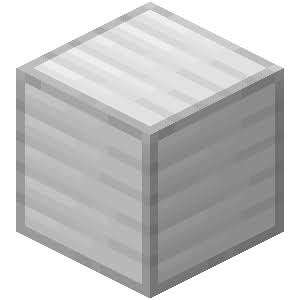

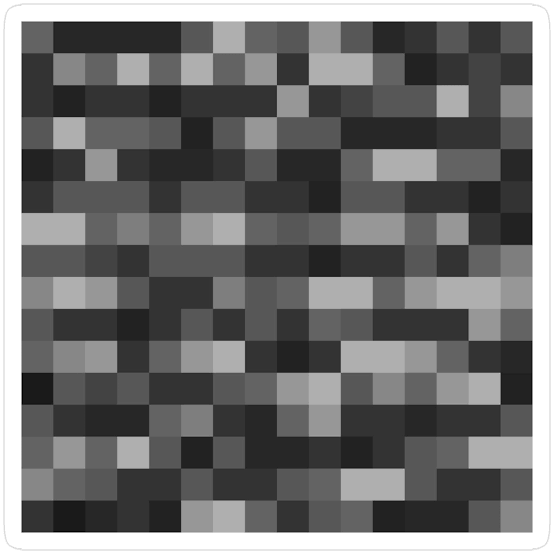
介绍
🪨 Iron Block to Bedrock (1.21.11)
Have you ever wanted your Iron Blocks to look absolutely indestructible? This simple, lightweight resource pack changes the default Iron Block texture to the classic, unyielding Bedrock texture!
Perfect for building pranks, secure-looking vaults, or just customizing your world’s aesthetic.
✨ Features
- Texture Swap: Replaces the standard Iron Block texture with the 16×16 pixel Bedrock texture.
- Highly Optimized: Contains only the modified texture file, making it extremely lightweight and lag-free.
- No OptiFine Needed: Works completely fine in pure vanilla Minecraft!
🎮 Compatibility
- Minecraft Version: 1.21.11 (Optimized and tested for this specific version).
- Format: Uses the latest
pack_formatto ensure a green, compatible status in your resource pack menu.
🛠️ Installation
- Download the resource pack folder or
.zipfile. - Open Minecraft (Version 1.21.11) and go to Options > Resource Packs > Open Pack Folder.
- Drag and drop the downloaded file into the folder.
- Activate the pack in-game and enjoy your new indestructible-looking blocks!
Note: This only changes the visual appearance (texture) of the Iron Block. It does NOT alter its actual blast resistance, mining speed, or item properties.
常见问题
Iron Block’s texture to Bedrock’s Texture 支持哪些 Minecraft 版本?
Iron Block’s texture to Bedrock’s Texture 支持 Minecraft Java 版 1.21.9–1.21.11,共 3 个版本。下载时注意选择和你游戏版本一致的文件。
Iron Block’s texture to Bedrock’s Texture 怎么安装?
把下载的 .zip 文件(不用解压)放进游戏目录的 resourcepacks 文件夹,进游戏后在「选项 → 资源包」里把它移到右边启用。
FigDupe 的其他作品
查看全部 →
Custom 3D Totem
Easily replace the default Totem of Undying with your own custom 3D model!

Screaming chicken sound for totem
Replaces the default Totem of Undying activation sound with the hilarious viral screaming chicken meme sound!

Muscle villager totem
A funny resource pack that transforms the flat Totem of Undying into a buff 3D Muscle Villager.

More Splashes Texts
Replaces splash texts with real Minecraft trivia and some survival tips!
评论
登录后评论和评分