
🧠 200IQ UI (In-game wiki)
Adds a bunch of useful information to Gui like crafting tables, smithing table, and more!
截图
介绍
Ever forget what ingredients make a potion? Ever forget how to craft a specific item? Ever forget how many blocks are needed for a beacon?
Well, look no further than 200IQ UI solves all of these problems and more by adding custom info panels for quick reference! Never get caught googling for simple game information again. Check out the image gallery and see for yourself!
Features
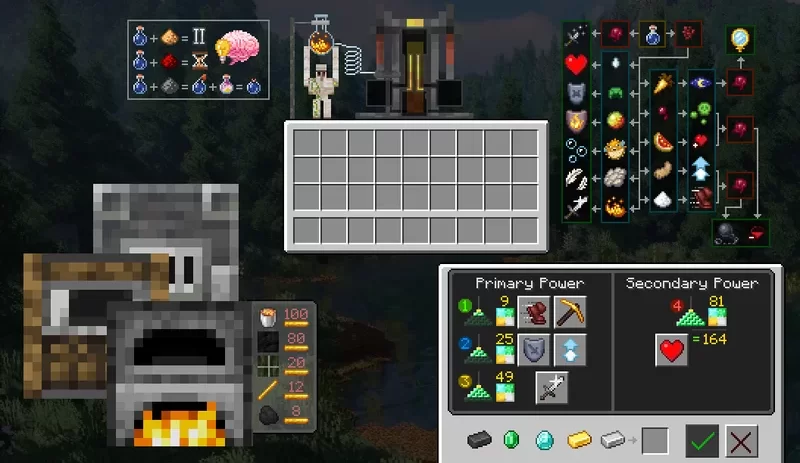
- Adds custom overlay info panels for the brewing stand gui that shows potion modifiers and ingredients for a quick reference.
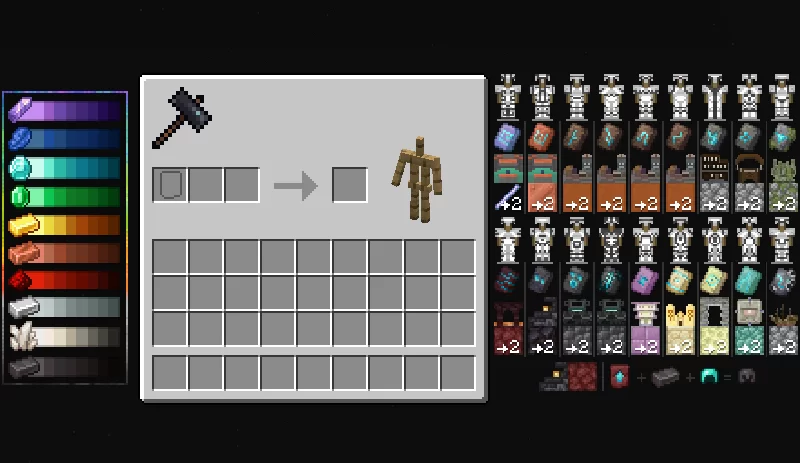
- Adds custom overlay info panels and graphic for the smithing table that shows color trimming combinations, where to obtain each smithing template, and the corresponding block that is used to craft more templates.
- Adds custom overlay info panels for the furnace gui that shows fuel consumption per x items for quick reference.
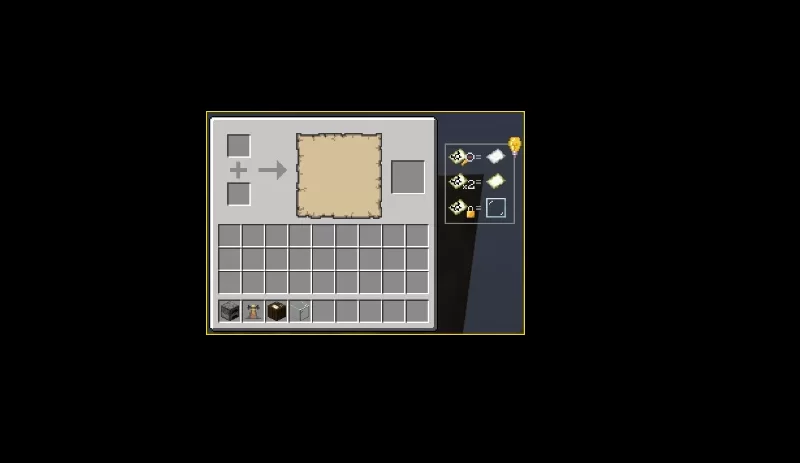
- Adds custom overlay info panel for cartography table, showing which items can be used to lock/duplicate/zoom out map.
- Replaces the beacon gui – shows the amount of blocks to complete the beacon and blocks per layer.
- Replaces the brewing stand gui with a (somewhat) nice looking skin.
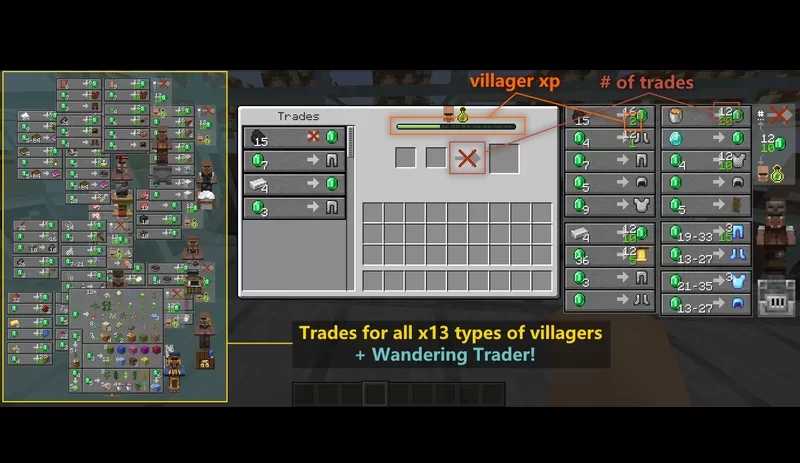
- Adds guis to ALL(13) villager types + wandering trader that displays a full catalog of possible trades.
- Modifies the villager trade screen to show villager xp symbols.
常见问题
🧠 200IQ UI (In-game wiki) 支持哪些 Minecraft 版本?
🧠 200IQ UI (In-game wiki) 支持 Minecraft Java 版 1.21–1.21.10,共 11 个版本。下载时注意选择和你游戏版本一致的文件。
🧠 200IQ UI (In-game wiki) 怎么安装?
把下载的 .zip 文件(不用解压)放进游戏目录的 resourcepacks 文件夹,进游戏后在「选项 → 资源包」里把它移到右边启用。
clarksmind 的其他作品
查看全部 →
Small Caps Font
A simple texture pack that take the Minecraft Five font into the game.

Fancy Hearts
Replaces the default health bar with cleaner, fancier heart icons. (Fancy Hud included)

Auto Smelt
A simple datapack that auto smelts ores upon mining—Also works with fortune!

True Blackstone
Makes all blackstone blocks actually black.
评论
登录后评论和评分