
截图





介绍
Henry’s Vanilla Utilities
This is a small vanilla-like resource pack containing several visual changes that I made because I personally like how they look.
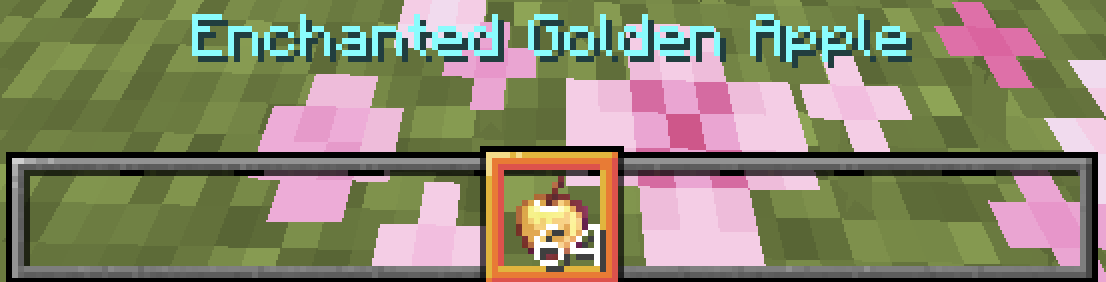
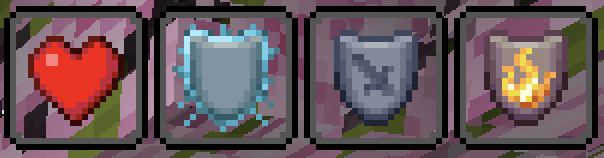
It is mainly a collection of simple GUI and visual tweaks. The pack keeps Minecraft close to its original style, but changes a few details such as the inventory, hotbar selection, crosshair, status-effect backgrounds, fire, smoke, and some icons.
These changes may not be for everyone, but I made them for my own preferred Minecraft look and decided to share them.
Included content
This resource pack includes content based on my previous packs:
- Low Fire and No Smoke
- Clean Vanilla Hotbar
- Accessibility Totem
- Red Arrow
- Red Hotbar Selection
- Unknown Server Icon (Unlist)
What is changed?
- Inventory and container GUI
- Hotbar and hotbar-selection
- Crosshair
- Status-effect backgrounds to transparent
- Low fire and no smoke
- Totem of Undying texture
- Red arrow 3D Models
- Unknown server icon
Compatibility
- Minecraft: Java Edition
- Minecraft 26.2
- 16x resolution
Credits
All textures in this project were made by me.
This project collects and combines some of my older resource-pack work into one pack.
License / Permissions:
•All textures in this pack are my own edits of vanilla Minecraft assets.
•Do not re-upload this pack to other sites.
•You can use this pack in your own videos or modpacks. A credit link to this Modrinth page is not required, but it is appreciated.
常见问题
Henry custom resource pack 支持哪些 Minecraft 版本?
Henry custom resource pack 支持 Minecraft Java 版 1.20–26.3,共 16 个版本。下载时注意选择和你游戏版本一致的文件。
Henry custom resource pack 怎么安装?
把下载的 .zip 文件(不用解压)放进游戏目录的 resourcepacks 文件夹,进游戏后在「选项 → 资源包」里把它移到右边启用。
HenryTT6666 的其他作品
查看全部 →
low fire and no smoke
make the fire lower and no smoke

Clean Vanilla Hotbar
Make the hotbar fully clean and Vanilla-like

Transparent Vanilla Hotbar
Make the hotbar grid completely transparent and Vanilla-like
Transparent Vanilla Hotbar
Make the hotbar grid completely transparent and Vanilla-like
评论
登录后评论和评分