
GUI
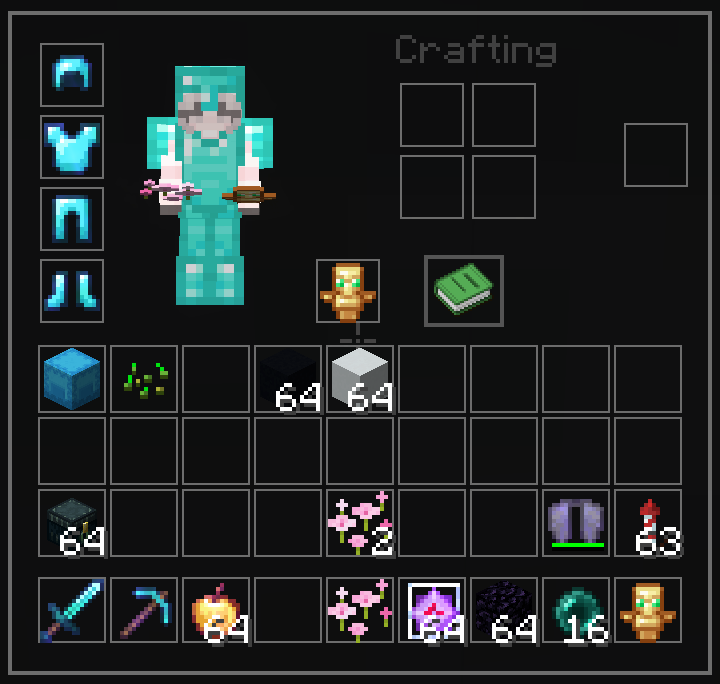
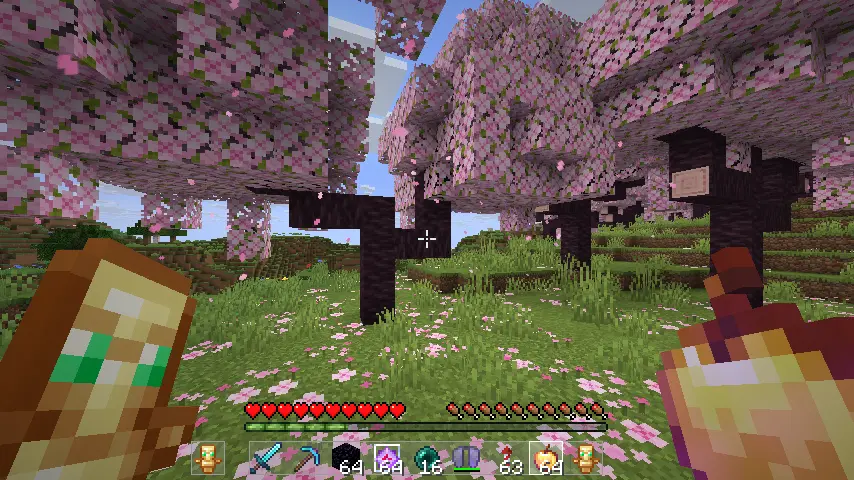
Transparent and Clear GUI for versions 1.20 - 26.2 that is minimalist and does not obstruct the view. It only changes the UI without changing the icons...
截图






介绍
Transparent and Clear GUI
Description
GUI by Chronicaly is a refined PvP-focused resource pack interface built for players who want a clean, no-distraction experience. Designed with clarity and simplicity in mind, this pack replaces Minecraft’s default interface with a sleek, performance-friendly layout—perfect for competitive and casual players alike.
- Minimalistic menus, buttons, and hotbar
- Streamlined inventory for fast looting and crafting
- Optimized visuals for duels, UHC, and fast-paced PvP
- Soft neutral tones that are easy on the eyes
- Complements any pack focused on PvP or Vanilla style
Features
- Fully redesigned GUI and HUD (inventory, chests, settings, etc.)
- Clean hotbar, health, armor, and status indicators
- Perfect pairing for custom PvP textures or vanilla visuals
Installation Guide
- Download the
.zipfile - Move it into your
.minecraft/resourcepacksfolder - Open Minecraft → Options → Resource Packs
- Enable GUI in resourcepacks
Feedback & Community
Have suggestions, bug reports, or want to chat with other players using the pack?
Join the community here: https://discord.gg/factory
常见问题
GUI 支持哪些 Minecraft 版本?
GUI 支持 Minecraft Java 版 1.17–26.2,共 30 个版本。下载时注意选择和你游戏版本一致的文件。
GUI 怎么安装?
把下载的 .zip 文件(不用解压)放进游戏目录的 resourcepacks 文件夹,进游戏后在「选项 → 资源包」里把它移到右边启用。
chronicaly 的其他作品
查看全部 →
sound+
Modern soundpack for crystal pvp and sword pvp. Includes very satisfying totem pop sounds, crystal explosions, steps sound and more...

shadow
This resource pack brings a sleek and modern visual experience to Minecraft with a transparent GUI and a striking white and black color theme.

whiteout
A beautifull white pack with a transparent gui. Made for crystal pvp

snowflake
A blue resourcepack for crystal pvp
评论
登录后评论和评分