
截图
介绍
中文介绍正在准备中,下面暂时显示原文。
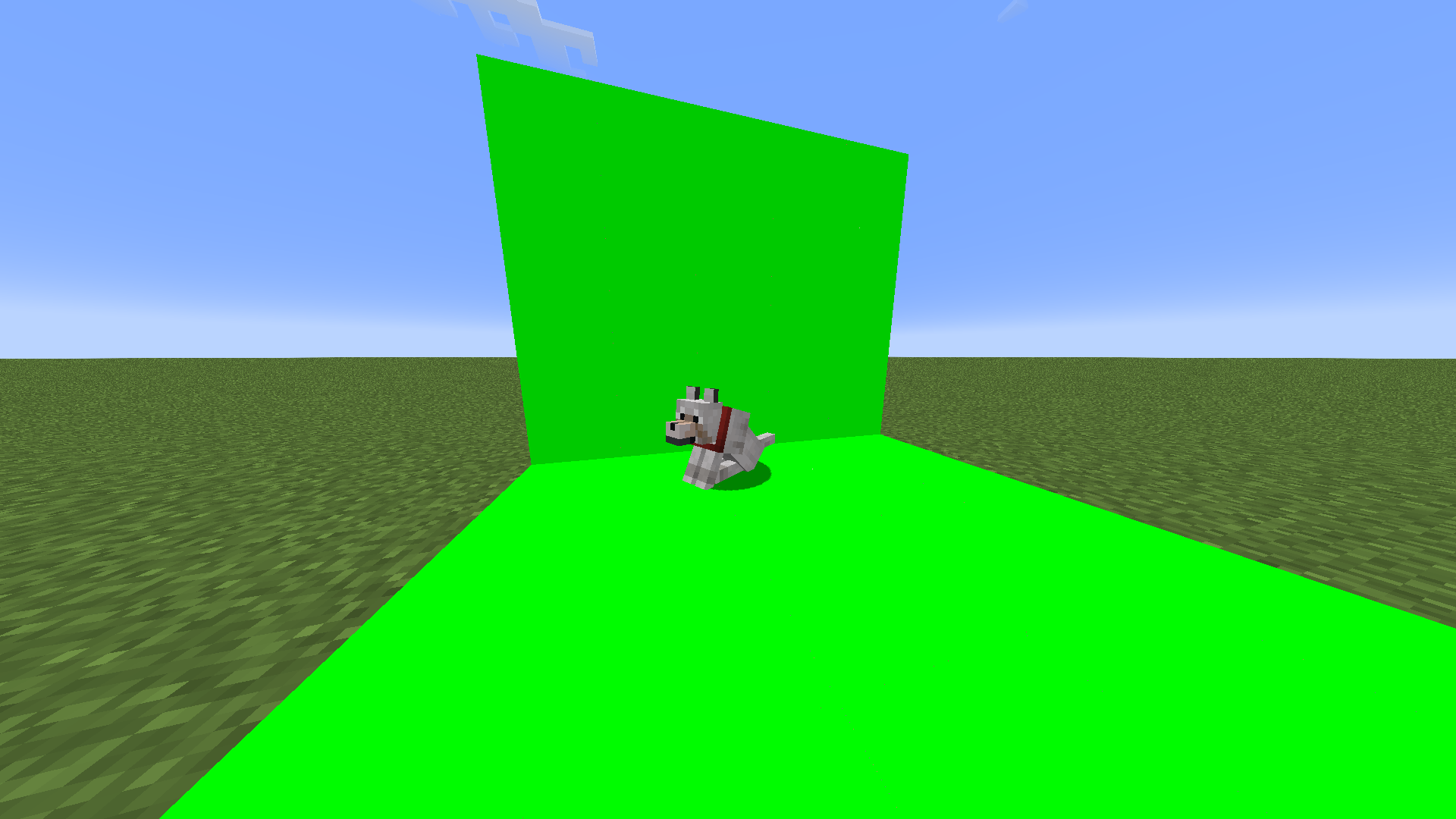
This changes the glowstone texture to a 1×1 image with the color #00ff00 and more. This is great for things like transparent images from Minecraft, and you can also make a video overlay of yourself or other things.
Quick tip:
If you want to place a stage quickly, you can follow these instructions for 1.21.1:
- Replace the block under you with the desired color screen.
- Place an impulse command block on it.
- Paste the following command into the command block and run it:
/summon minecraft:falling_block ~ ~1 ~ {BlockState:{Name:"minecraft:redstone_block"},Passengers:[{id:"minecraft:falling_block",BlockState:{Name:"minecraft:activator_rail"},Passengers:[{id:"minecraft:command_block_minecart",Command:"/execute if block ~ ~-3 ~ sea_lantern run fill ~-5 ~-3 ~1 ~5 ~4 ~10 sea_lantern",CustomName:'"blk1"'},{id:"minecraft:command_block_minecart",Command:"/execute if block ~ ~-3 ~ glowstone run fill ~-5 ~-3 ~1 ~5 ~4 ~10 glowstone",CustomName:'"blk1"'},{id:"minecraft:command_block_minecart",Command:"/execute if block ~ ~-3 ~ shroomlight run fill ~-5 ~-3 ~1 ~5 ~4 ~10 shroomlight",CustomName:'"blk1"'},{id:"minecraft:command_block_minecart",Command:"/execute if block ~ ~-3 ~ ochre_froglight run fill ~-5 ~-3 ~1 ~5 ~4 ~10 ochre_froglight",CustomName:'"blk1"'},{id:"minecraft:command_block_minecart",Command:"/execute if block ~ ~-3 ~ verdant_froglight run fill ~-5 ~-3 ~1 ~5 ~4 ~10 verdant_froglight",CustomName:'"blk1"'},{id:"minecraft:command_block_minecart",Command:"/execute if block ~ ~-3 ~ pearlescent_froglight run fill ~-5 ~-3 ~1 ~5 ~4 ~10 pearlescent_froglight",CustomName:'"blk1"'},{id:"minecraft:command_block_minecart",Command:"/execute if block ~ ~-3 ~ jack_o_lantern run fill ~-5 ~-3 ~1 ~5 ~4 ~10 jack_o_lantern",CustomName:'"blk1"'},{id:"minecraft:command_block_minecart",Command:"/setblock ~ ~-3 ~ chiseled_stone_bricks",CustomName:'"blk1"'},{id:"minecraft:command_block_minecart",Command:"/fill ~-5 ~-2 ~1 ~5 ~4 ~9 air",CustomName:'"blk1"'},{id:"minecraft:command_block_minecart",Command:"setblock ~ ~2 ~ chain_command_block[facing=up]{Command:\"fill ~ ~-4 ~ ~ ~ ~ air\", auto:true}",CustomName:'"blk1"'},{id:"minecraft:command_block_minecart",Command:"setblock ~ ~1 ~ command_block[facing=up]{Command:\"kill @e[type=command_block_minecart,name=\\\"blk1\\\"]\", auto:true}",CustomName:'"blk1"'}]}]}常见问题
Greenscreen 支持哪些 Minecraft 版本?
Greenscreen 支持 Minecraft Java 版 1.21.1。下载时注意选择和你游戏版本一致的文件。
Greenscreen 怎么安装?
把下载的 .zip 文件(不用解压)放进游戏目录的 resourcepacks 文件夹,进游戏后在「选项 → 资源包」里把它移到右边启用。


评论
登录后评论和评分