Glowing Trim Weapon & Tools
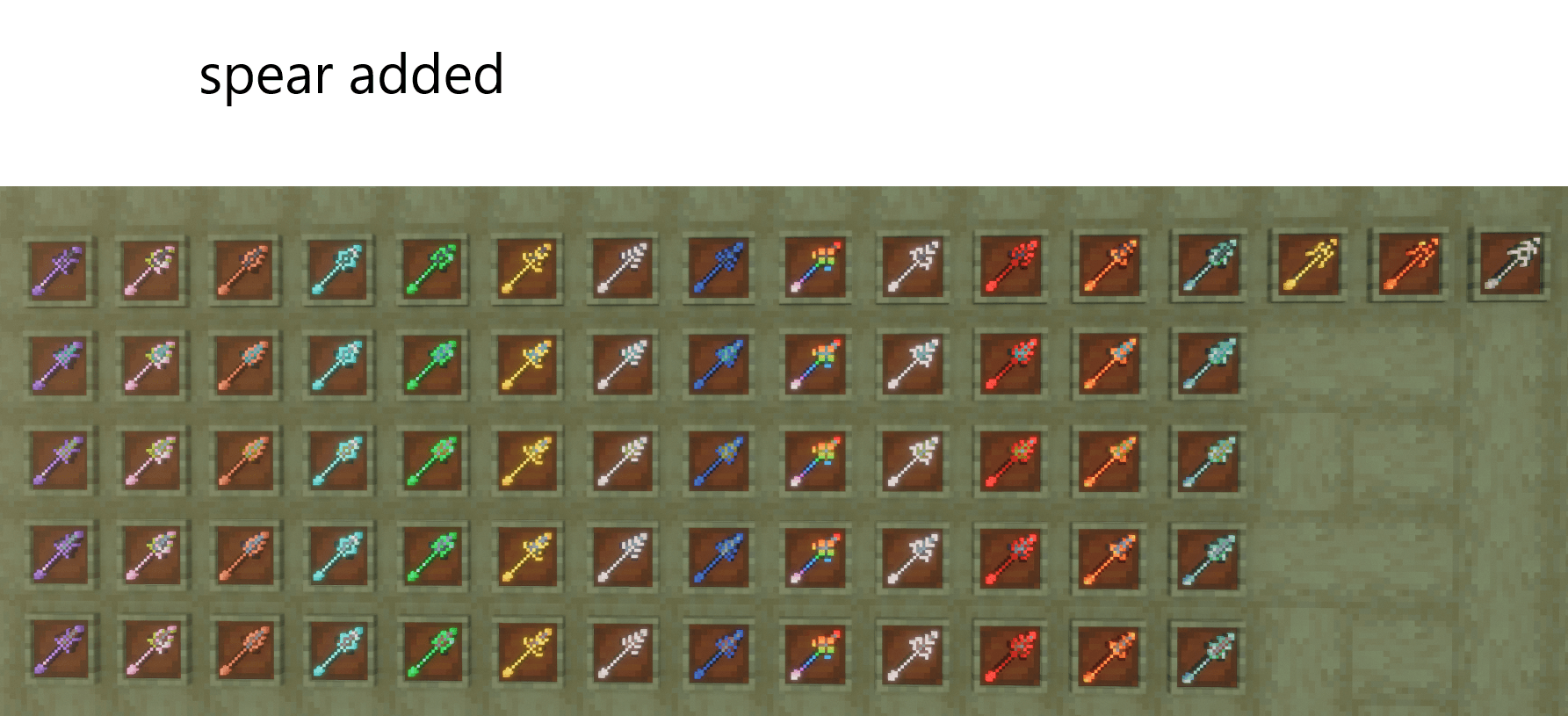
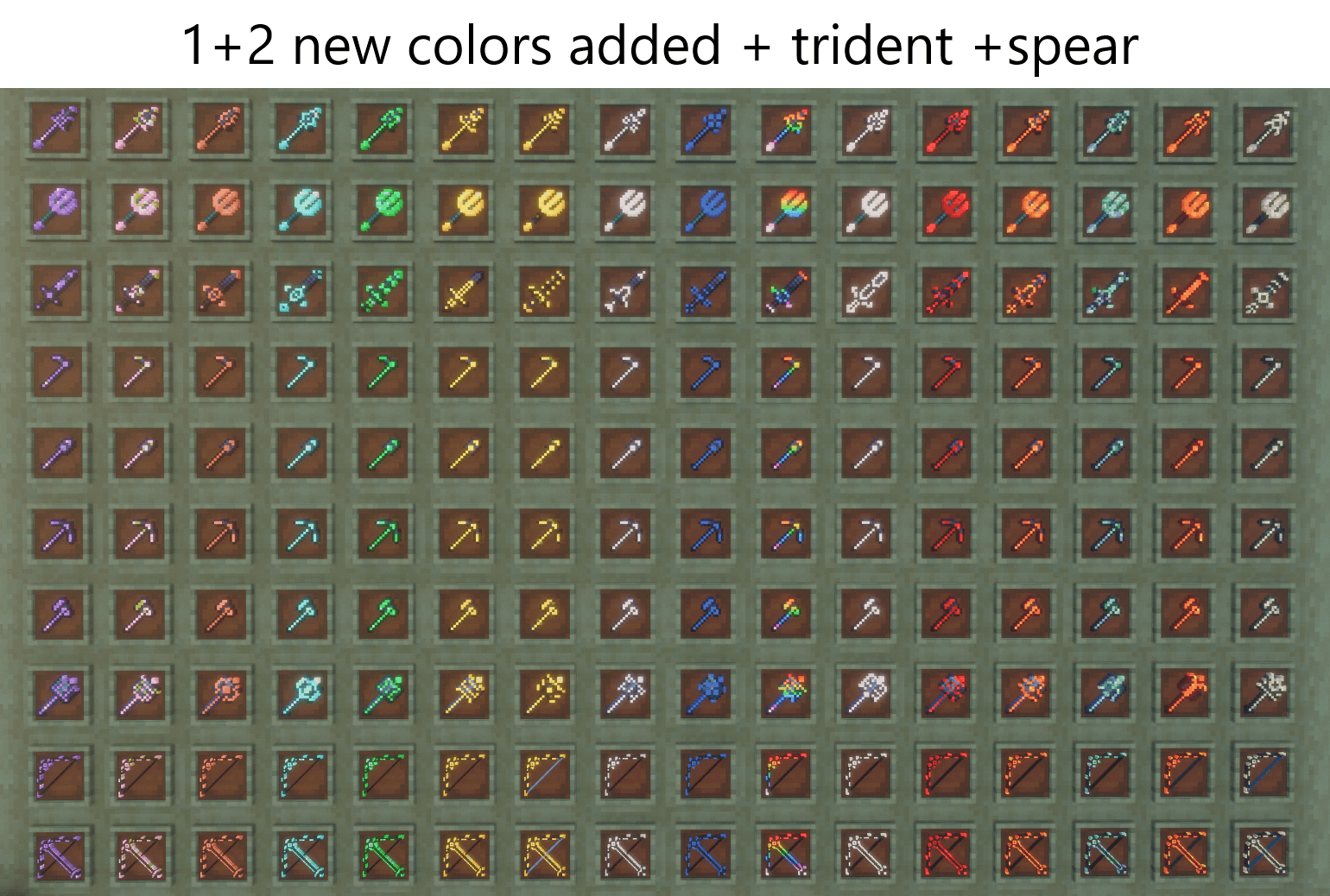
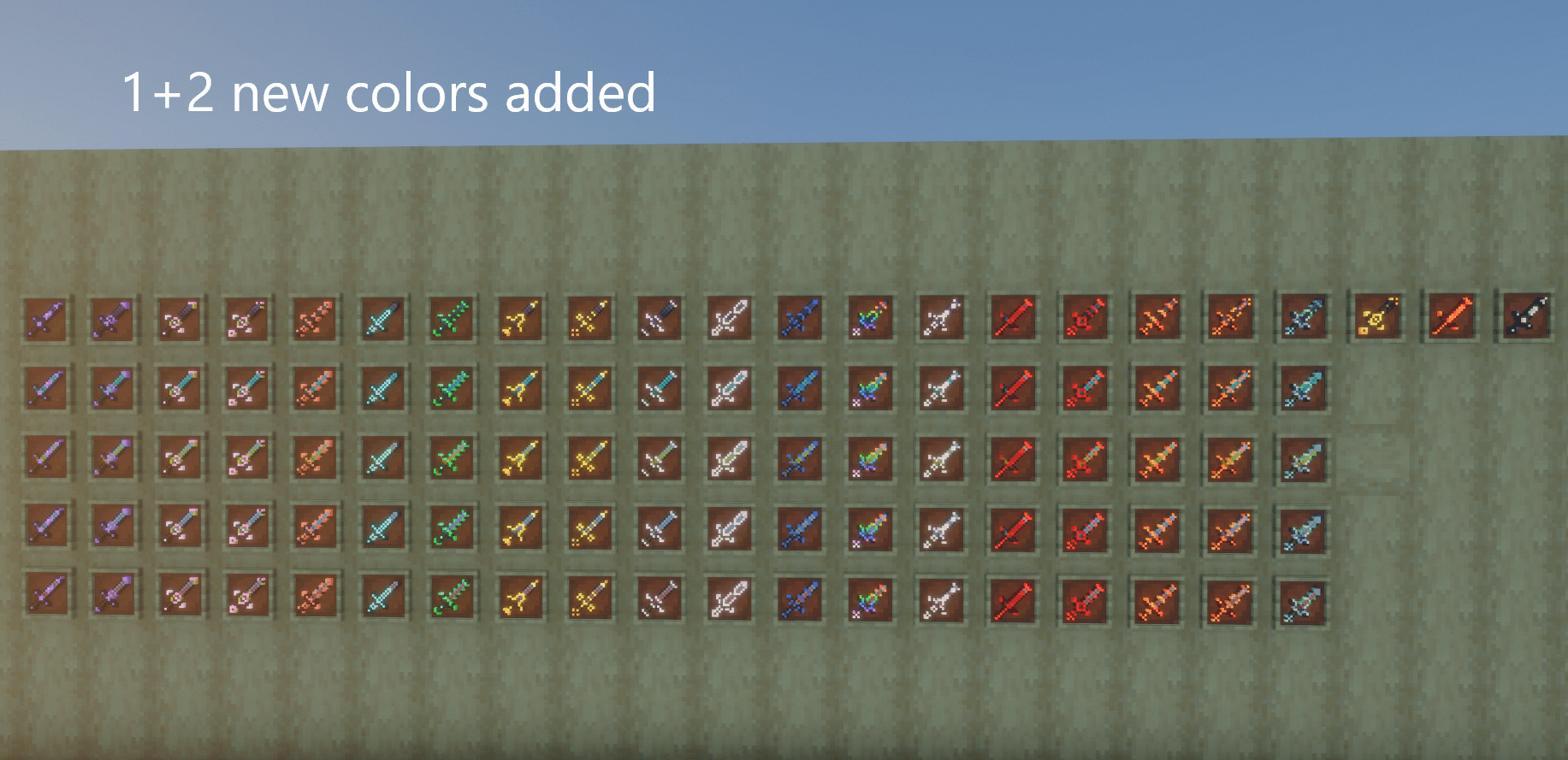
weapons and tools [now its has 18 trims and 13+3 colors] just rename, sword, mace,spear , trident and tools
截图
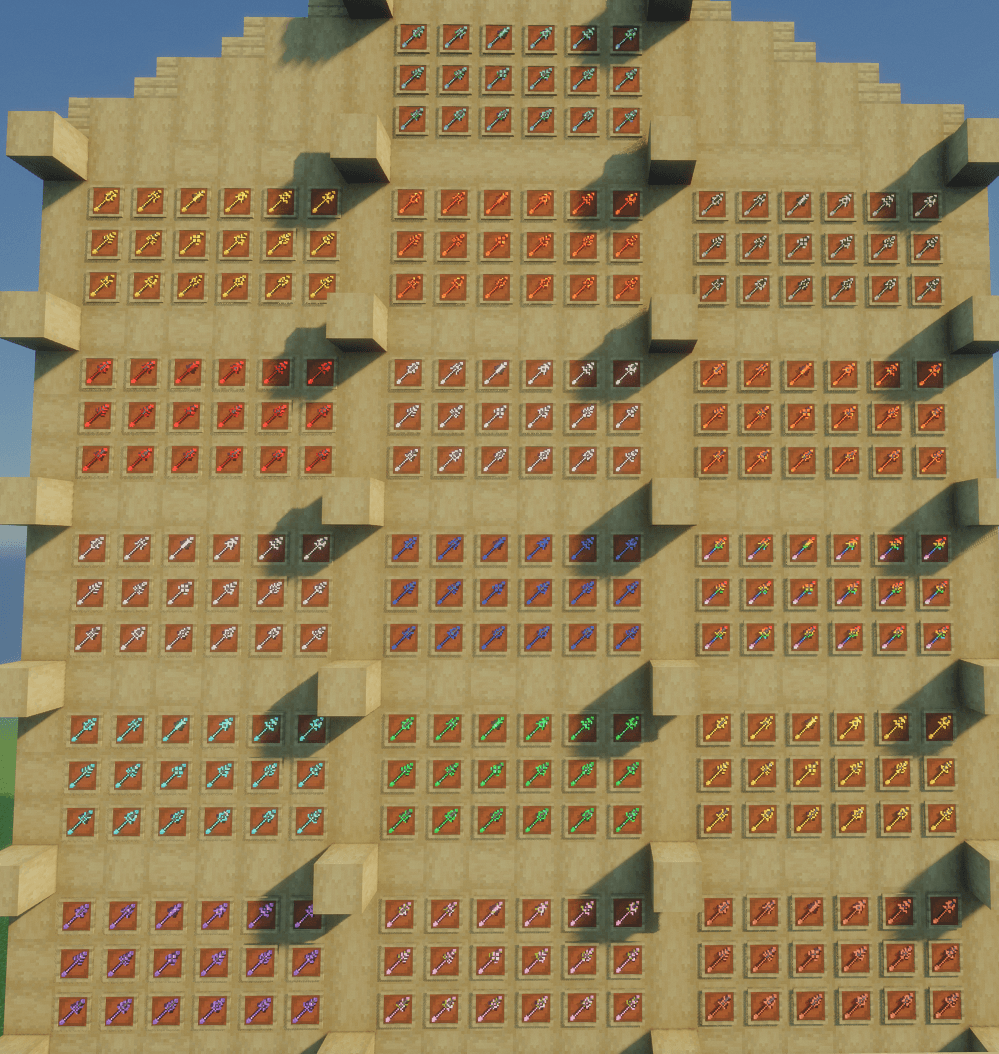
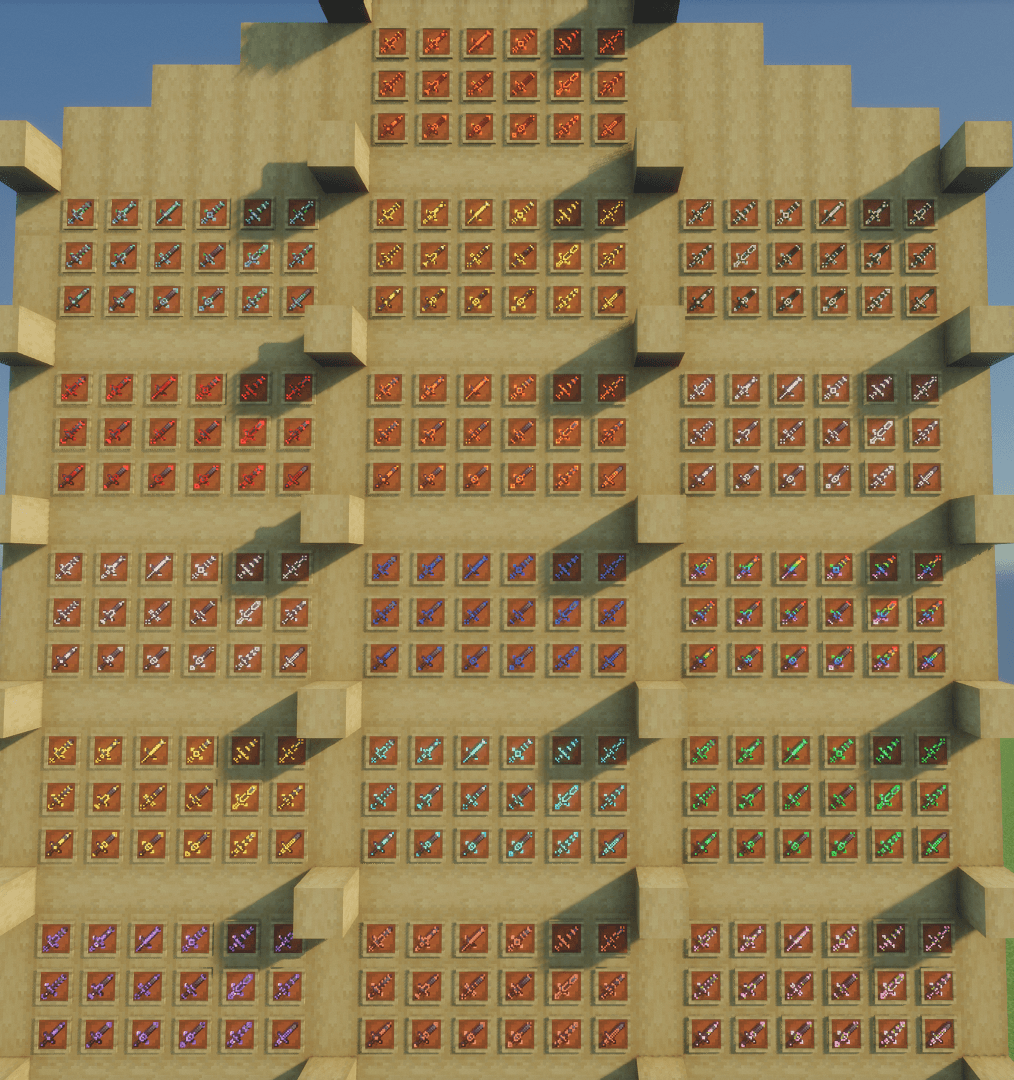
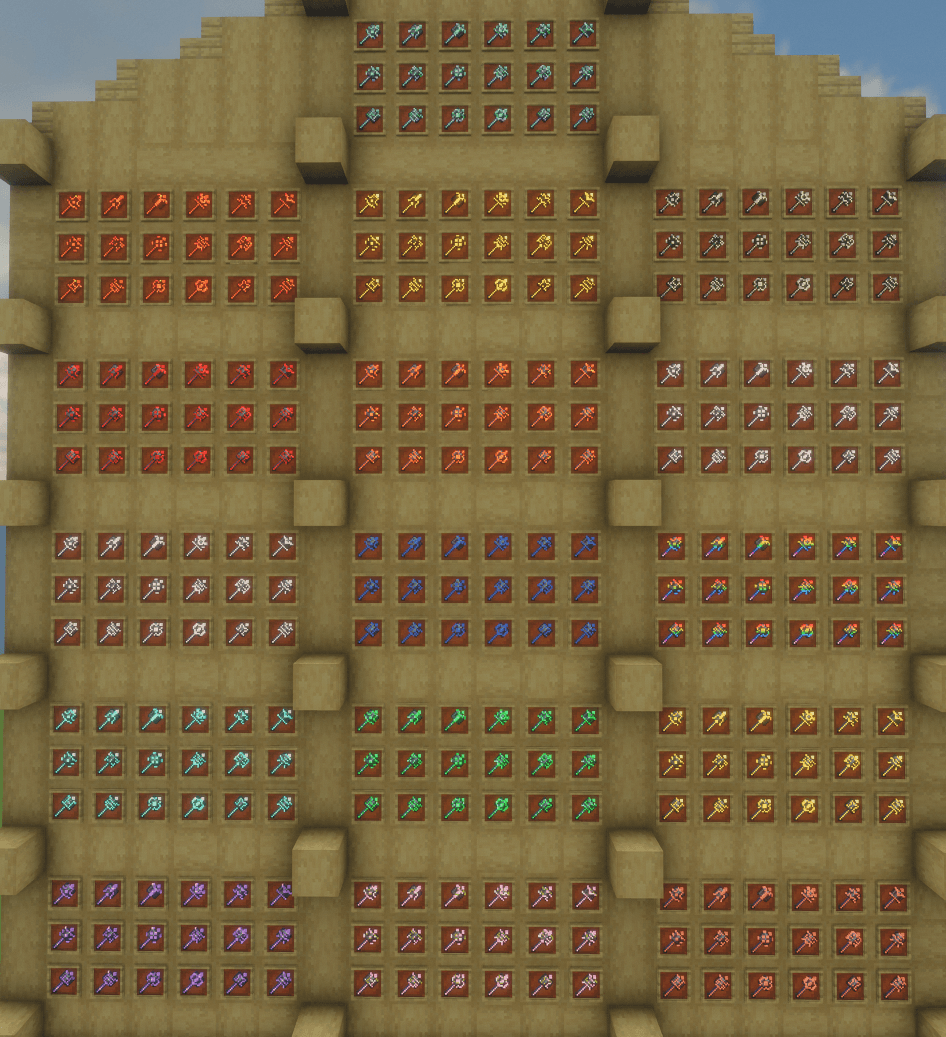
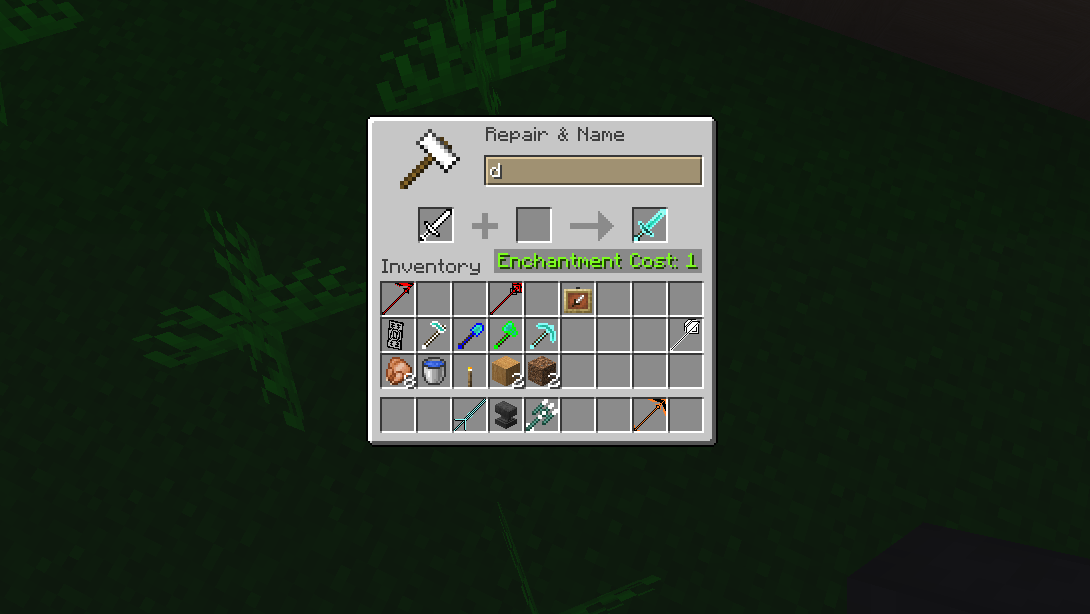
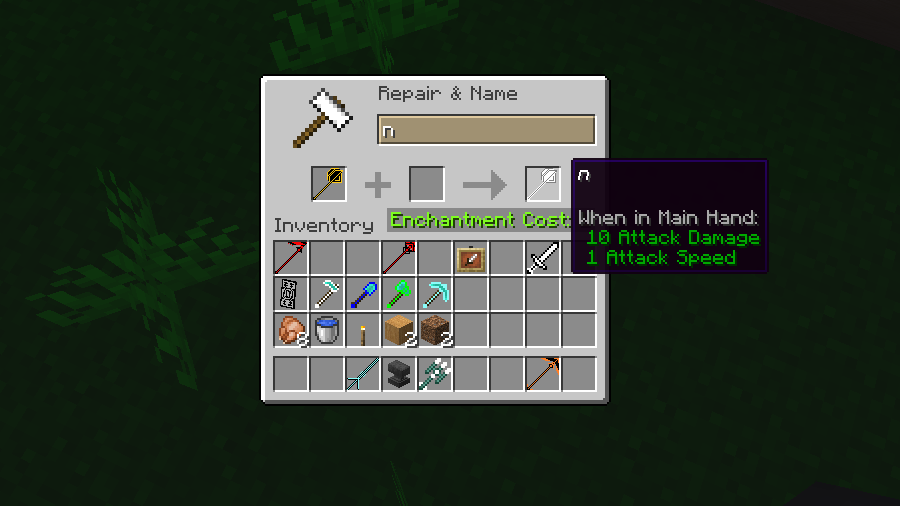
介绍
✨ Glowing Trim Weapon & Tools Pack
Hello everyone! 👋
Back again with a brand new pack for Minecraft!
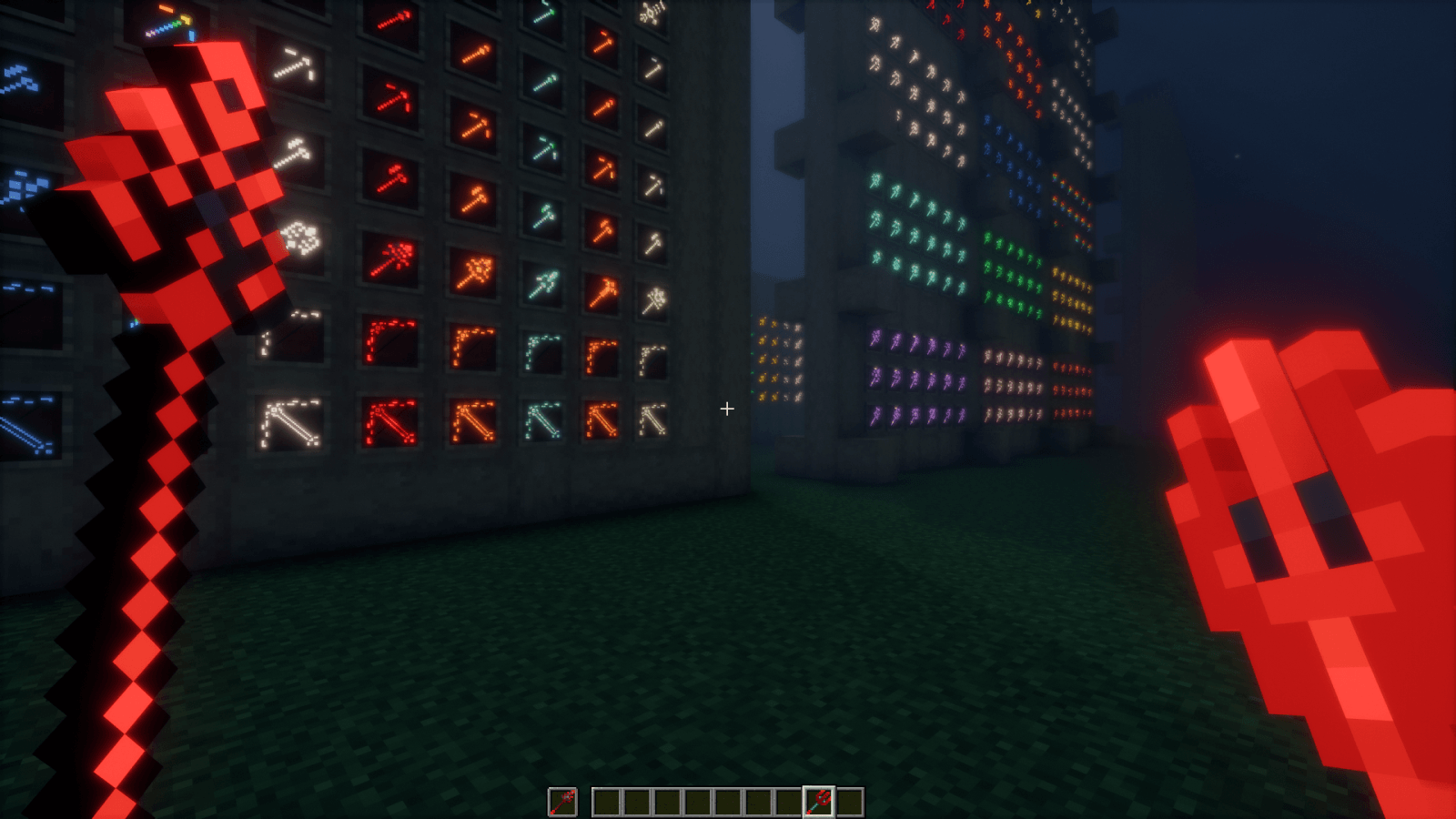
Introducing the Glowing Trim Weapon & Tools Pack — a stylish texture pack that adds glowing trim designs to your weapons and tools, giving them a unique, vibrant look.
Whether you play with shaders or not, this pack works smoothly and enhances your gameplay with eye-catching visuals.
——————————————————————————————————-
🔥 Features
✨ Glowing (Emissive) Trim Effects
🎨 13 Base Colors + 3 Netherite-Exclusive Colors
🛡️ 18 Unique Trim Designs
⚔️ Supports Weapons & Tools
🔧 Easy activation via item renaming
💡 Works with or without shaders
——————————————————————————————————-
📌 Important Information
✔ OptiFine is required
✔ Uses Custom Item Textures (CIT) via renaming
✔ Effects apply only to weapons & tools
✔ Simply rename items to activate designs
——————————————————————————————————-
⚔️ Supported Items
Weapons:
Mace, Trident, Spear
Bow, Crossbow
Sword (Iron, Copper, Gold, Diamond, Netherite)
Tools:
Hoe, Shovel, Pickaxe, Axe (Iron → Netherite)
——————————————————————————————————-
🎨 Color System
🌈 Base Colors (13)
| Color Name | Code |
| —————– | —- |
| Amethyst | a |
| Copper | c |
| Cherry | ch |
| Diamond | d |
| Emerald | e |
| Gold | g |
| Iron | i |
| Lapis | l |
| Netherite | n |
| Quartz | q |
| Redstone | r |
| Resin | rs |
| Prismarine | p |
🔥 Netherite Exclusive (+3)
| Gilded Blackstone | gb |
| Magma | m |
| Sculk | s |
——————————————————————————————————-
🛡️Trim Designs
| Design | Code |
| ——— | —- |
| Bolt | 1 |
| Coast | 2 |
| Dune | 3 |
| Eye | 4 |
| Flow | 5 |
| Host | 6 |
| Raiser | 7 |
| Rib | 8 |
| Sentry | 9 |
| Shaper | 10 |
| Silence | 11 |
| Snout | 12 |
| Spire | 13 |
| Tide | 14 |
| Vex | 15 |
| Ward | 16 |
| Wayfinder | 17 |
| Wild | 18 |
——————————————————————————————————-
⚙️ How to Use
Rename your item using:
[Color Code] + [Design Code]
Examples:
r14 , a10 , l6 , g7 , c4 , d16 , l2 , n9 , i3 , q12, ch18 , rs17, p15.
🔥 Netherite Only
Examples:
m5, gb6, s10
——————————————————————————————————-
📌 Fixed Design Items
(Trident, Bow, Crossbow, Tools)
Use color code only:
Examples:
r , a , l , g , c , d , l , n , i , q , ch , rs, p.
🔥 Netherite Only
Examples:
m , gb , s
——————————————————————————————————-
✨ Changes Applied
-After applying the pack:
1]Spear models (1.21.11+)
2]Mace models (1.21+)
2]Trident, Bow, Crossbow
3]All Swords (Iron → Netherite)
4]All Tools (Iron → Netherite)
5]🆕 Copper weapons (1.21.9+)
6]GUI elements
——————————————————————————————————-
⚠️ OptiFine Settings Required
Make sure these options are enabled:
✔ Emissive Textures
✔ Custom Items
Otherwise, the pack may not work properly.
Without OptiFine, the glowing (emissive) effect may not work, or the entire pack may fail.
——————————————————————————————————-
===🔧 Alternative Mods===
=Fabric Mods
—EMF (Entity Model Features)
—ETF (Entity Texture Features)
—Continuity
—CIT Resewn/CIT Resewn Continuation
—Indium
=Forge Mods
—EMF (Entity Model Features)
—ETF (Entity Texture Features)
—Connectedness
—Fusion (Connected Textures)
—CIT Resewn/CIT Resewn Continuation
=NeoForge Mods
—EMF (Entity Model Features)
—ETF (Entity Texture Features)
—Continuity
—CIT Resewn/CIT Resewn Continuation
——————————————————————————————————-
❗ Troubleshooting
🔄 Reload resource packs if it stops working
⚙️ Check OptiFine version compatibility
📦 Ensure proper installation
——————————————————————————————————-
🌍 Compatibility
✔ Singleplayer & Multiplayer
✔ Versions: 1.16 → Latest
✔ Separate files per version
——————————————————————————————————-
🎉 Final Note
Upgrade your gear with glowing trims and stand out in your world.
Thanks for downloading ❤️.
常见问题
Glowing Trim Weapon & Tools 支持哪些 Minecraft 版本?
Glowing Trim Weapon & Tools 支持 Minecraft Java 版 1.16–26.3,共 40 个版本。下载时注意选择和你游戏版本一致的文件。
Glowing Trim Weapon & Tools 怎么安装?
把下载的 .zip 文件(不用解压)放进游戏目录的 resourcepacks 文件夹,进游戏后在「选项 → 资源包」里把它移到右边启用。
STM19 的其他作品
查看全部 →
Glowing Trim Armors
为你带来发光纹饰盔甲资源包。 该资源包通过重命名盔甲生效。 16[13+3]种颜色,18种纹饰设计。 需要OptiFine。 系列代码为[a,c,d,e,g,i,l,n,q,r,ch,rs,gb,p,s,m],在末尾加上1-18的数字。 例如r1、d16、g4……等。 同时支持光影。
Glowing Animated Ores
发光且带动态效果的矿石,在夜晚和黑暗效果下都会发光,版本从1.16到最新版。

False Hardcore Heart
its a fake hardcore texture pack which change the survival heart into Hardcore heart and hardcore heart into survival heart. version support from 1.16 to latest

Glowing Trim Elytra
发光镶饰鞘翅包将鞘翅变为发光镶饰鞘翅 16种颜色和18种镶饰设计。 此资源包只需重命名鞘翅即可让它们发光 支持版本——1.16至最新版
评论
登录后评论和评分