
Gameplay Font
Gameplay Font for Java Edition - replaces Minecraft's default font with a clean pixel-game face built for HUDs and scoreboards. Letters, numbers and symbols redrawn in HD: chat, menus, signs and item names all restyle at once.
截图

介绍
Gameplay Font
Gameplay Font replaces Minecraft’s default font with a clean pixel-game face built for HUDs and scoreboards. Every character – letters, numbers, punctuation and symbols – has been redrawn from the real typeface at high resolution, so chat, menus, signs, books, item names and the debug screen all change style the moment you turn the pack on.
Features
- Clean, tidy pixel letterforms
- Built for HUDs, scores and stats
- Retro without being messy
- High-resolution glyph sheet – crisp on any GUI scale
- Font only: no textures, models or sounds are touched, so it stacks on top of any other resource pack
How to install
- Download the
.zip– do not unzip it. - In Minecraft, go to Options -> Resource Packs -> Open Pack Folder.
- Drop the
.zipinto that folder. - Back in the game, move the pack to the right-hand side and click Done.
常见问题
Gameplay Font 支持哪些 Minecraft 版本?
Gameplay Font 支持 Minecraft Java 版 1.20.2–26.2,共 21 个版本。下载时注意选择和你游戏版本一致的文件。
Gameplay Font 怎么安装?
把下载的 .zip 文件(不用解压)放进游戏目录的 resourcepacks 文件夹,进游戏后在「选项 → 资源包」里把它移到右边启用。
voxenmc2 的其他作品
查看全部 →
Outline Texture Pack
This Minecraft texture pack sharpens and outlines textures, giving your game a crisp, detailed, and polished look. Perfect with shaders.

Saturation
This pack boosts the saturation of Minecraft’s textures, giving the world richer colors and a more vibrant, lively look while still keeping the original visual style intact.
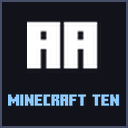
Minecraft Ten Font
Minecraft Ten Font for Java Edition - replaces Minecraft's default font with the chunky, poster-weight caps of the modern Minecraft logo. Letters, numbers and symbols redrawn in HD: chat, menus, signs and item names all restyle at once.

Pink Shaded Font
Pink Shaded Font adds a soft pink shade to the bottom of every letter in Minecraft's font, so text gains depth without a single glyph shape changing. Shades ASCII, accents and the enchanting-table alphabet. Inspired by philliamm's Shaded Font.
评论
登录后评论和评分