
Foggy Pale Garden (FPG) x Polytone
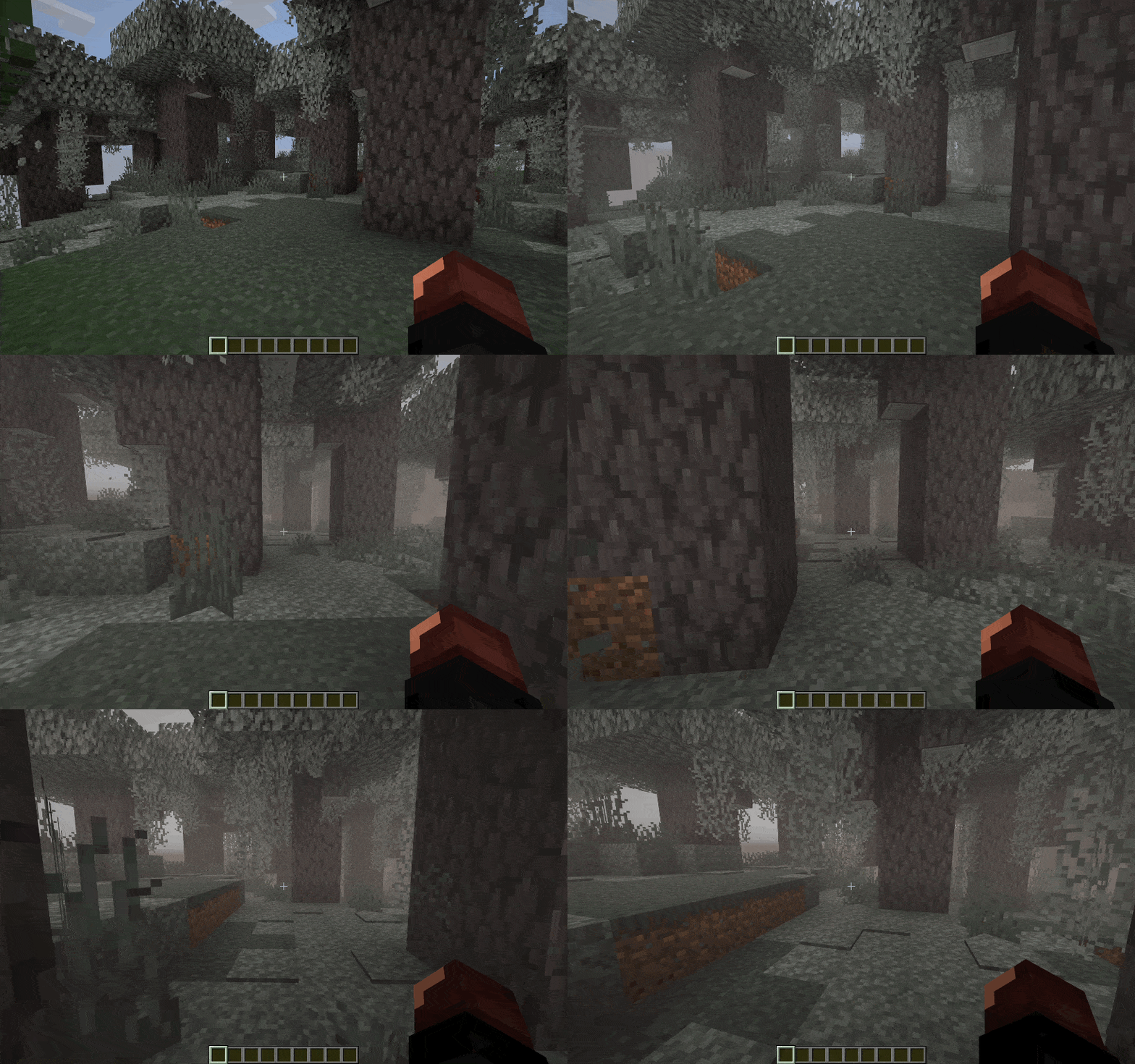
Adds fog to the Pale Garden biome exactly as it appears in both vanilla and backporting mods
截图


介绍


Resource Pack adds fog to the Pale Garden biome exactly as it appears in both vanilla and backporting mods.
This is a resource‑pack–based evolution of the Foggy Pale Garden mod, built on top of the capabilities provided by the Polytone and Respackopts mods.
✨ Features
🧠 Smart Fog in the Pale Garden Biome
The resource pack not only adds fog but also takes your convenience into account.
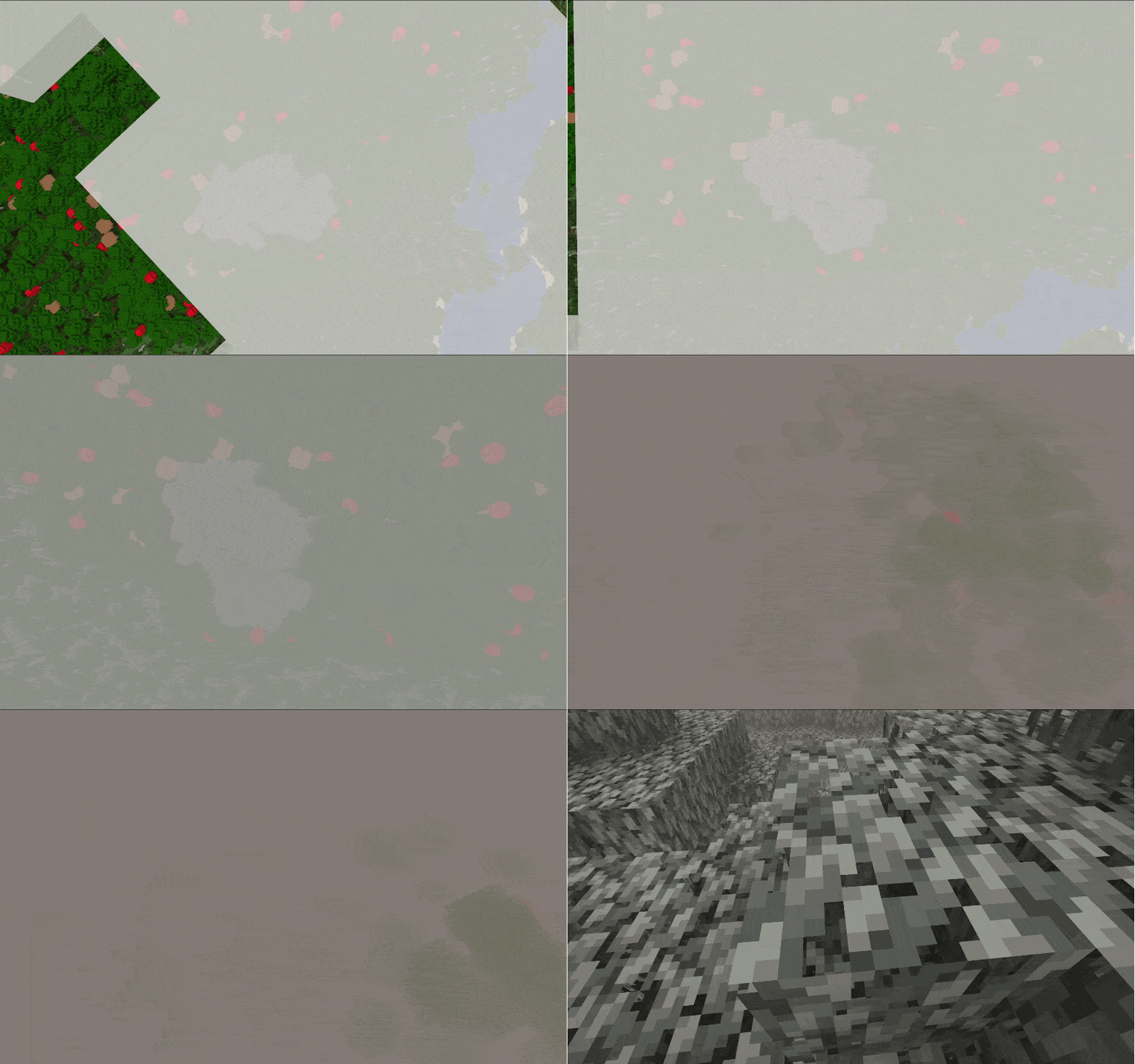
- 🪽 Fog dissipates when you fly over the biome above the cloud layer
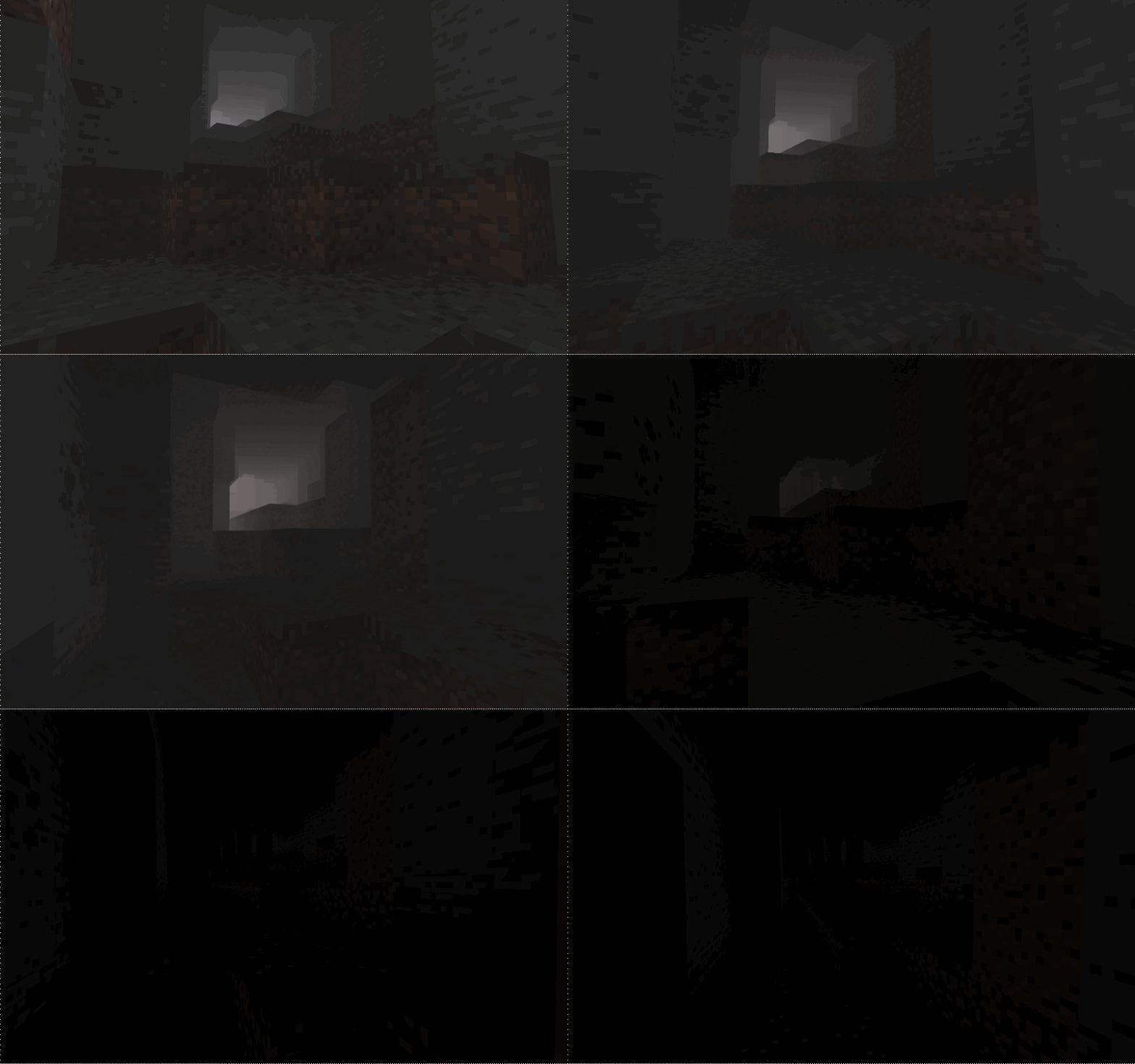
- 🕳️ Fog dissipates when you descend into caves beneath the biome
⏮️ Backport Support for “The Garden Awakens”
Fog is added to every biome named pale_garden, providing automatic compatibility with almost all Pale Garden backport mods.
Tested with:
🔧 Visual Settings & Localization
With the Respackopts mod, you can adjust the fog settings and use built‑in presets directly
from this resource pack.
Radius– how far the fog extends from the playerFade– smoothness of fog dissipationMinimum Sky Light– the sky brightness threshold below which fog clears (useful for caves and mines)Maximum Height– the highest altitude at which fog appears (lets you fly above the biome without entering fog)
🎨 Fog Density Presets
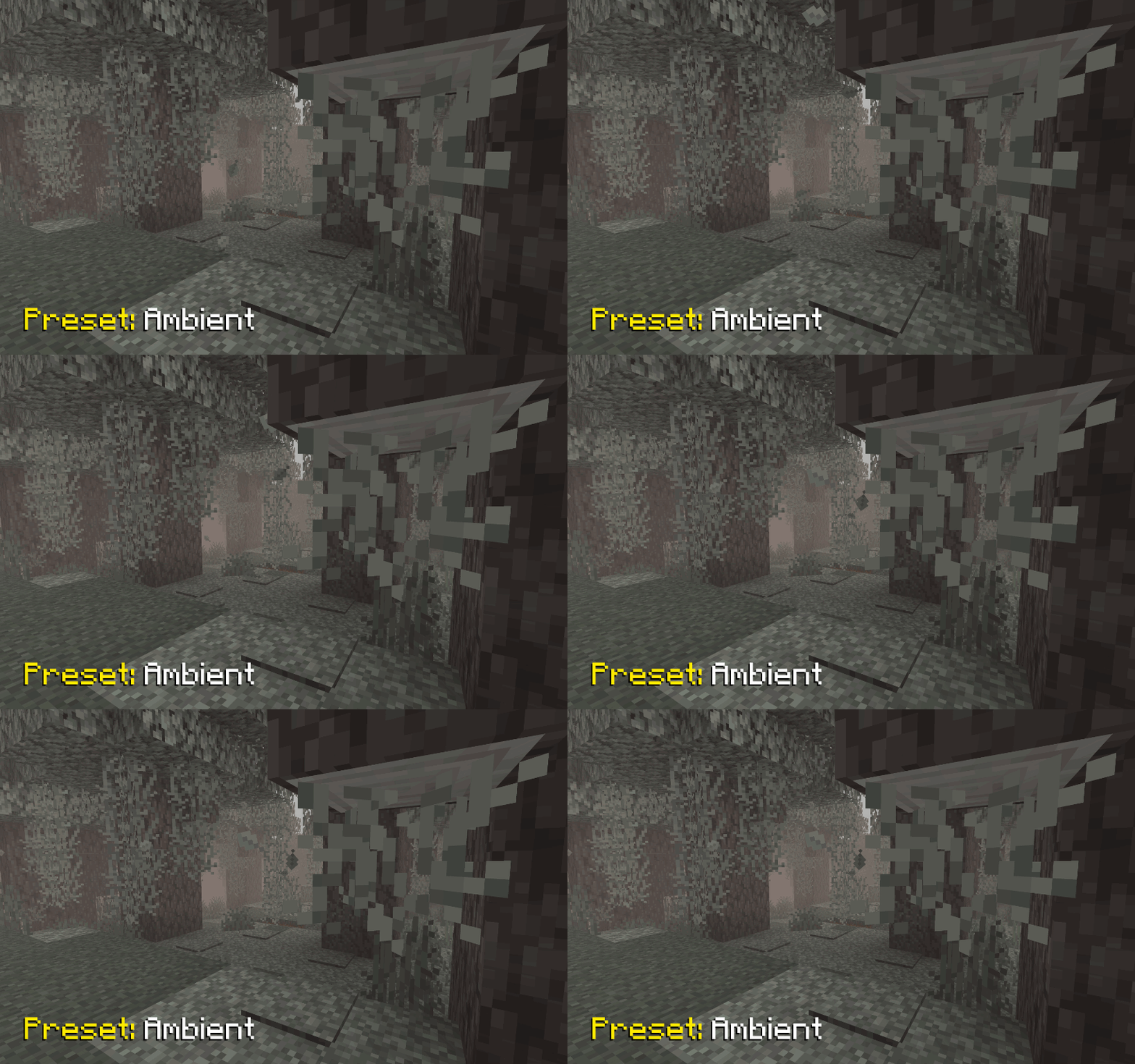
In the pack’s settings you’ll find several ready‑to‑use presets with varying fog densities:
Ambient– adds a light, atmospheric fog that doesn’t hinder movement
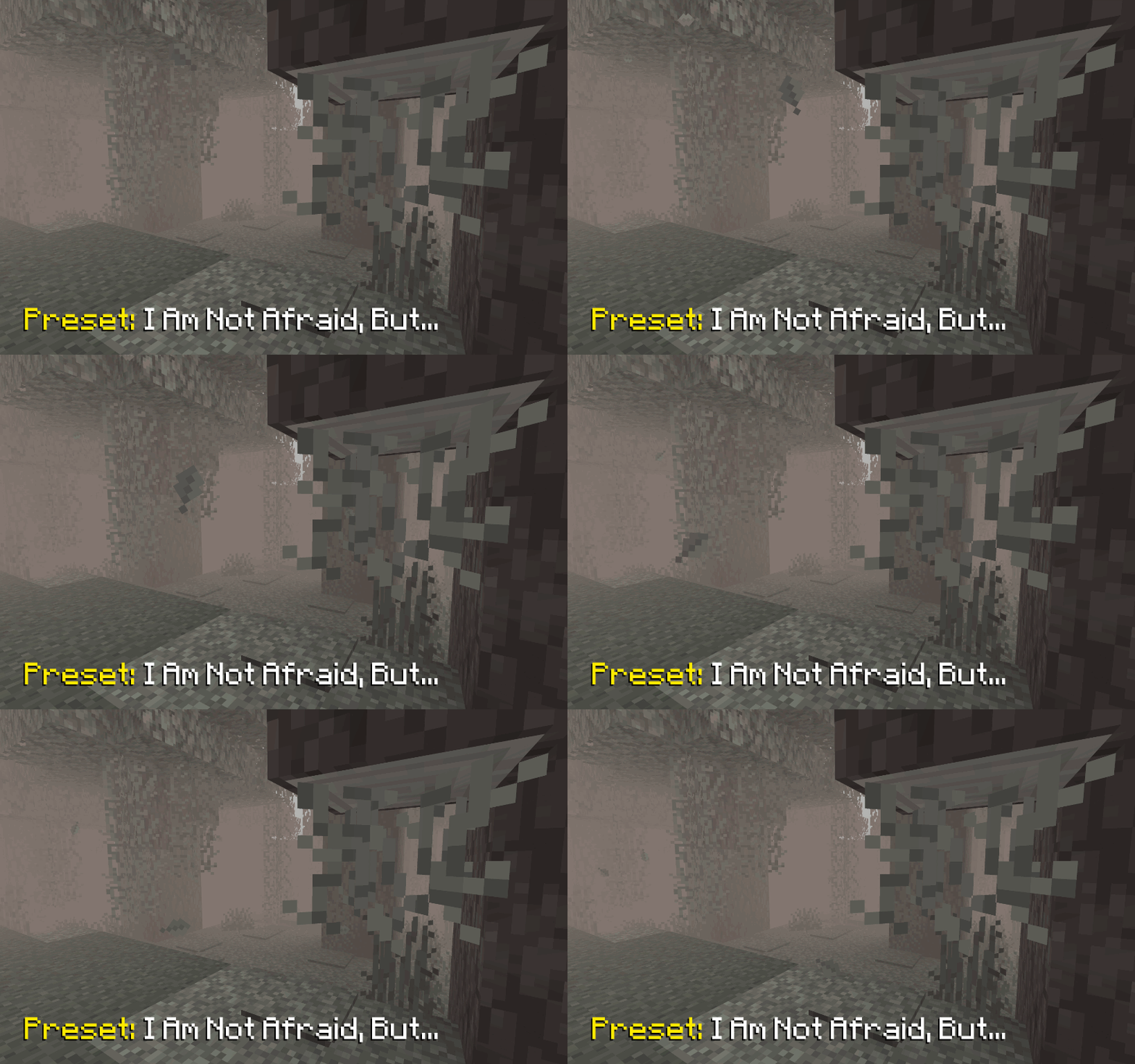
I Am Not Afraid, But...– introduces a slightly denser fog
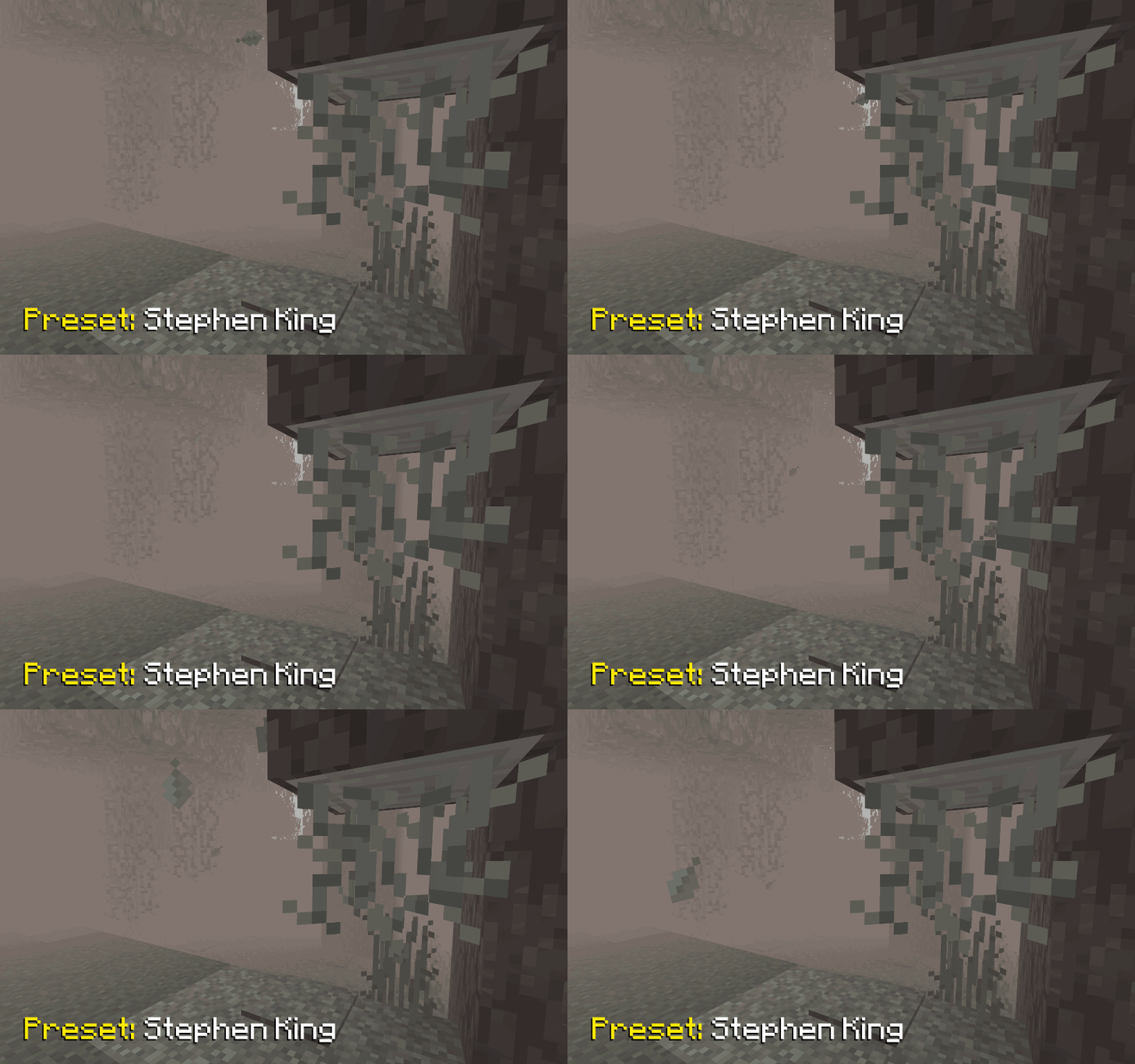
Stephen King– a very thick fog that makes encountering a Creaking truly unexpected (just like in the novella The Mist)
📥 Installation
Supported on all Minecraft versions and mod loaders that include Polytone v3 or higher.
- Install the Polytone mod
- Install the Respackopts mod to access pack settings and presets
- Download the resource pack and place it in your
resourcepacksfolder - Enable Foggy Pale Garden in the in‑game resource pack menu
🐞 Known Bugs
Presets Not Applied from Zip Archive
Currently, presets are indeed not applied if the resource pack is loaded as a zip archive. However, they are successfully applied if it is loaded as a folder.
It appears to be an issue with Respackopts. I have opened an issue in their tracker https://youtrack.frohnmeyer-wds.de/issue/RPO-40 (fixed in 4.13.6)
🤗 Modpacks
You’re free to include this resource pack in modpacks without requesting permission.
常见问题
Foggy Pale Garden (FPG) x Polytone 支持哪些 Minecraft 版本?
Foggy Pale Garden (FPG) x Polytone 支持 Minecraft Java 版 1.20.1–26.3,共 11 个版本。下载时注意选择和你游戏版本一致的文件。
Foggy Pale Garden (FPG) x Polytone 怎么安装?
把下载的 .zip 文件(不用解压)放进游戏目录的 resourcepacks 文件夹,进游戏后在「选项 → 资源包」里把它移到右边启用。
NaoCraftLab 的其他作品
查看全部 →
Foggy Pale Garden (FPG)
A mod that adds fog to the Pale Garden biome. But you can customize any kind of fog anywhere you like!

NCL Skins
Build complete looks with skins, capes, Classic or Slim models, and outer layers, then switch between them right in Minecraft

TFC Patchouli RUS
Перевод официальной книги Patchouli и языковых файлов мода TerraFirmaCraft на русский язык. (Translation of the official book of the Patchouli and lang files of TerraFirmaCraft mod into Russian)

Config Backuper
A simple mod for backing up all configurations at the start of Minecraft
评论
登录后评论和评分