Everlight – See in the Dark
Brightens the light map so you always see clearly - caves, the Nether and the End included. Works with OptiFine or Polytone.
截图
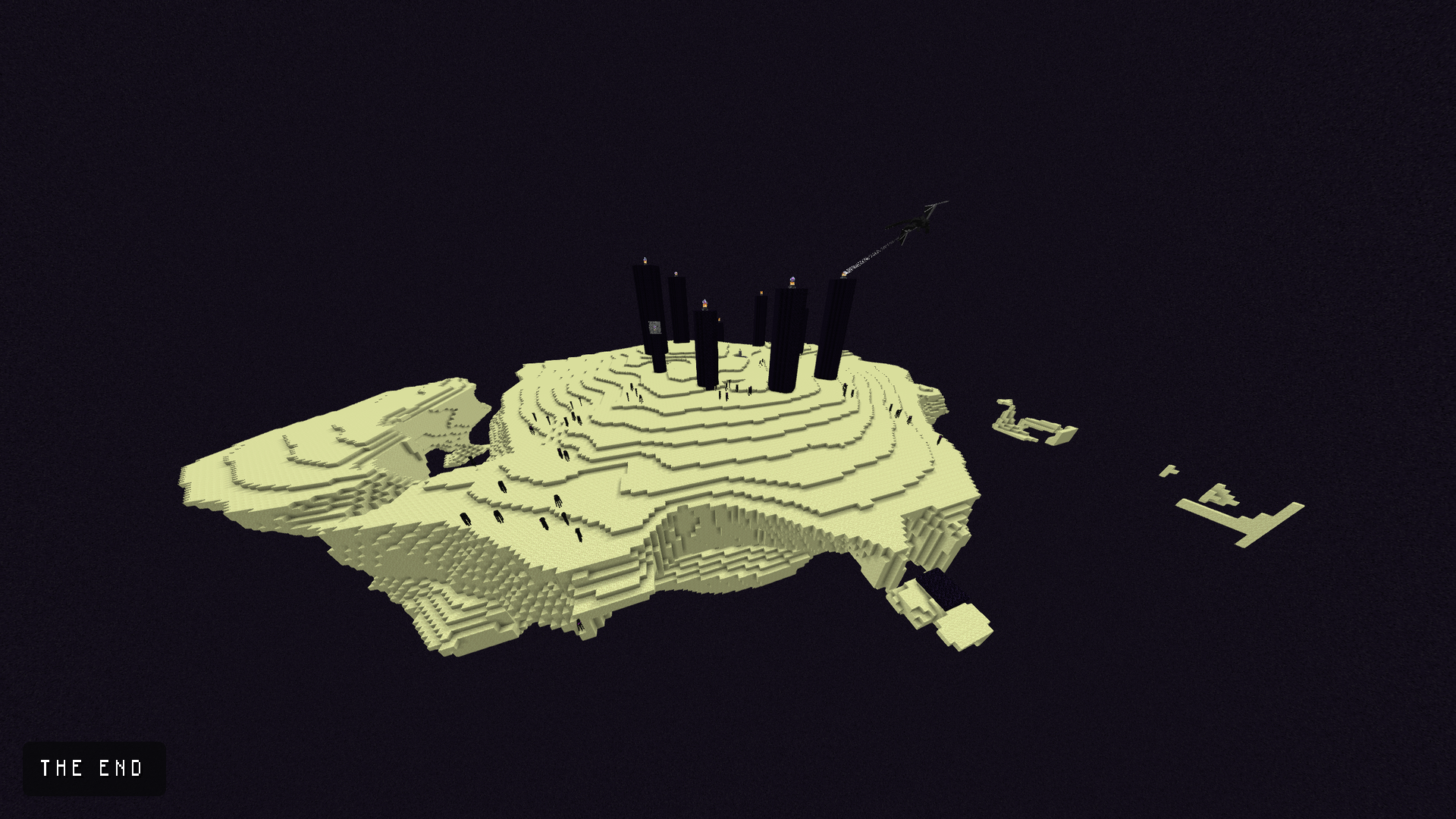
介绍
Everlight – See in the Dark is a client-side resource pack for Minecraft Java Edition. It makes the world readable everywhere, and changes nothing else.
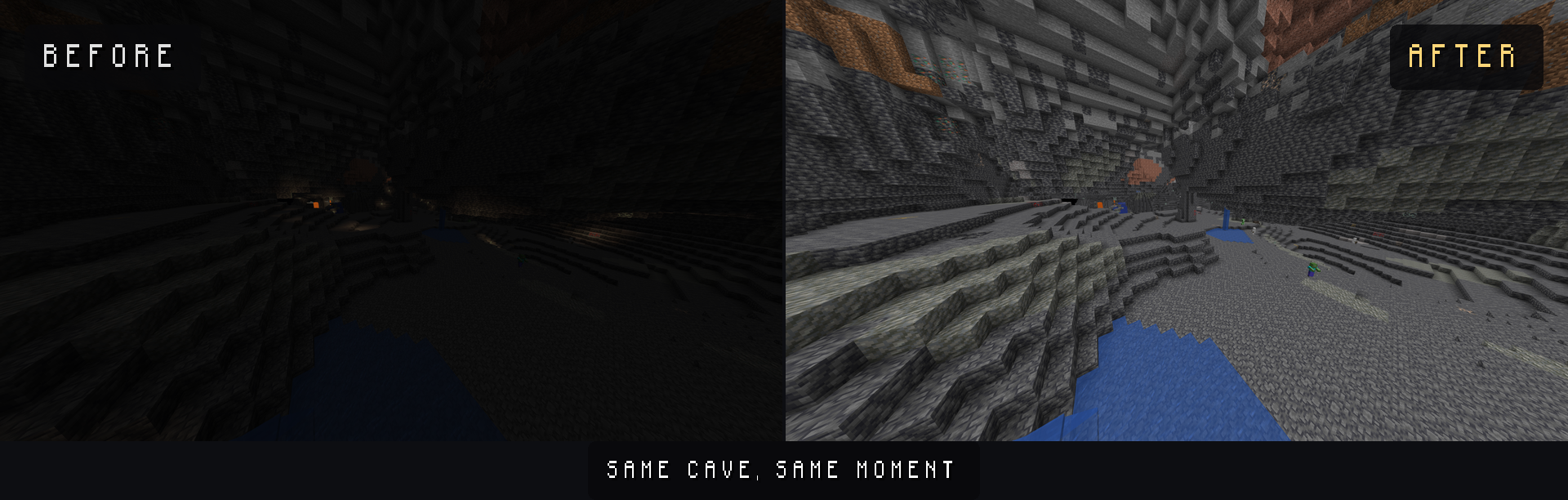
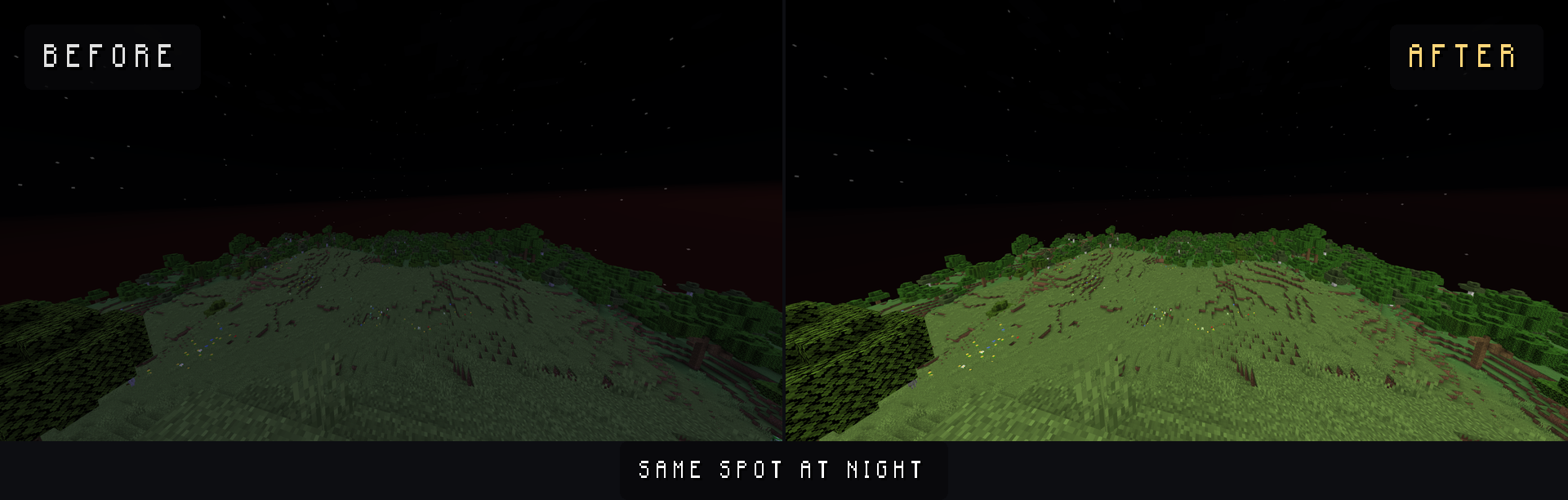
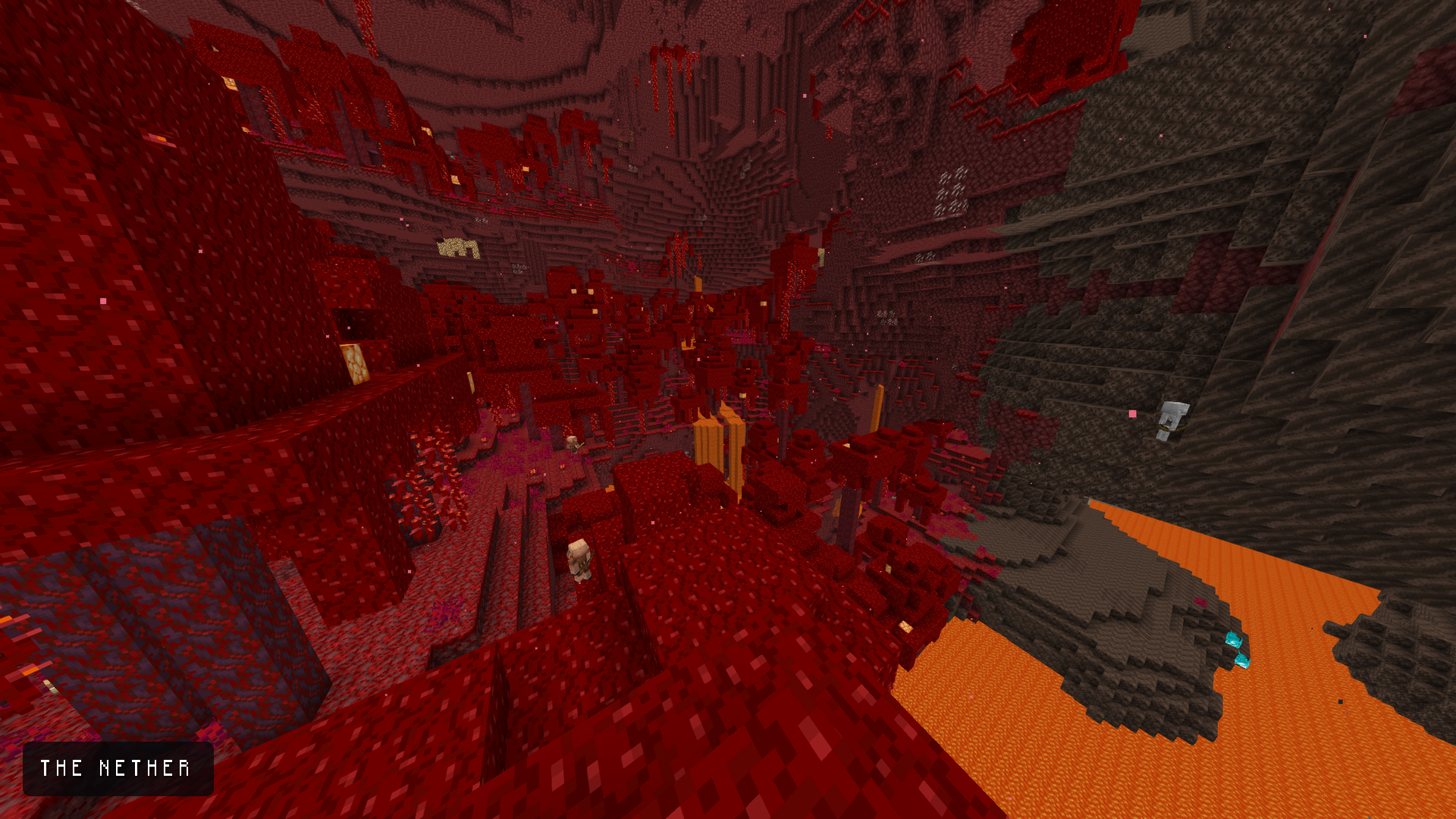
What it does – Replaces the light map, so low light levels stay bright instead of fading to black – Caves and the night surface become as readable as a sunlit plain – that is where vanilla is genuinely black, and where this pack does the most – The Nether and the End get a lift as well, but vanilla already lights them reasonably well, so the difference there is smaller – Torch light is perfectly steady – no flicker at all – Night stays slightly cooler and dimmer than day, so the world keeps a day/night cycle instead of looking permanently noon
Requirements – pick one – OptiFine (any recent version) – the classic route. – Polytone – a small Fabric/NeoForge mod that adds this feature for players running Sodium and Iris instead.
The light map is not a vanilla asset – Minecraft generates it at runtime – so one of the two is genuinely required. Without either, this pack will do nothing.
Install 1. Install OptiFine, or Polytone on Fabric/NeoForge. 2. Download the .zip from this page (do not unzip it). 3. Drop it into .minecraft/resourcepacks and enable it in Options -> Resource Packs.
Works on Minecraft 1.19 -> 1.21.x (Java Edition). Client-side only: it works on any server, and no one else needs it.
Servers On competitive servers this is a visual advantage, so check the rules before using it.
—
Liked it? You can support the work on Ko-fi.
常见问题
Everlight – See in the Dark 支持哪些 Minecraft 版本?
Everlight – See in the Dark 支持 Minecraft Java 版 1.19–1.21.8,共 17 个版本。下载时注意选择和你游戏版本一致的文件。
Everlight – See in the Dark 怎么安装?
把下载的 .zip 文件(不用解压)放进游戏目录的 resourcepacks 文件夹,进游戏后在「选项 → 资源包」里把它移到右边启用。
Fliflightmc 的其他作品
查看全部 →
Dot Crosshair – CrossX Better Crosshair
为 PvP 或生存模式打造的更好用的准星!
CrossX – CROSSX Better Crosshair !
适用于 PvP 或生存模式的更好用准星!
Low Fire – Lowered Flame
降低火焰覆盖层(世界内和GUI中)的高度,使其不再遮挡视野——火焰效果完整、动画完整,只是更矮了。

Visible Ores (all versions+) and netherite
这个模组能让你在洞穴中更清楚地看到矿物,也会让下界合金在下界更加显眼。与 OptiFine 配合良好,搭配 Complementary Shader 效果最佳。
评论
登录后评论和评分