
Endfield Update Screen
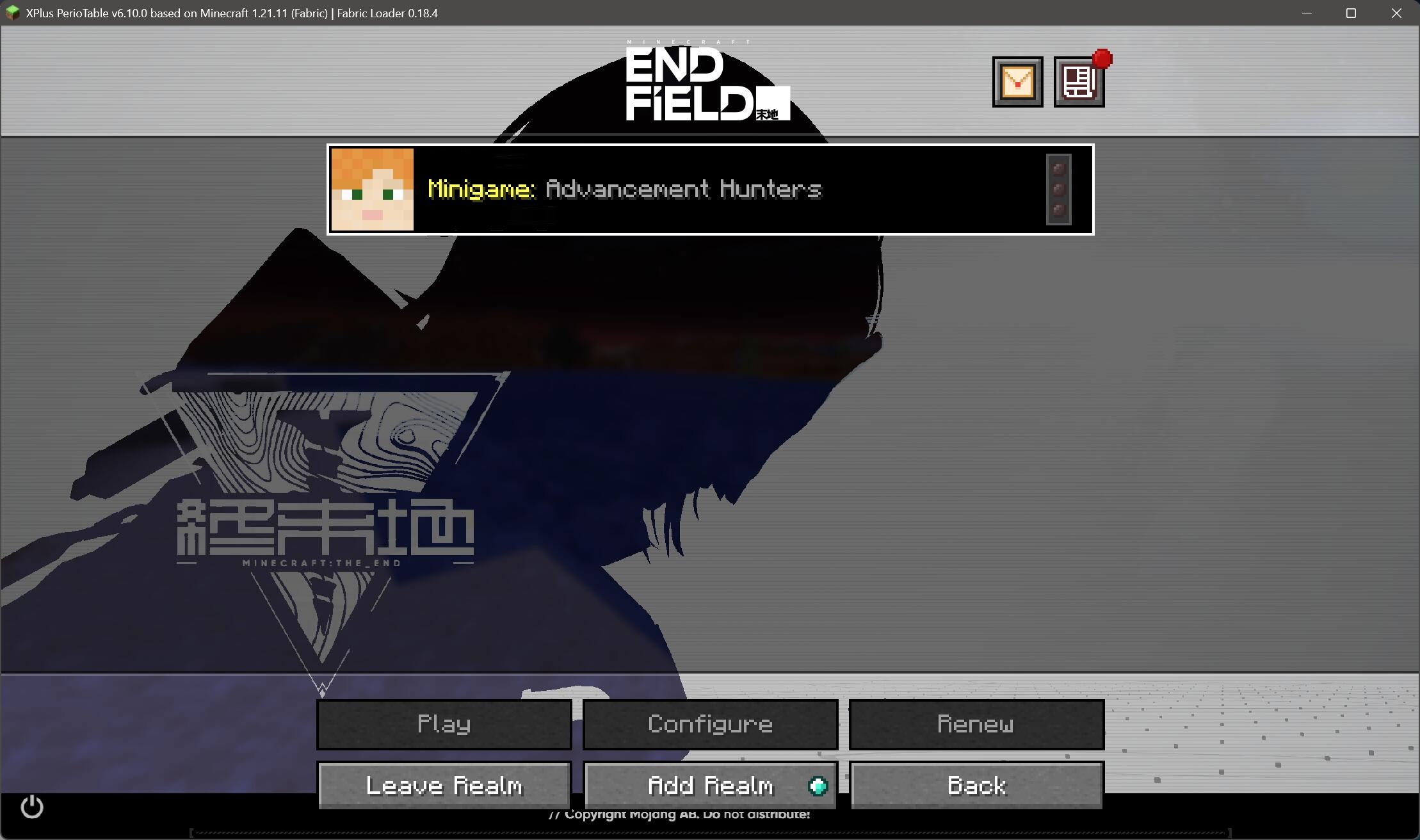
Transform your ordinary background to Arknights: Endfield's update screen!
截图




介绍
What does this pack do?
It changes the overlay of the panorama, transforming normal Minecraft background image into the style of the loading screen of Arknights: Endfield.
This pack demonstrates a sample of modding the file panorama_overlay.png, while keeping the dynamic effect of the panorama.
It also includes the panoramas of The End, originating from a joke between Endfield and Minecraft communities.
This pack removed the Minecraft logo and splash texts to resemble Endfield.
You can remove the internal panorama to let the overlay directly apply Minecraft’s panorama.

Version support
Works fine on Minecraft Java Edition 1.13.x and later. Best with 1.20.5+, which changes the logic of the background.
Special builds after the year 2019, like 3D Shareware v1.34 and 24w14potato, should be supported. 25w14craftmine is not supported, unfortunately.
Won’t work on Minecraft 1.12.2 and older. These versions simply hard-coded the overlay in the code and are impossible to change by a resource pack.

So why?
For demonstrate propose? We don’t know. Just for fun, may be.


Copyright notice
This resource pack is a fan-made derivative work based on Arknights: Endfield. All copyrights and related rights for the original game, its assets, and concepts belong to Shanghai Hypergryph Network Technology Co., Ltd.
常见问题
Endfield Update Screen 支持哪些 Minecraft 版本?
Endfield Update Screen 支持 Minecraft Java 版 1.13–26.1.1,共 48 个版本。下载时注意选择和你游戏版本一致的文件。
Endfield Update Screen 怎么安装?
把下载的 .zip 文件(不用解压)放进游戏目录的 resourcepacks 文件夹,进游戏后在「选项 → 资源包」里把它移到右边启用。


评论
登录后评论和评分