Dramatic Sky (Java Edition) – Custom Sky
[1.21+] This pack adds a beautiful dramatic-style sky full of magical clouds and dreamy colors. It makes your world feel more magical and fun. Perfect for building, exploring, or just relaxing and watching the sky!
介绍
This pack adds a beautiful dramatic-style sky full of magical clouds and dreamy colors. It makes your world feel more magical and fun. Perfect for building, exploring, or just relaxing and watching the sky!
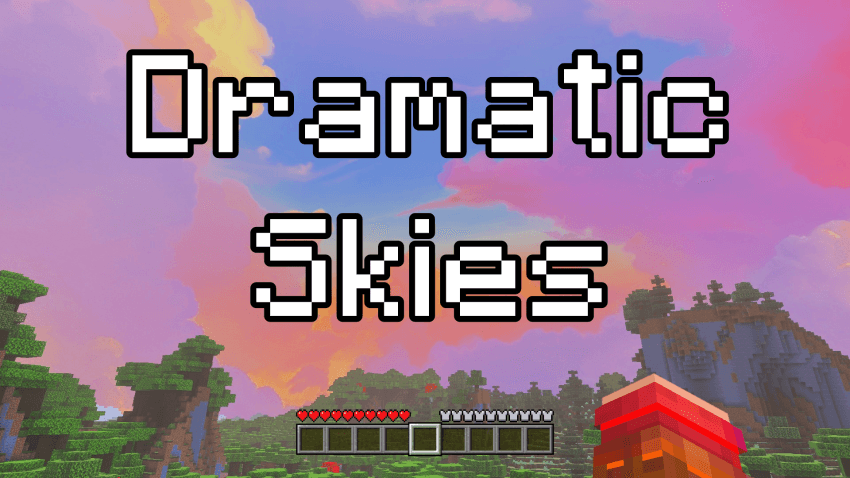
EXAMPLE IMAGE:
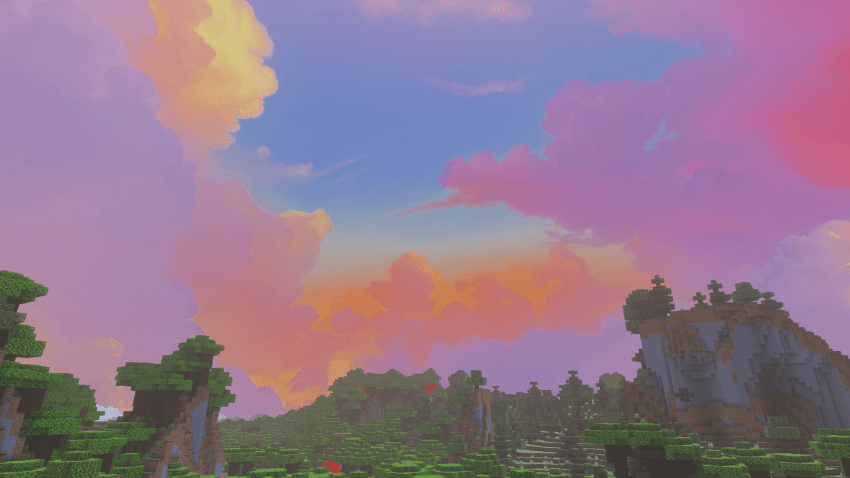
AVAILABLE VERSIONS & RESOLUTIONS:
You can download and choose between different variants to best suit your preferences and performance:
- Standard (24h): The custom sky remains permanently visible day and night.
- Only Day: Beautiful custom daytime sky active from morning to evening (05:00 – 19:00) with smooth sunrise and sunset fade transitions, keeping the classic starry sky at night.
Each variant is available in 3 resolutions:
- 💎 2048x (Ultra HD / Maximum Detail)
- ⚡ 1024x (Balanced Quality & Performance)
- 🍃 512x (Fast & Performance-Friendly for Low-End PCs)
🔧 REQUIREMENTS & MOD COMPATIBILITY:
This pack is built using the standard custom sky format and is 100% compatible with both OptiFine and modern performance mod setups:
- OptiFine (Standalone): Fully supported natively! (Make sure Options -> Video Settings -> Quality -> Custom Sky is set to ON).
- Fabric / NeoForge / Forge (Sodium & Iris users): You do not need OptiFine! You can use either:
- Optiboxes or Skyboxify: Directly loads OptiFine custom skies natively with Sodium.
- Nuit (formerly FabricSkyboxes) with Nuit Interop: Automatically detects and renders this sky pack with full transition support.
TERMS OF USE & SHARING:
If you want to share, review, or showcase this texture pack, please always provide the direct link to this official CURSEFORGE page. Please do not re-upload, host on external websites, or put this content behind unauthorized links.
Thanks and have fun! 😀
常见问题
Dramatic Sky (Java Edition) – Custom Sky 支持哪些 Minecraft 版本?
Dramatic Sky (Java Edition) – Custom Sky 支持 Minecraft Java 版 1.21。下载时注意选择和你游戏版本一致的文件。
Dramatic Sky (Java Edition) – Custom Sky 怎么安装?
把下载的 .zip 文件(不用解压)放进游戏目录的 resourcepacks 文件夹,进游戏后在「选项 → 资源包」里把它移到右边启用。
Sodvic 的其他作品
查看全部 →
Realistic Sky (Java Edition) – Custom Sky
[1.21+] 这款材质包将天空改得更接近真实天空。你能看到逼真的云朵和蓝天,让 Minecraft 更真实、更美丽。抬头看看,享受全新的真实天空吧。
Nebula Sky (Java Edition) – Custom Sky
[1.21+] 这款材质包会改变 Java 版的天空,呈现繁星与绚丽星云。每次抬头,都能看到遥远的星系。开启你的宇宙冒险吧!
Aurora Sky (Java Edition) – Custom Sky
[1.21+] This texture pack changes the sky and makes it extra special! Now, when you look up at night, you will see a beautiful aurora borealis, a magical light show in the sky with glowing colors. It makes your world feel more magical and fun.
Truck with Real Chests (Mobile Warehouse)
Realistic drivable Truck with functional storage! 16 colors, 9 seats, dynamic diesel sounds, custom GeckoLib 3D animations, smart parking & obstacle detection. Fully craftable in Survival.
评论
登录后评论和评分