
DotGothic16 Font
A clean retro pixel font with Latin, kana and kanji. Changes the text in chat, books, menus and item names.
截图


介绍
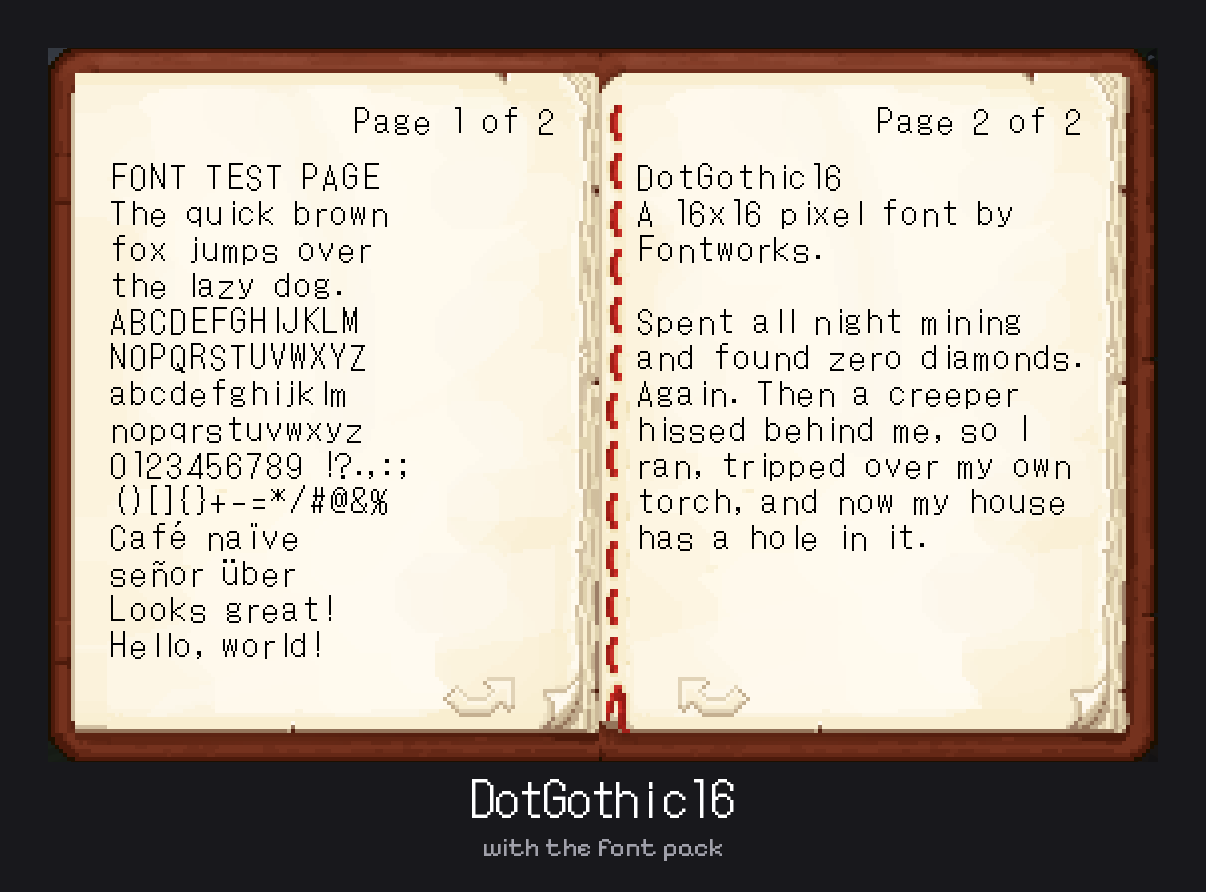
DotGothic16 Font Pack
This pack changes Minecraft’s text to DotGothic16, a thin, clean pixel font by Fontworks. It’s based on the 16×16 pixel text from old video games and phones, and it gives chat, books, menus and item names a classic retro look.
Supports Latin, Greek, Cyrillic, Japanese kana and kanji. Anything the font doesn’t have uses Minecraft’s default font.
How to use it
- Download the file that matches your Minecraft version
- Put it in your
resourcepacksfolder - Open Options > Resource Packs, turn it on, and move it to the top of the list
Works with Java Edition. It only changes the font, so you can use it with other resource packs.
Credits
Font: DotGothic16 by Fontworks, under the SIL Open Font License 1.1.
Pack: TheGamingMahi
常见问题
DotGothic16 Font 支持哪些 Minecraft 版本?
DotGothic16 Font 支持 Minecraft Java 版 1.20.2–26.3,共 22 个版本。下载时注意选择和你游戏版本一致的文件。
DotGothic16 Font 怎么安装?
把下载的 .zip 文件(不用解压)放进游戏目录的 resourcepacks 文件夹,进游戏后在「选项 → 资源包」里把它移到右边启用。
TheGamingMahi 的其他作品
查看全部 →
Borderless Glass (No OptiFine Needed) Bedrock Support!
无边框玻璃——一款移除所有玻璃方块边框的资源包。
Mahi’s Connected Grass (No OptiFine Needed) Bedrock Support!
Mahi的连通草方块——通过连通材质提升草方块的视觉吸引力,带来更沉浸的体验。
Mahi’s Better Sky, Bedrock Support!
Mahi的更好的天空 - 在保留原版风格的同时,用更逼真、更出色的天空提升你的Minecraft体验。
Mahi’s Xray Pack
让地形方块只显示轮廓,透过坚实的地面也能看到矿石和贵重物品。无需安装任何模组。
评论
登录后评论和评分