
Transparent Player BG for Default Dark Mode
Makes the area behind the player in the inventory transparent, made for the Default Dark Mode texture pack.
截图


介绍
greenie’s transparent player BG for Default Dark Mode
Removes the pesky black background that you see behind the player model in inventories.
This pack is made to be used with the Default Dark Mode texture pack. Click here to download it.
See the gallery for some screenshots of this pack in use.\
I highly recommend using the blur+ mod with this pack. It blurs the area behind the inventory and makes it look really nice.
Don’t use Default Dark Mode? Get Transparent UI BG for the vanilla textures here.
常见问题
Transparent Player BG for Default Dark Mode 支持哪些 Minecraft 版本?
Transparent Player BG for Default Dark Mode 支持 Minecraft Java 版 1.21.11–26.3,共 6 个版本。下载时注意选择和你游戏版本一致的文件。
Transparent Player BG for Default Dark Mode 怎么安装?
把下载的 .zip 文件(不用解压)放进游戏目录的 resourcepacks 文件夹,进游戏后在「选项 → 资源包」里把它移到右边启用。
greenishlemon 的其他作品
查看全部 →
Extremely Visible Powdered Snow
一款让细雪方块极其醒目的材质包。
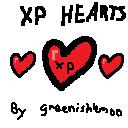
greenishlemon’s XP Hearts
Gives you 1 extra heart for every 5 XP levels.

Cyan Visible Powdered Snow
Makes powdered snow blocks easy to see.

Bye Bye, Pumpkin Blur!
Removes the default pumpkin blur texture and replaces it with the text "PUMPKIN" in the bottom left of your screen.
评论
登录后评论和评分