Dark Theme – UI
作者:Saransh
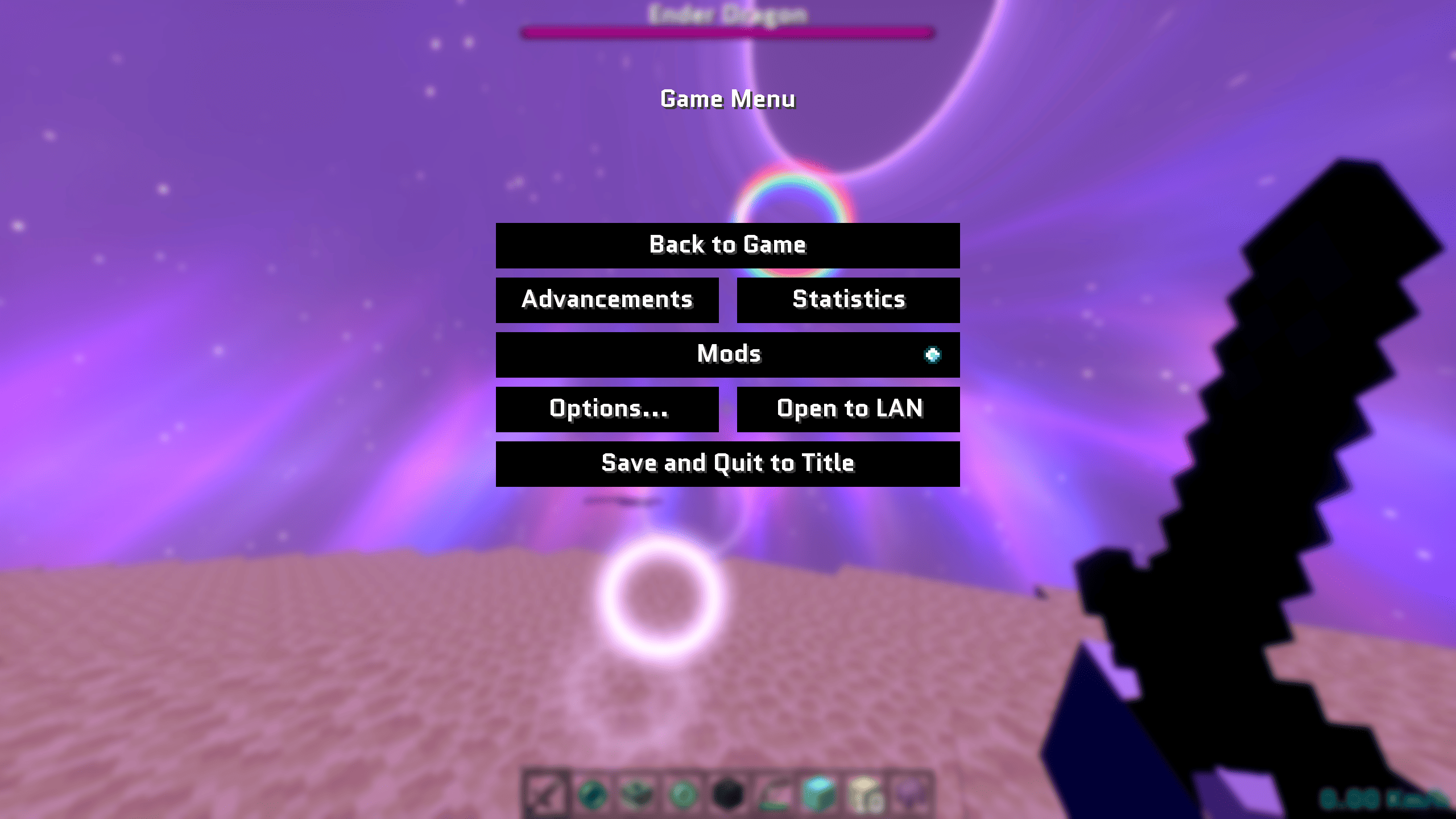
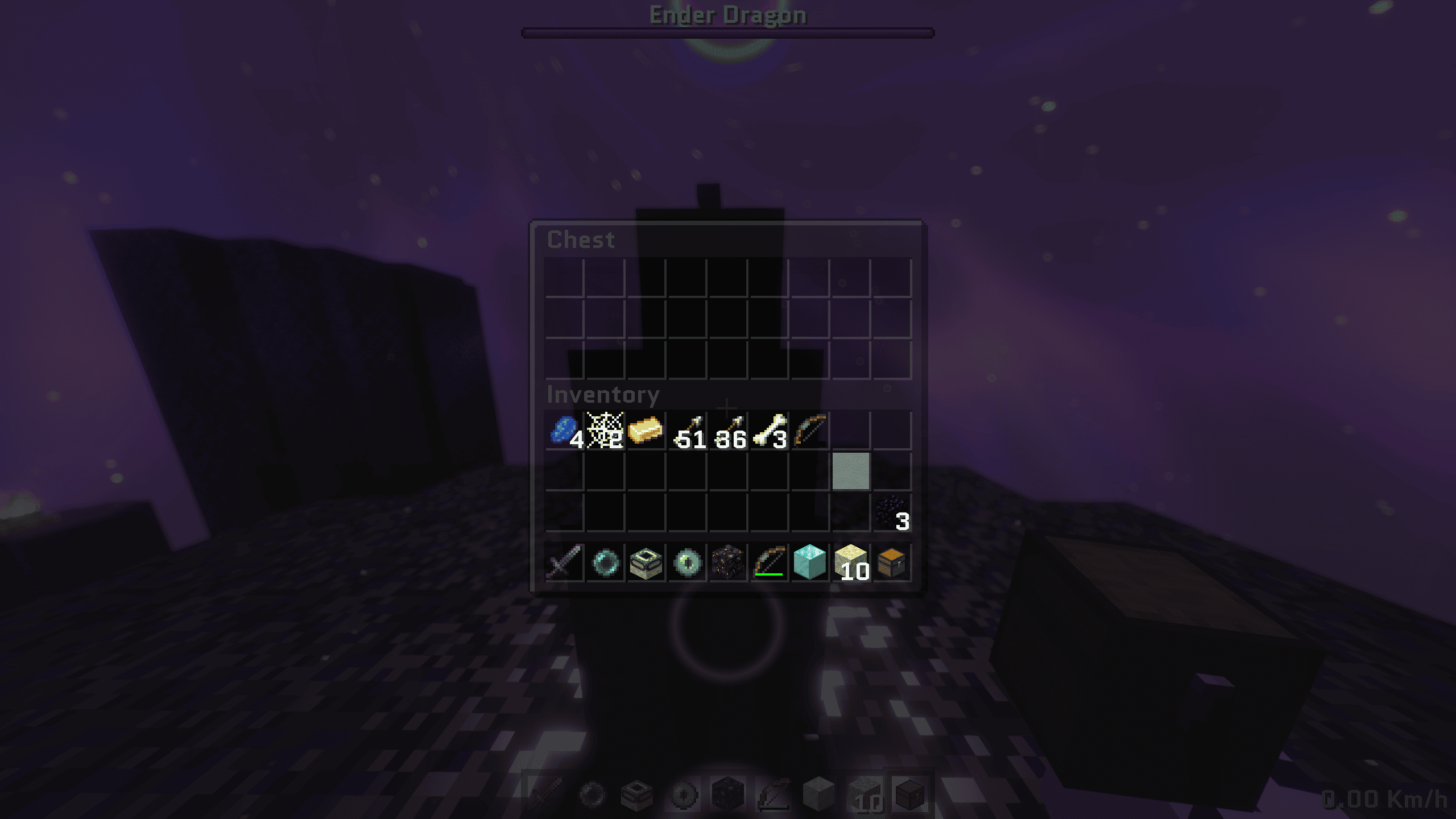
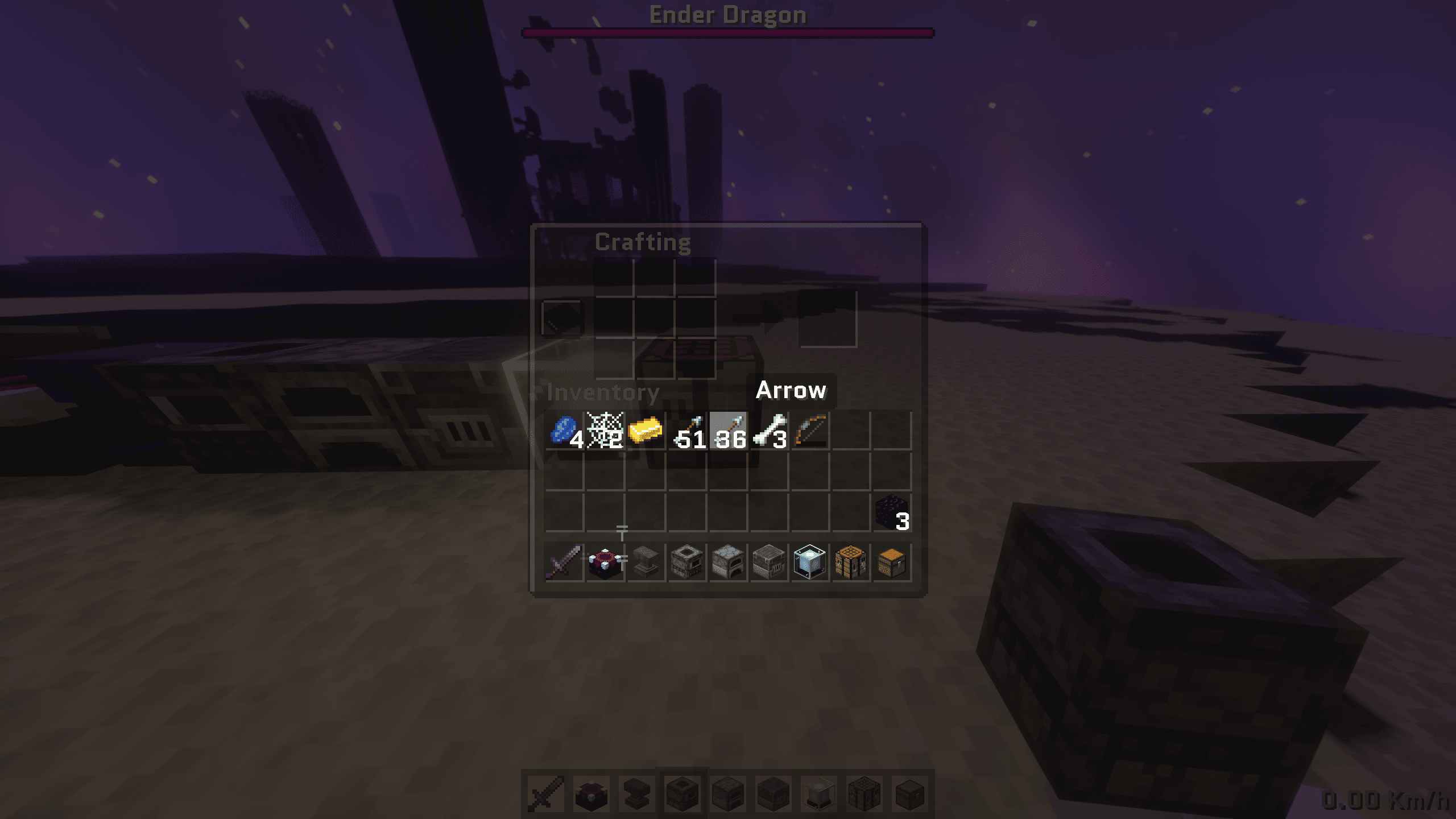
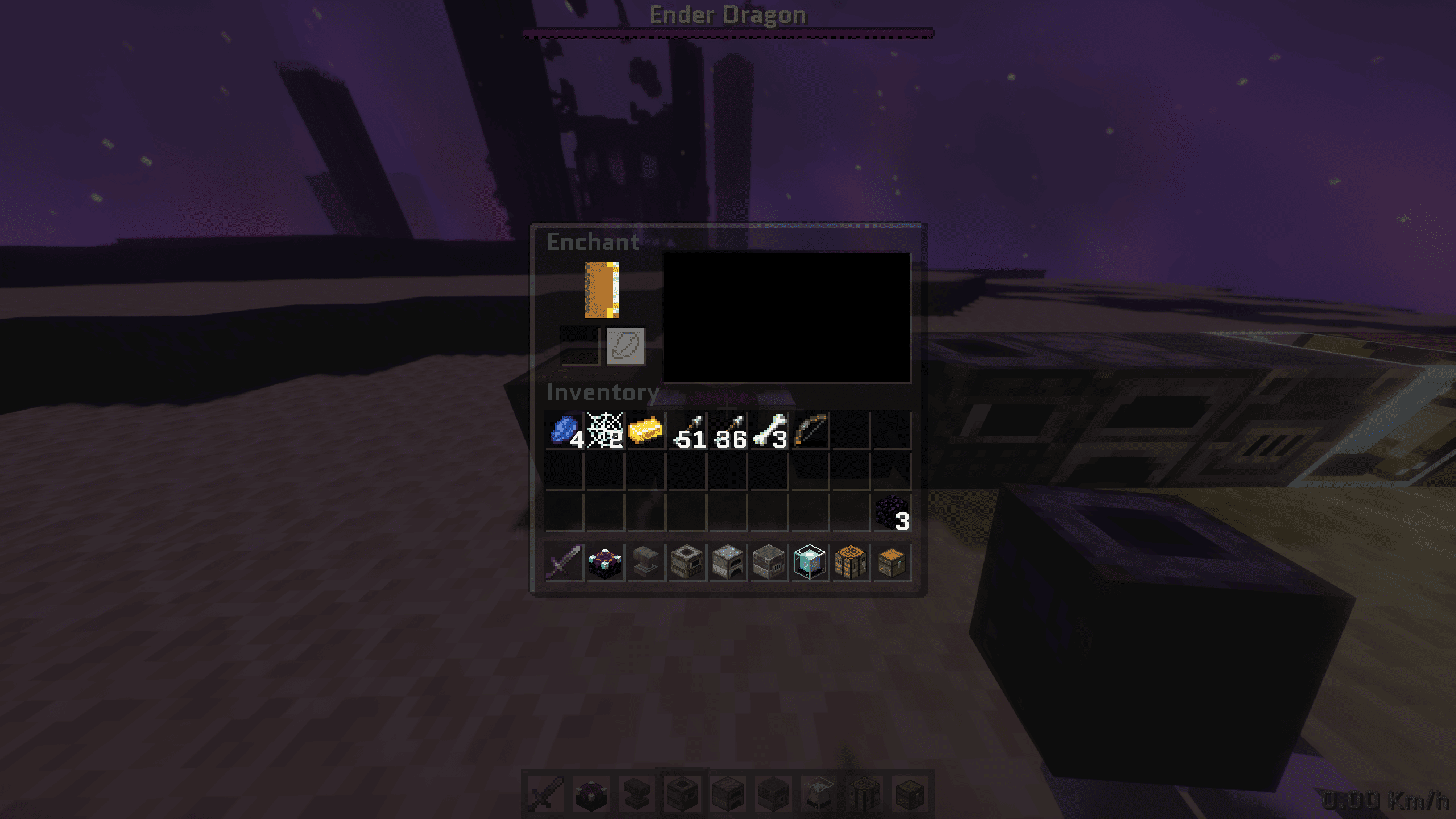
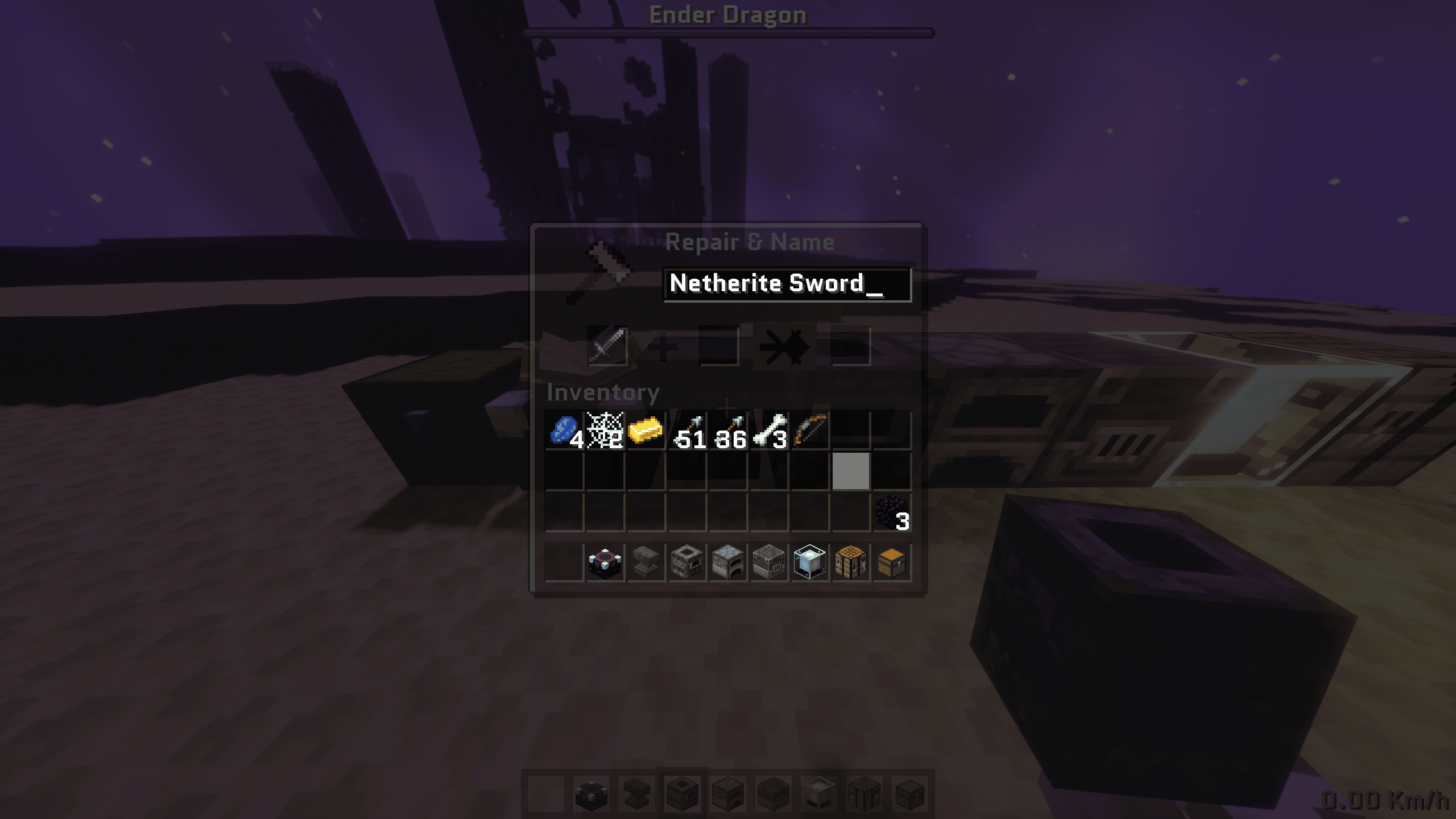
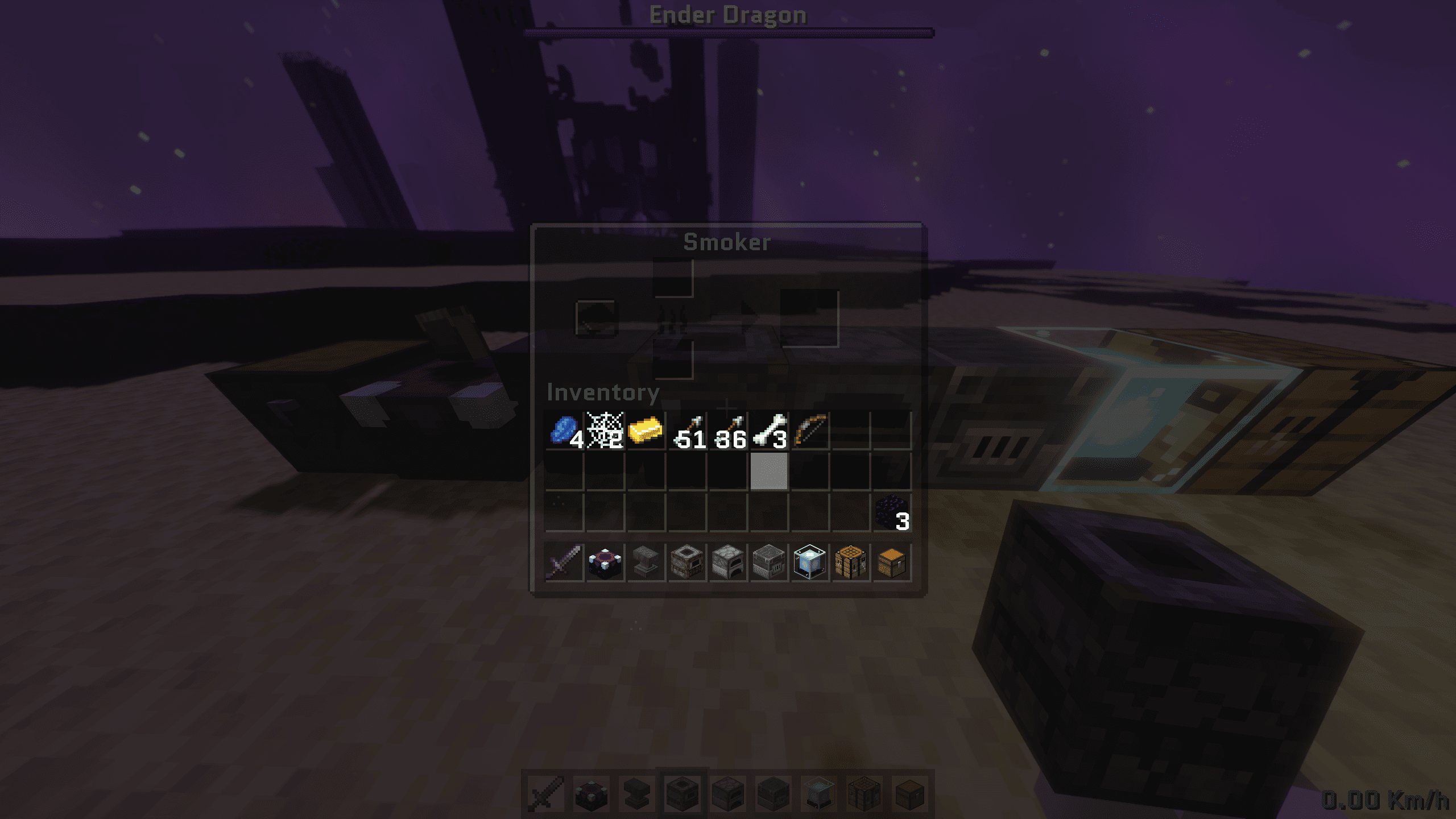
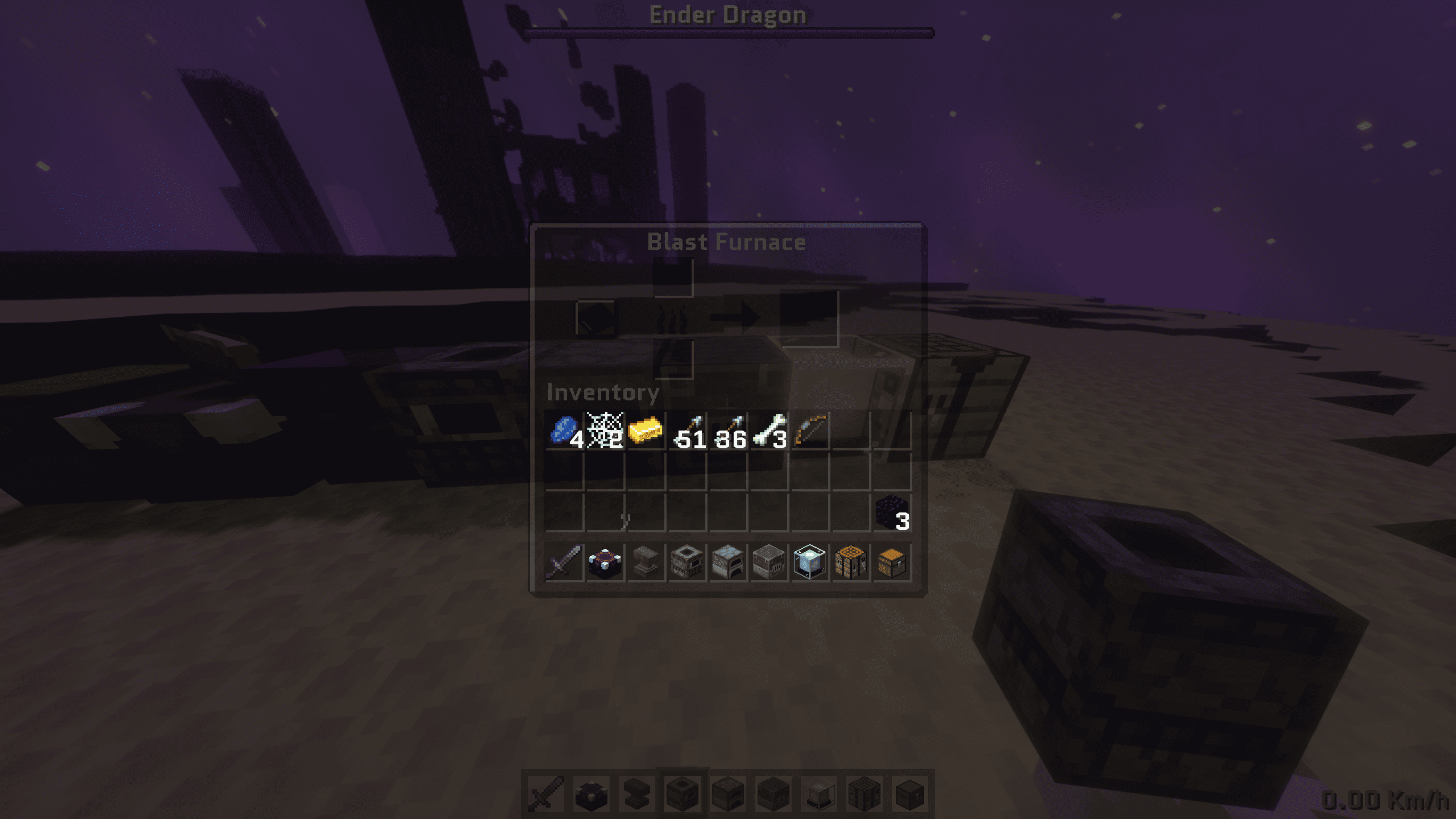
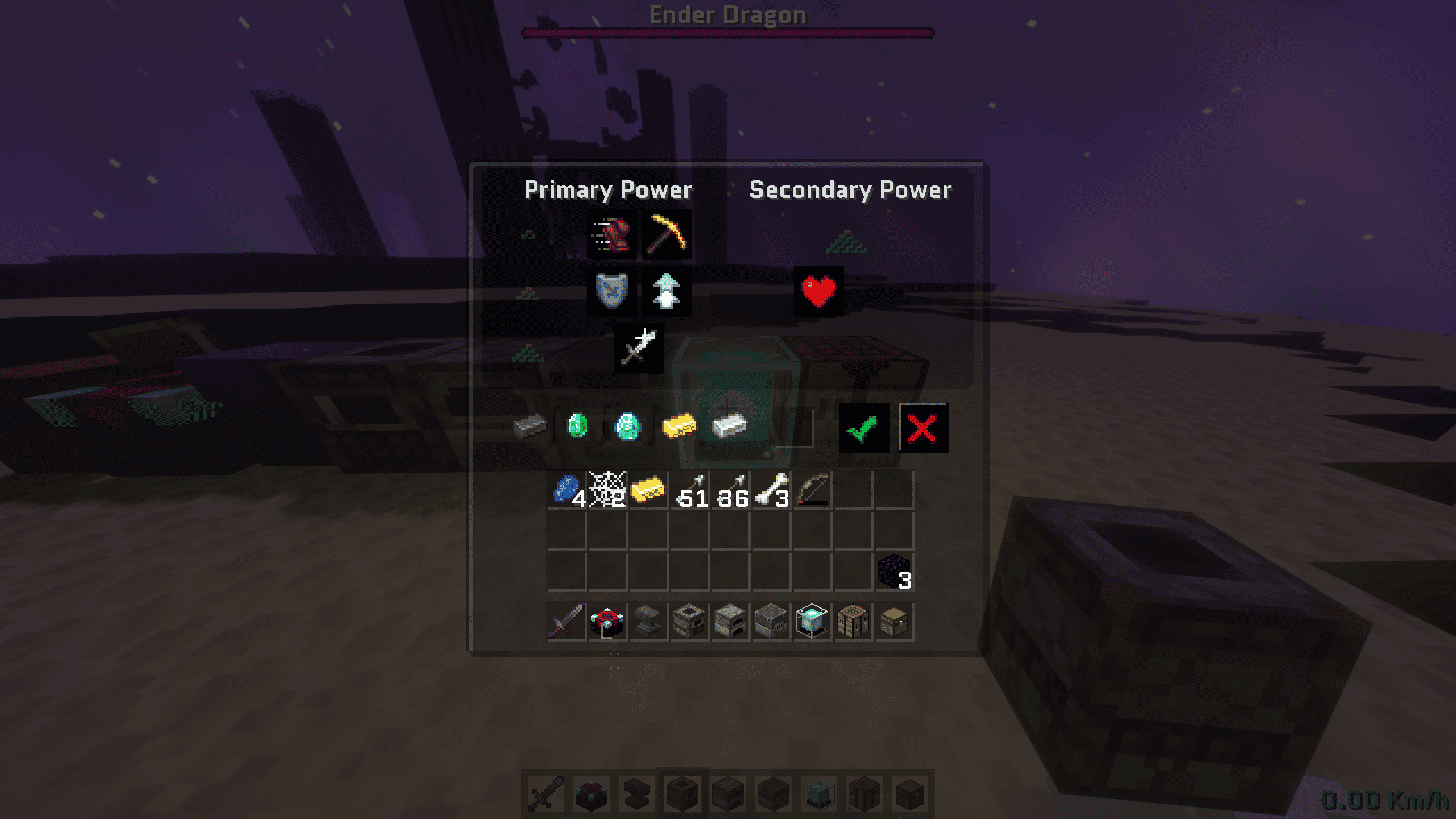
Sleek Dark Mode by Saransh. Featuring translucent charcoal UI, smooth Quantico typography, and an end biome panorama in title screen. Optimized for a minimalistic smooth experience.
截图
介绍
中文介绍正在准备中,下面暂时显示原文。
🌑 Dark Theme: A Premium Interface Overhaul
Dark Theme is a sleek, modern reimagining of the Minecraft UI. Designed for players seeking a professional Midnight aesthetic without sacrificing performance, this pack replaces the vanilla grey interface with a deep charcoal palette and smart transparency.
Built for Minecraft 1.21.8+, it looks crisp on high-end displays while remaining lightweight enough for any setup.
🚀 Key Features
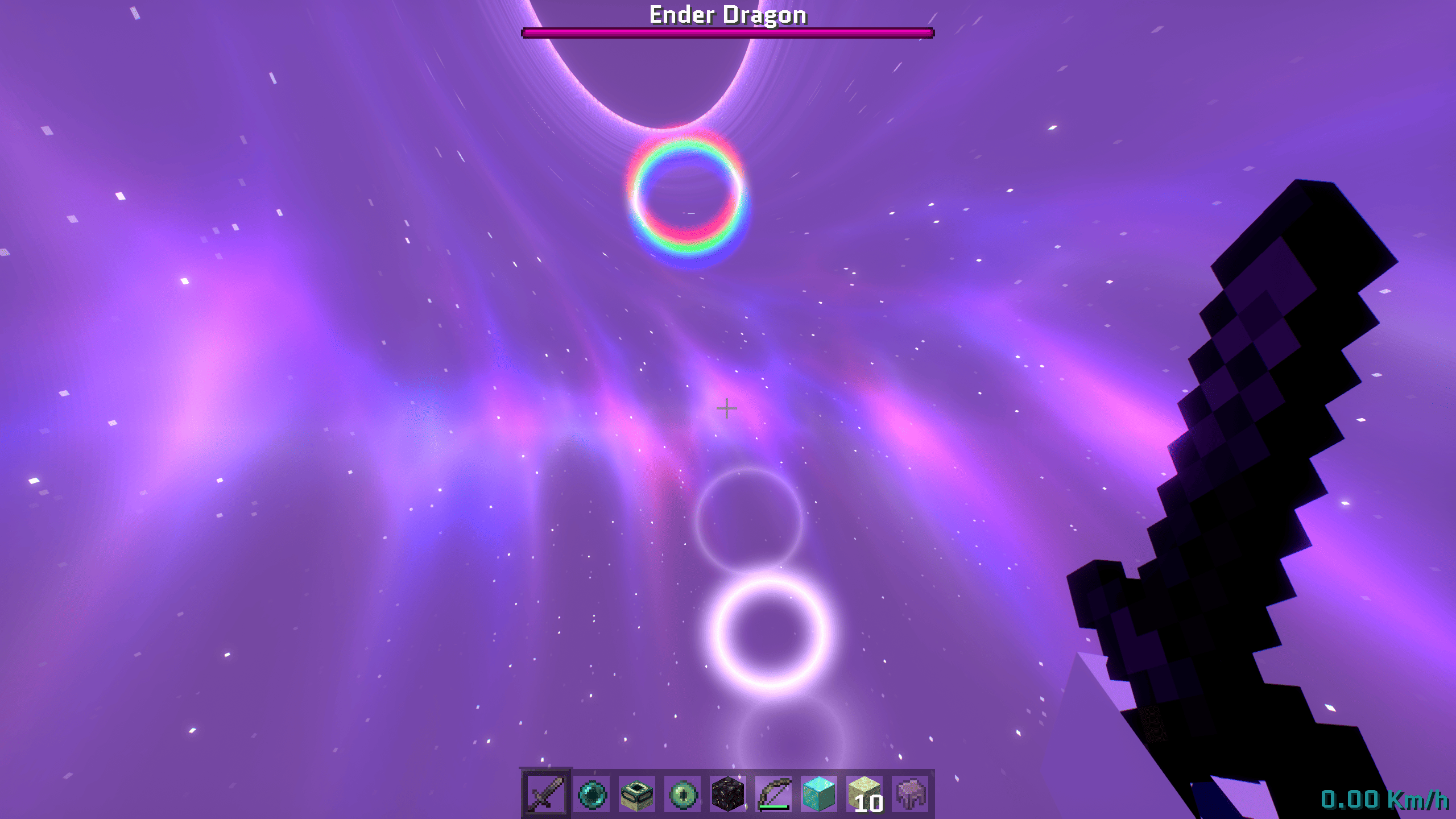
✨ Translucent “Glass” HUD
- Hotbar and inventory feature 50% transparency, creating a clean, glass-like interface.
- Enhances situational awareness: manage items without losing sight of your surroundings.
- No more getting surprised by Creepers while organizing loot.
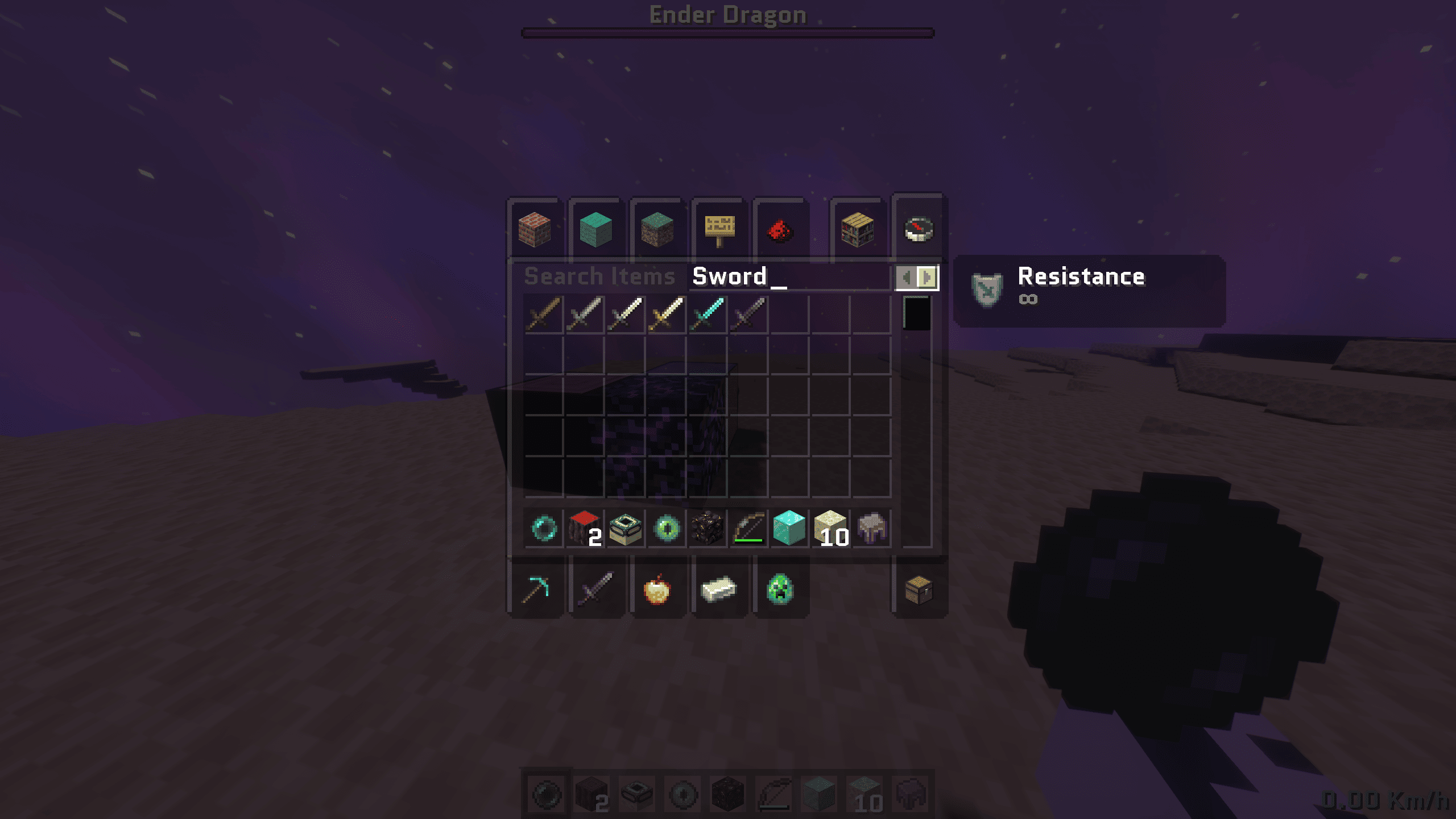
🪨 Midnight Charcoal Containers
- Redesigned container menus: Chests, Crafting Tables, Furnaces, Beacons, and more.
- Uses a deep charcoal theme inspired by polished obsidian.
- Easier on the eyes during long gaming sessions with a smoother, darker UI.
🔠 Modern Typography (Quantico)
- Replaces Minecraft’s traditional pixel font with Quantico, a sharp, modern military-style typeface.
- 4× oversampling ensures menus and chat text appear extremely crisp.
- Gives the interface a polished, professional feel.
🌌 Void-Inspired End Panorama
- Main menu panorama replaced with a cinematic view of the End dimension.
- Dark void background + deep orange Minecraft logo = dramatic, high-contrast main menu.
- Perfectly complements the Midnight theme.
🛠 Technical Specifications
- Version Compatibility: Minecraft 1.20.2 – 1.21.8+
- Format: Modern sprite system for faster loading
- Resolution: Compatible with all texture packs and screen resolutions
- Performance: Zero FPS impact; may slightly improve performance due to simplified UI
⚡ Installation Guide
- Download the
.zipfile from the Files or Versions tab. - Open Minecraft → Options > Resource Packs.
- Click Open Pack Folder (opens a folder on your computer).
- Drag and drop the downloaded
.zipfile into the folder. - Activate in-game: in the Available list, click Dark Theme – Translucent and move it to Selected.
- Hit Done and enjoy your sleek Midnight aesthetic!
💡 Pro Tip
To ensure Quantico Typography and the Translucent HUD look perfect, place this pack at the TOP of your Resource Pack list.
常见问题
Dark Theme – UI 支持哪些 Minecraft 版本?
Dark Theme – UI 支持 Minecraft Java 版 1.20–1.21.11,共 19 个版本。下载时注意选择和你游戏版本一致的文件。
Dark Theme – UI 怎么安装?
把下载的 .zip 文件(不用解压)放进游戏目录的 resourcepacks 文件夹,进游戏后在「选项 → 资源包」里把它移到右边启用。
Saransh 的其他作品
查看全部 →
PotatoCraft 8x – Java
by Saransh
PotatoCraft 8x 可提升“土豆电脑”和低配电脑的 FPS,让游戏体验更加流畅。
1.4万
1 个月前
CurseForge

Potato Craft-8x
by Saransh
PotatoCraft 8x 是一款 8 倍材质包,可显著提升低配设备上的 FPS。
1.4万
1 个月前
Modrinth

Singularity-Shaders
by Saransh
FPS 是普通光影的 3 倍,同时带来电影级视觉效果:逼真的夜空、动态水体物理效果、活跃的黑洞,以及电影感氛围光照。
7,340
2 个月前
Modrinth · CurseForge

AnalogCraft
by Saransh
添加精美滤镜,让 Minecraft 化作可游玩的复古迷幻梦境。Analog 提供 10 种高度还原的相机与屏幕滤镜,包括 VHS、随身摄像机、Game Boy 和 35mm 胶片效果。
7,021
1 个月前
Modrinth · CurseForge
评论
登录后评论和评分