
“Cyan” and “Light Blue” Web Color Parity Fix
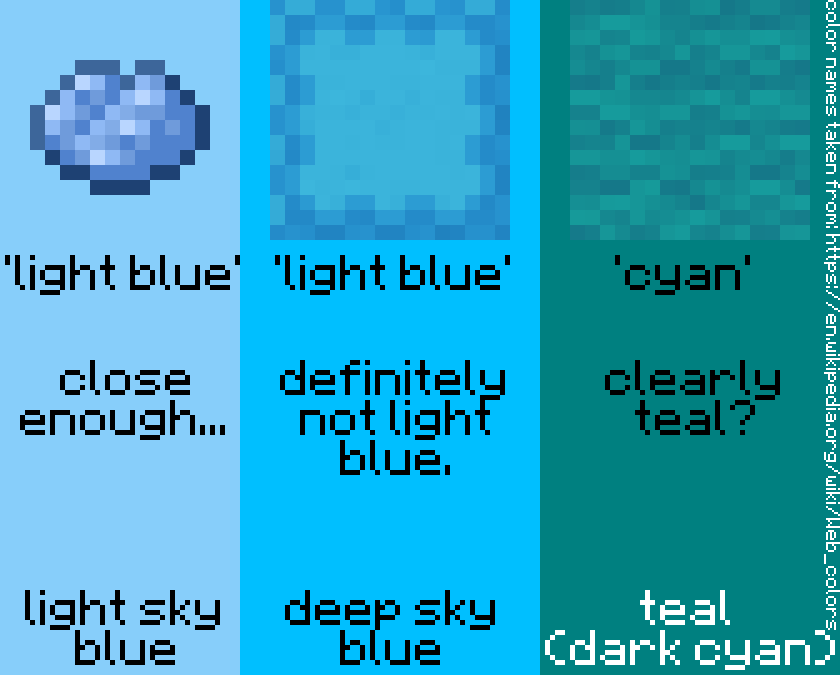
Changes the names of colors labeled "Cyan" and "Light Blue" to "Teal" and "Deep Sky Blue" respectively, when appropriate.
截图
介绍
Minecraft, by default, names many items that would be more accurately described as teal with “cyan”, and items that would be more accurately described as deep sky blue with “light blue”. (See gallery)
This resource pack changes the en_us language file to fix this.
“Deep Sky Blue” is a name that comes from names of the Web Colors.
常见问题
“Cyan” and “Light Blue” Web Color Parity Fix 支持哪些 Minecraft 版本?
“Cyan” and “Light Blue” Web Color Parity Fix 支持 Minecraft Java 版 1.20.4–1.21,共 2 个版本。下载时注意选择和你游戏版本一致的文件。
“Cyan” and “Light Blue” Web Color Parity Fix 怎么安装?
把下载的 .zip 文件(不用解压)放进游戏目录的 resourcepacks 文件夹,进游戏后在「选项 → 资源包」里把它移到右边启用。
TheRedstoneShark 的其他作品
查看全部 →
Accurate Terracotta Color Names
Changes the names of colored terracotta to more accurately reflect the perceived color of the block.

“Cyan” and “Light Blue” Color Name Fix
Changes the names of colors labeled "Cyan" and "Light Blue" to "Teal" and "Capri" respectively, when appropriate.
评论
登录后评论和评分