
截图


介绍
Heavily modified from 千虑智者’s version.
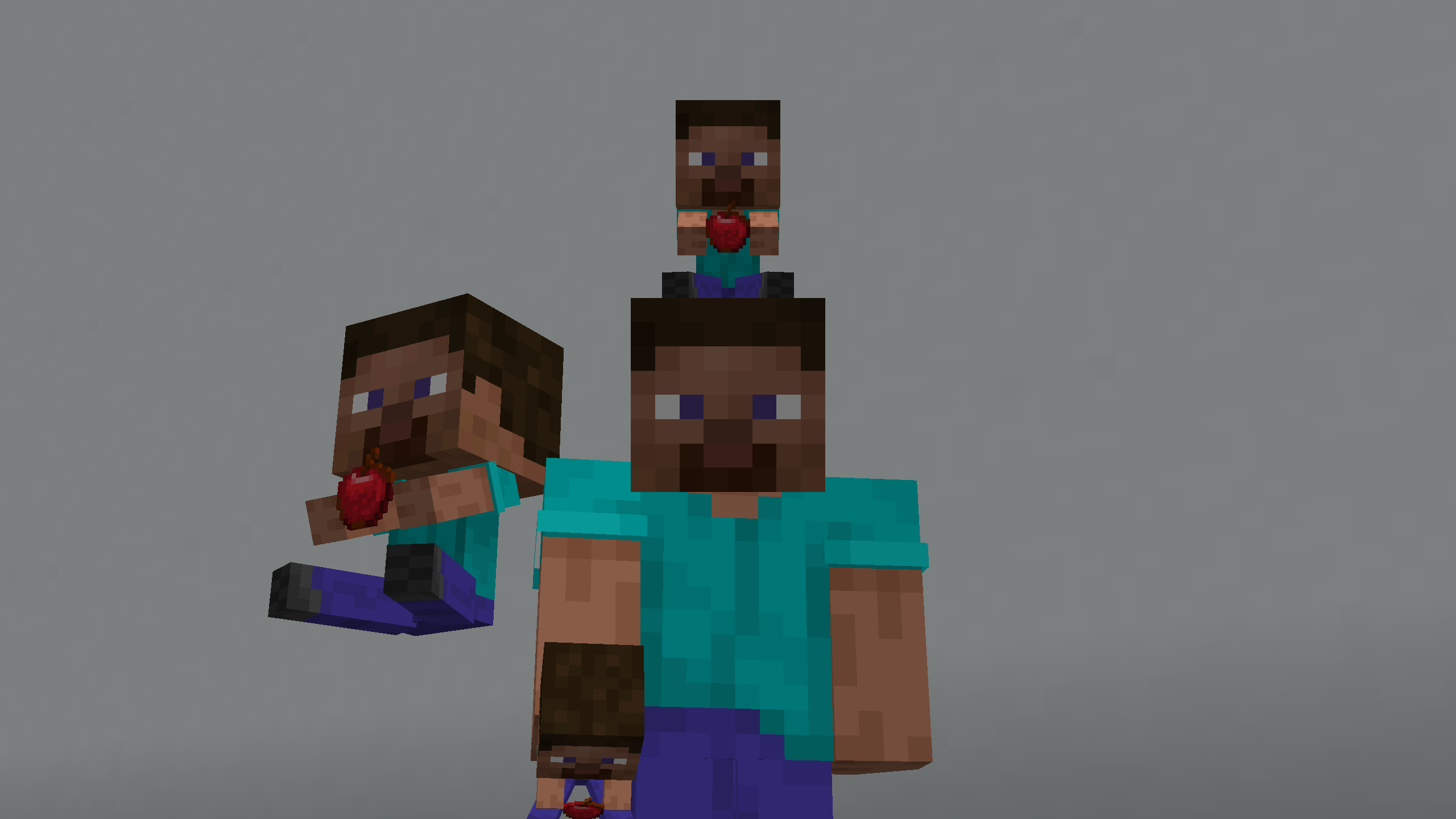
You can customize any item into a sitting doll holding an item. This requires some basic Minecraft resource pack skills. Should work for most of the Minecraft versions.
Highlights
- Both the item and the doll is 3D (also for the 2nd layer of the skin).
- Fully customizable as long as you know how to make resource packs. You can even use this model on a block item. You can also use Blockbench to change the doll’s pos or add some decorations.
_Item textures should be 16x or lower (best 16x). Skins should be 64x or lower (best 64x)._
Steps to customize:
- Open the resource pack .zip file (or decompress it if you can’t directly modify files in a .zip).
- Go to _”assets\minecraft\textures\item\doll\”_ and put a skin file in .png here (assume it’s named as newton.png).
- (_If you don’t want to change the item’s texture (so it stays vanilla or from another resource pack you enabled), skip this step._)\
Go to _”assets\minecraft\textures\item\”_ and put the desired item texture in .png here (assume it’s named as apple.png).
- Go to _”assets\minecraft\models\item\”_. If the skin you just put is classic (arm with 4 pixels), copy classic.json and paste it here. If the skin is slim (arm with 3 pixels), copy slim.json. Rename the pasted file to the item whose model you want to change. For example, you want to change “minecraft:apple”, then you rename the file to apple.json.
- Open the .json file, look for the following (_”doll_slim”: “item/doll/slim”_ if your skin is slim):
"textures": {
  "doll_wide": "item/doll/classic",
  "particle": "item/whatever",
  "item": "item/whatever"
}
For “doll_wide” or “doll_slim”: Change _”item/doll/classic”_ into the file path of your skin (without “.png”).
For “particle”: This controls such as the particle when you eat this item. You can change _”item/whatever”_ into the texture file path of this item (without “.png”).
For “item”: This is the item texture the doll holds. Change _”item/whatever”_ into the texture file path of this item (without “.png”).

You can repeat steps 2~5 to modify the models of several items. You can then put the resource pack into the resource pack folder and enable it.
常见问题
Customizable 3D Doll Item 支持哪些 Minecraft 版本?
Customizable 3D Doll Item 支持 Minecraft Java 版 1.20.5–1.21.5,共 8 个版本。下载时注意选择和你游戏版本一致的文件。
Customizable 3D Doll Item 怎么安装?
把下载的 .zip 文件(不用解压)放进游戏目录的 resourcepacks 文件夹,进游戏后在「选项 → 资源包」里把它移到右边启用。
TheUknownCreator 的其他作品
查看全部 →
Ultimate VeinMiner Resource Pack
Language resource pack for Ultimate VeinMiner.

Ultimate VeinMiner
Mine the same type of blocks that are connected with each other together. Fully customizable and compatible with modded blocks.

Teleport Bow
A data pack that turns your bow into a portable ender pearl launcher.

Warden Health Bar
A simple data pack that adds visible health bars and bossbars for wardens. Fully compatible with multiple wardens.
评论
登录后评论和评分