🎨Custom Outline
Personalise your Minecraft block outline with Respackopts support and an online generator.
介绍



Custom Outline lets you change the colour, opacity and thickness of Minecraft’s block selection outline.
By default, it comes with the colour #ffcc00 
Web Generator
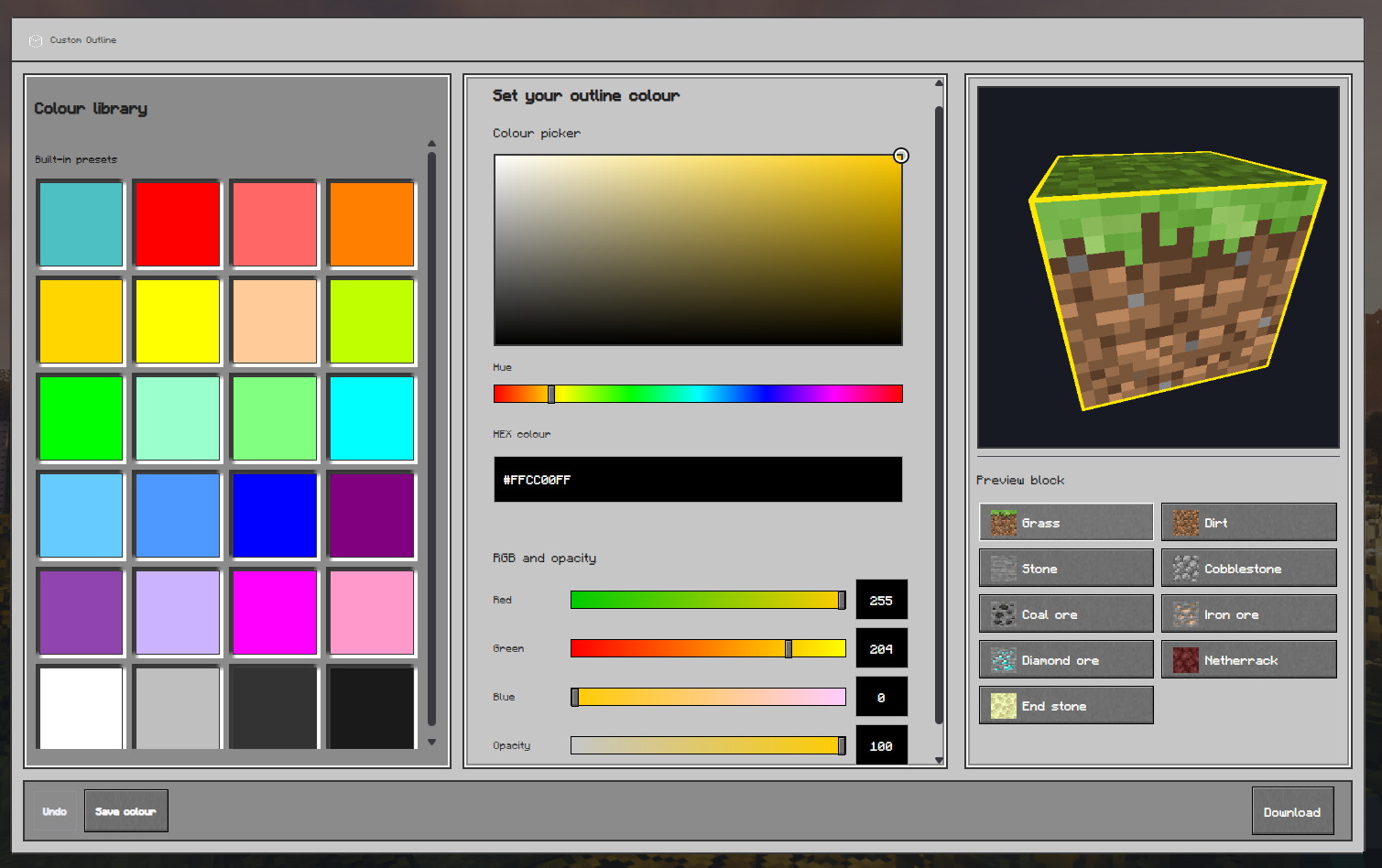
The easiest way to create a custom pack is to use the Custom Outline Generator.
Select your settings, choose your Minecraft version, and download the generated pack.
Respackopts Support
Custom Outline v1.1.0 supports Respackopts.
Install Respackopts and LibJF, then open the Custom Outline settings through Respackopts or Mod Menu. You can change the outline colour, opacity, thickness, and animation.
The newest packs use Respackopts format v13 and support the newer preset system. Older packs use format v12, which supports the main settings but not the newer preset-file system.
Manual Editing
You can manually edit the shader if you prefer.
Open:
assets/minecraft/shaders/core/rendertype_lines.vsh
Find the #ifndef respackopts_loaded section and change the colour values:
#define customOutline_outline_red 255
#define customOutline_outline_green 204
#define customOutline_outline_blue 0
#define customOutline_outline_opacity 100
#define customOutline_outline_thickness 1.0
Save the file and press F3 + T in Minecraft to reload the pack.
Rainbow Outline
To use the rainbow animation, replace:
#define customOutline_outline_mode_staticwith:
#define customOutline_outline_mode_rainbow⚠️ Compatibility
Custom Outline is not compatible with shaderpacks that replace Minecraft’s core shaders, such as Iris or OptiFine shaderpacks.
If you want to use shaders with a custom outline, use a shaderpack with its own outline settings, such as:
Troubleshooting
The pack is marked incompatible
Make sure you are using the version selected for your Minecraft installation.
The settings menu is missing
Install Respackopts and LibJF for your Minecraft version, then restart the game.
The outline has not changed
Make sure Custom Outline is enabled and press F3 + T to reload the resource pack.
Also check that another resource pack is not overriding the same shader.
The pack stops working after enabling shaders
Shaderpacks may replace the shader used by Custom Outline. Disable the shaderpack or use its built-in outline settings instead.
Need help or have a suggestion?
Reach out on GitHub or join the Support Discord.
License
Custom Outline is © NotToBlame.
You are permitted to:
- Use it in modpacks if downloaded from official sources such as Modrinth or CurseForge
- Create and publish addon packs, provided they do not include original Custom Outline files
- Make personal edits for your own use
You may not:
- Reupload or redistribute Custom Outline or its assets
- Include original files in your own uploads or forks
- Use the pack commercially without explicit permission
常见问题
🎨Custom Outline 支持哪些 Minecraft 版本?
🎨Custom Outline 支持 Minecraft Java 版 1.17–26.3,共 34 个版本。下载时注意选择和你游戏版本一致的文件。
🎨Custom Outline 怎么安装?
把下载的 .zip 文件(不用解压)放进游戏目录的 resourcepacks 文件夹,进游戏后在「选项 → 资源包」里把它移到右边启用。
NotToBlame 的其他作品
查看全部 →
🛡️ Hide Armor – See Player Skins
Hides the armor model so they don't render on the player

🎨 Custom Outline
Personalise your Minecraft block outline with Respackopts support and an online generator.

🌧️ Clear Weather
You can see clearly now the rain has gone... (almost)
🧸Mini-Me Totem (Classic)
Your Adventures, Now With a Sidekick
评论
登录后评论和评分