
Cubic Font
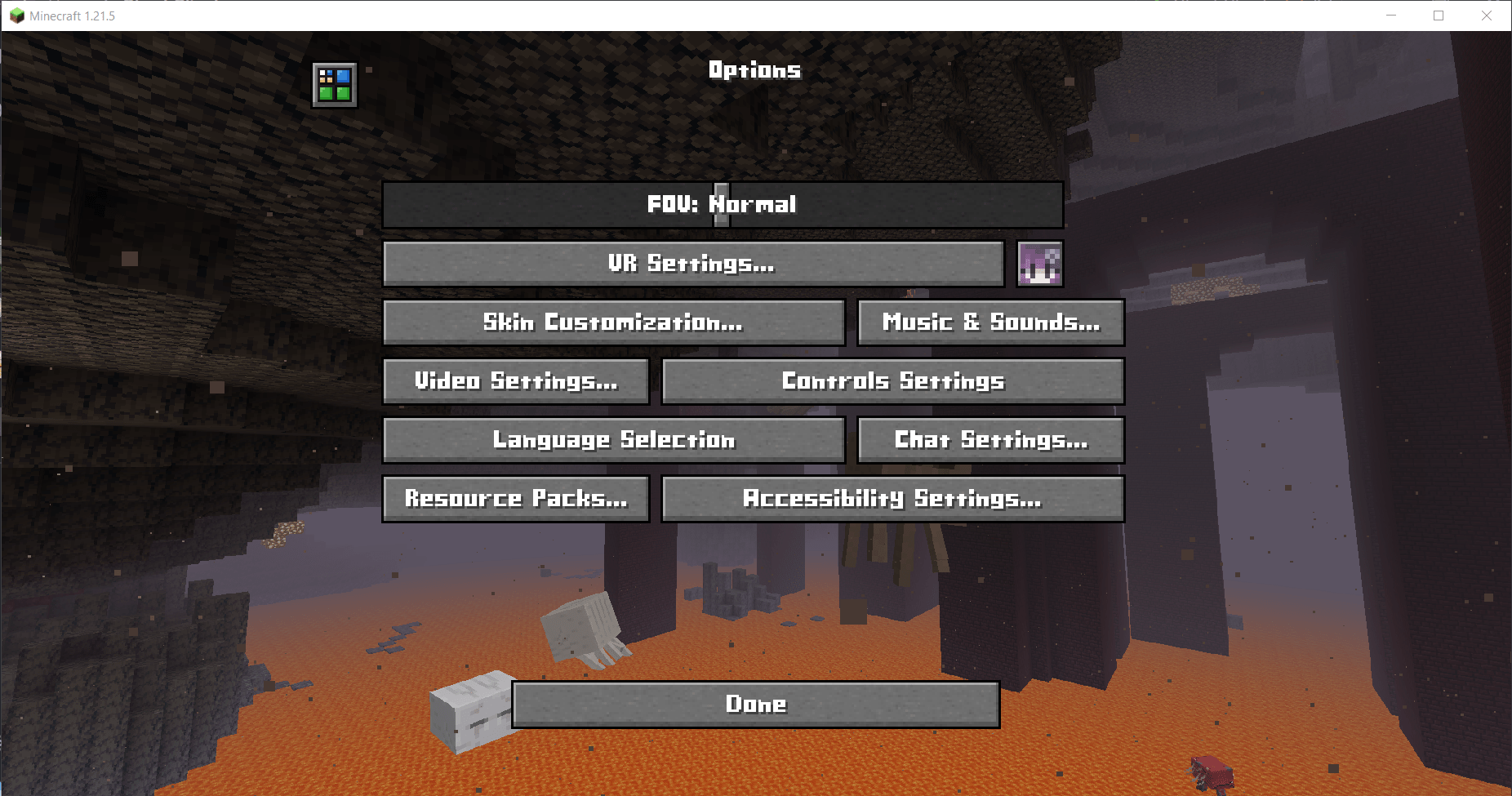
A bold, clean, and blocky font for Minecraft, replacing the default font with a geometric, pixel-perfect design. Works in vanilla and modpacks.
截图


介绍
❗️The small “t” of pictures is old, the new one is already at latest version!

A clean, bold, and blocky typeface for Minecraft 1.20.2–1.21.x
Give your Minecraft UI a sharp new look. Cubic Font replaces the default font with a geometric, pixel-perfect cubic design that fits Minecraft’s blocky aesthetic while improving clarity and readability.
✨ Features
- 🔳 Replaces Minecraft’s default font with a custom cubic style
- 📐 Bold, clean, and block-aligned character design
- 🎮 Suitable for modern GUIs and retro pixel-art styles
- 🧩 Works well in vanilla and most modpacks
🧩 Compatibility
✅ Minecraft versions: 1.20.2–1.21.x
✅ No mods required (vanilla resource pack)
✅ Compatible with GUI mods (REI, JEI, Sodium, etc.)
🔁 Works with OptiFine, Iris, and most shaders
🚫 May conflict with other resource packs that replace the font
⚠️ Known issue: bold text may not render correctly
📥 Installation
- Download the .zip from the Versions section
- Place it into your resourcepacks folder
- Enable it from the Resource Packs menu
- Enjoy your new UI font
👀 Preview
👤 Credits
Creator: Vulture White
Contact: t.me/Vulture_White
If you use Cubic Font in a modpack, feel free to credit it or contact me. I’d love to see it in!
常见问题
Cubic Font 支持哪些 Minecraft 版本?
Cubic Font 支持 Minecraft Java 版 1.20–1.21.11,共 19 个版本。下载时注意选择和你游戏版本一致的文件。
Cubic Font 怎么安装?
把下载的 .zip 文件(不用解压)放进游戏目录的 resourcepacks 文件夹,进游戏后在「选项 → 资源包」里把它移到右边启用。
VultureWhite 的其他作品
查看全部 →
UniqueDark: Reign Of Nether
UniqueDark Style pack, that support Reign Of Nether mod

Reign of Nether: Better Edition
Reign of Nether RTS optimized: Transform Minecraft into a classic real-time strategy epic like StarCraft or Age of Empires—build bases, harvest resources, command armies, and conquer stunning Terralith biomes with top performance and multiplayer QoL!
评论
登录后评论和评分