Xi_Shui_AE2_1.21_Expansion_AE(齿轮盛宴)
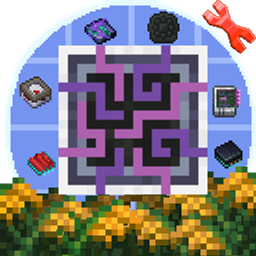
I made an AE2 Light Mode texture pack for Create Delight. It adds missing textures for semi-finished disk shells, storage cells, circuit boards, advanced/basic cards, etc.
截图

介绍


AE2 Light Mode Texture Pack for Create Delight
This resource pack adds missing textures for Create Delight items to match the AE2 Light Mode style (1.21+).
✨ What’s included:
-
All semi-finished circuit boards
-
Storage cells (1k, 4k, 16k, 64k, etc.)
-
Disk shell semi-finished stages
-
Semi-finished advanced / basic cards
-
Other semi-finished components from Create Delight
🎯 Why this pack?
Create Delight adds many intermediate crafting items but leaves them with default/blank textures. If you’re using AE2 Light Mode, those items look completely out of place. This pack fixes that.
📌 Compatibility
-
Minecraft 1.21+
-
AE2 (Applied Energistics 2) Light Mode texture style
-
Create Delight (any recent version)
📜 Notes
-
Does not modify vanilla AE2 textures – only adds missing ones for Create Delight.(So manually add AE2 Light Mode and enable the built-in resource pack of Omni.)
-
Works in singleplayer and multiplayer (client-side only).
-
Feel free to include in modpacks.
-
适配 Create Delight 的 AE2 亮色模式材质包
本资源包为 Create Delight 中的物品补齐了缺失的材质,使其契合 AE2 亮色模式(1.21+)的风格。
✨ 包含内容:
-
所有半成品电路板
-
半成品存储元件(1k、4k、256Mega 等)
-
磁盘外壳半成品
-
半成品高级卡 / 基础卡/量子桥卡
-
Create Delight 添加的其他半成品组件
🎯 为什么要做这个包?
Create Delight 添加了许多中间产物,但默认材质是空白的。如果你在使用 AE2 亮色模式,这些物品会显得格格不入。本材质包解决了这个问题。
📌 兼容性
-
Minecraft 1.20+
-
AE2(应用能源2)亮色模式材质风格
-
Create Delight(任意较新版本)
📜 备注
-
与“XingLuo_AE2_1.21_GUIExpansion_AE 3.0.1”合并,补全 Create Delight 缺失的部分。
-
欢迎加入整合包。
-
常见问题
Xi_Shui_AE2_1.21_Expansion_AE(齿轮盛宴) 支持哪些 Minecraft 版本?
Xi_Shui_AE2_1.21_Expansion_AE(齿轮盛宴) 支持 Minecraft Java 版 1.20.1。下载时注意选择和你游戏版本一致的文件。
Xi_Shui_AE2_1.21_Expansion_AE(齿轮盛宴) 怎么安装?
把下载的 .zip 文件(不用解压)放进游戏目录的 resourcepacks 文件夹,进游戏后在「选项 → 资源包」里把它移到右边启用。

评论
登录后评论和评分