
Ceti Optimized Resource Pack
Use this RPK(Resource Pack) to improve your watching perception.
截图
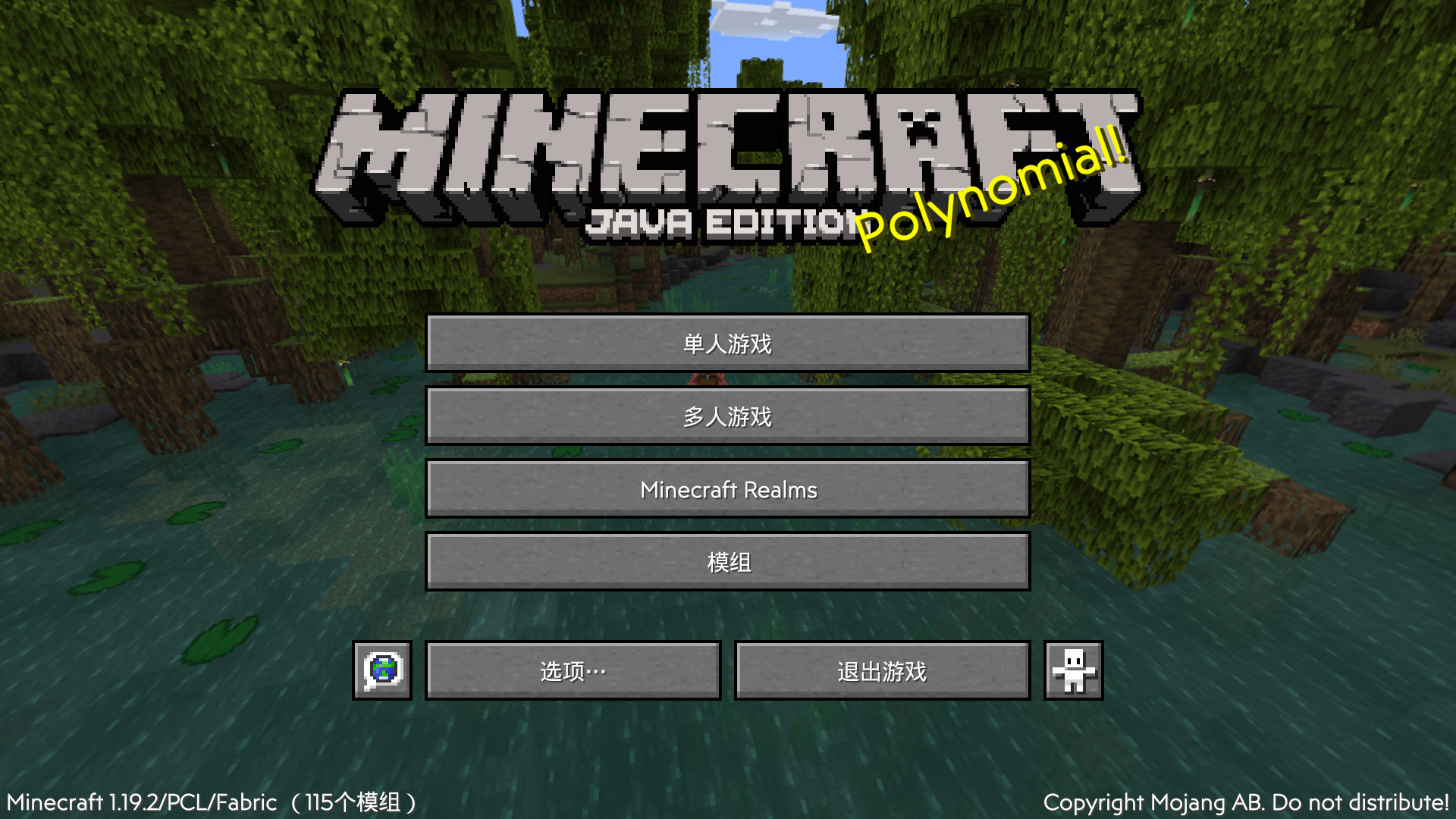


介绍
Ceti Optimized Resource Pack (CORPK)
What is this?
This is an original Minecraft Resource Pack made by Ceti, however, it only supports Chinese now, but we’re already working on RPKs that include other languages, so you can look forward to it.

What does it contain?
This RPK added a new font called “Mirror Sans”, it makes the game interface a little more aesthetically pleasing.
We’re trying to add more content into the RPK, like material packs and such, if you have an idea, you can send us an email().
How to install?
- Make sure you have installed the mods in “Dependencies” block.(VERY IMPORTANT! If you don’t you may get an error.)
- Download the RPK for your version.
- Place the downloaded .zip file in the “resourcepacks” folder under your Minecraft version folder.
- Launch the game and click “Options”, then click “Resource Packs”, find “Ceti-O-RPK” from the left side, click it to get it to the right.
- Click “Done” and enjoy your game!
Q&A
Q: What version of Minecraft should be used?
A: This RPK is for version 1.19 and later. We may develop previous versions in the future, but we are more focused on newer versions.
Q: How can I report a bug?
A: We always welcome bug reports from players, and you can report bugs by sending us an email(), it helps us to make it better.
常见问题
Ceti Optimized Resource Pack 支持哪些 Minecraft 版本?
Ceti Optimized Resource Pack 支持 Minecraft Java 版 1.19–1.20.2,共 6 个版本。下载时注意选择和你游戏版本一致的文件。
Ceti Optimized Resource Pack 怎么安装?
把下载的 .zip 文件(不用解压)放进游戏目录的 resourcepacks 文件夹,进游戏后在「选项 → 资源包」里把它移到右边启用。


评论
登录后评论和评分