截图
介绍
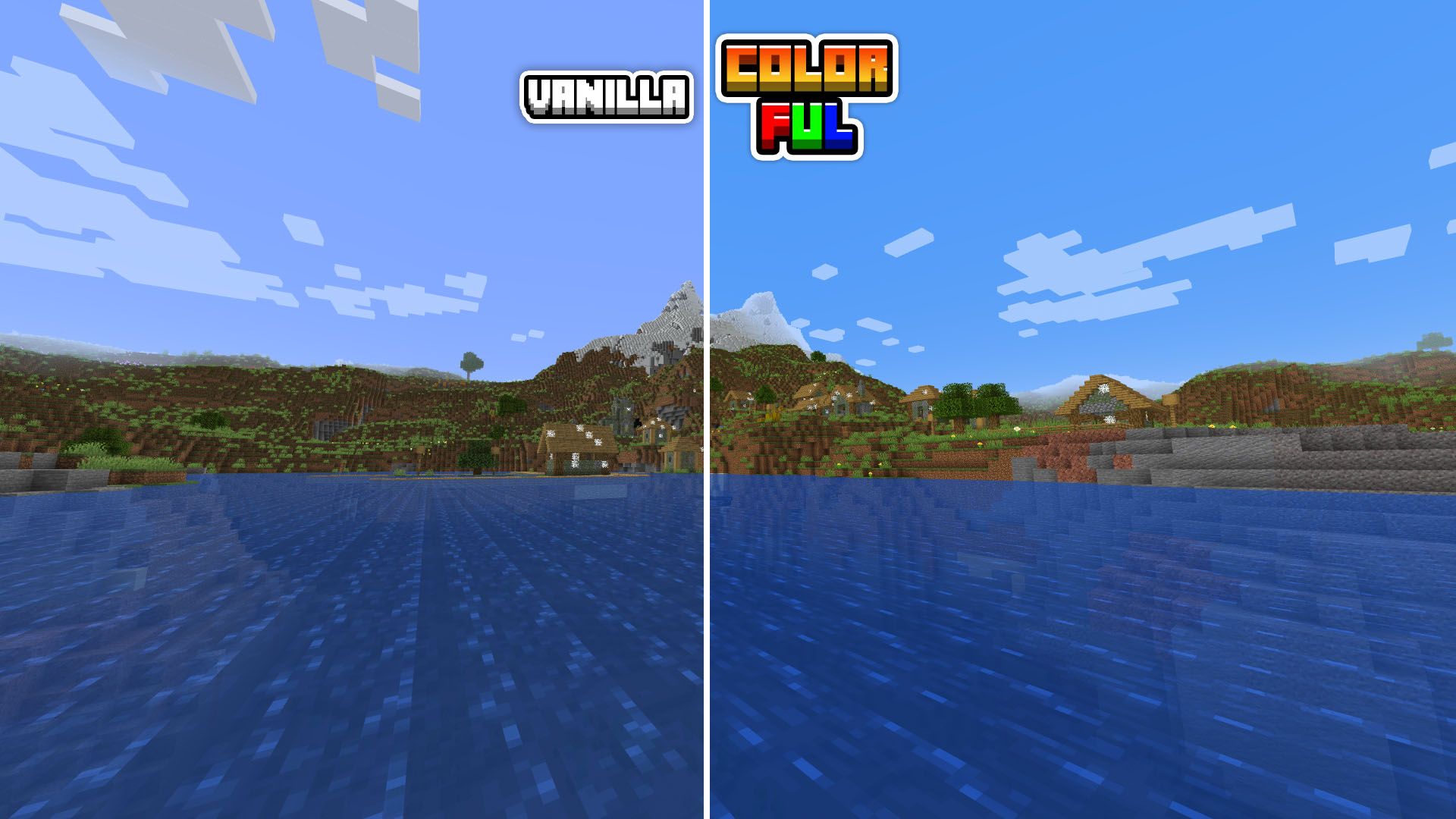
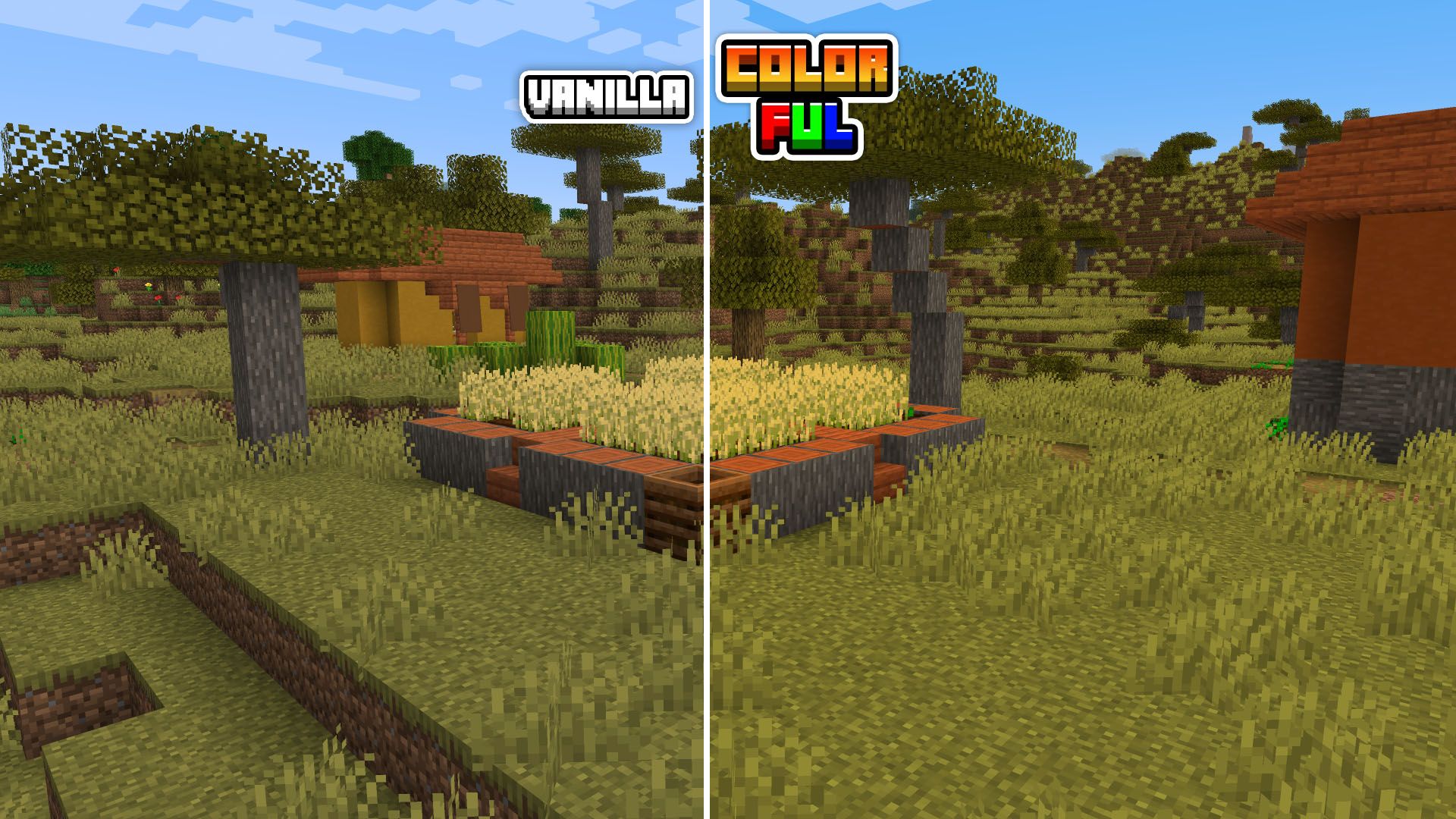
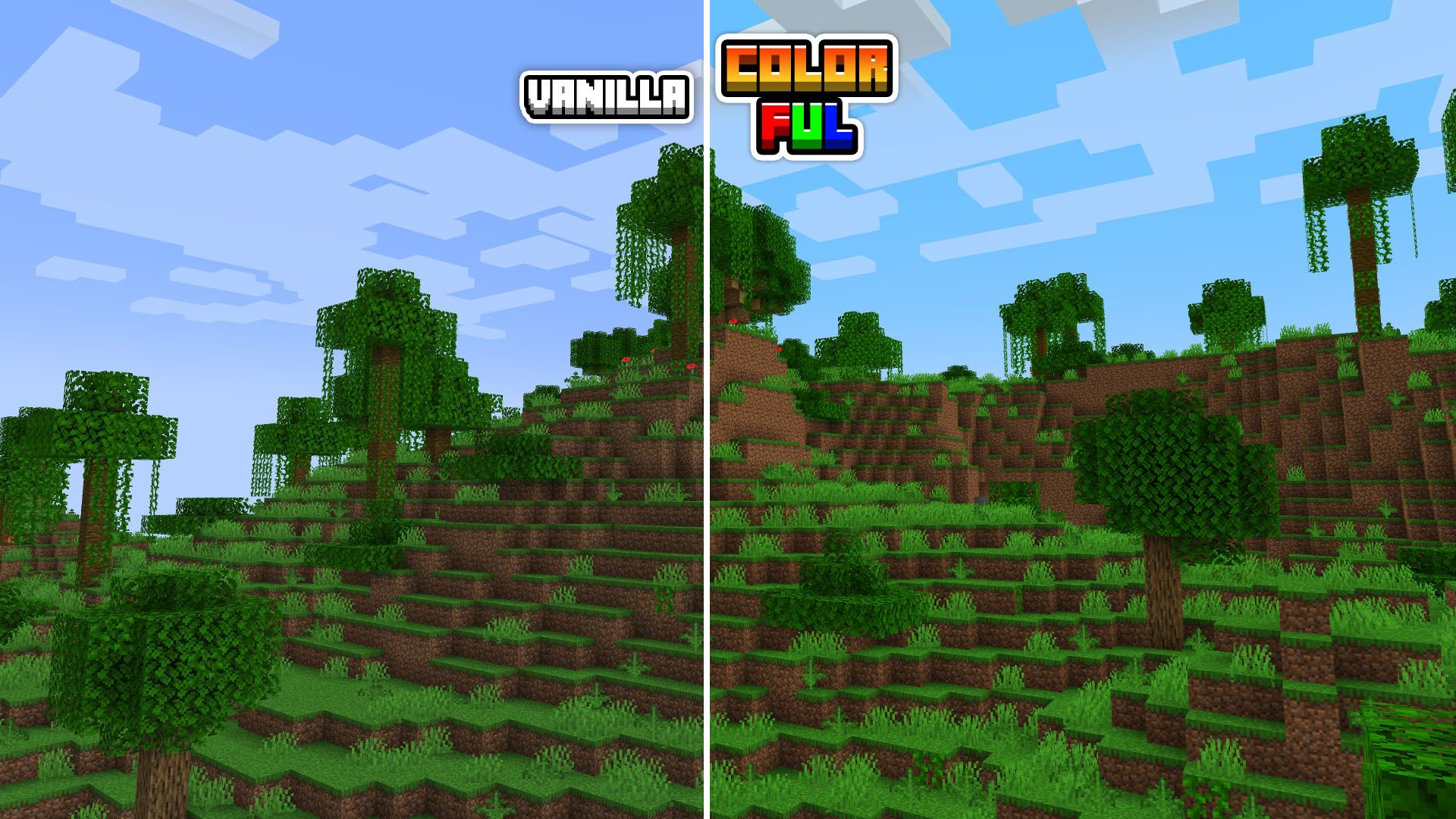
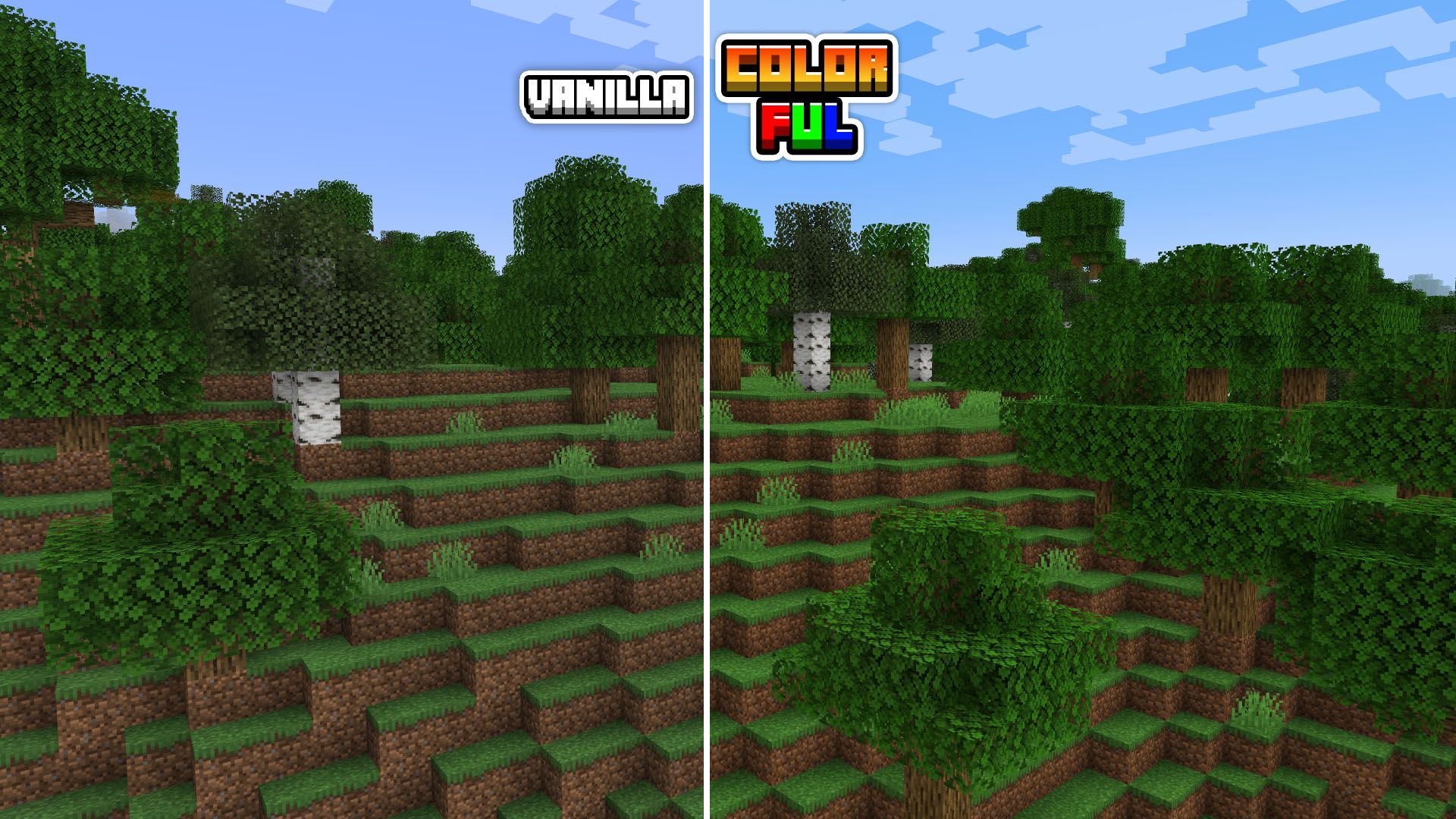
 Colorful is a resource pack that increases the color of each and every one of Minecraft’s default textures, but without standing out too much, achieving a more pleasant and vibrant environment color, significantly improving our gaming experience.
OPTIFINE REQUIRED
Unlike other packs like Saturated, Colorful also increases the color of the sky and water, a feature that requires Optifine, so you will need to install it, you can download it from its official website below: [CLICK HERE]
IMPORTANT
For the pack to work correctly, it will be necessary to have the custom colors activated in the game’s graphic settings, to do this, go to:
[ options > graphics > quality settings > custom colors: on ] 
By downloading the Colorful pack, you are FREE to:
– Unzip, alter and redo this pack for personal use. By this means, you will not be able to share the altered pack in public.
– Combine with other packs for your personal use and play.
– Unzip, alter and redo this pack for exclusive use in your online videos (Credits will be appreciated).
– Monetize your videos online using this pack.
For any other reason, you are NOT allowed to:
– Claim owner of the pack.
– Reupload the pack elsewhere.
– Redistribute the modified pack.
– Market the texture pack.
If you do not agree with one or more of the above terms, please do not use the Colorful resource pack.

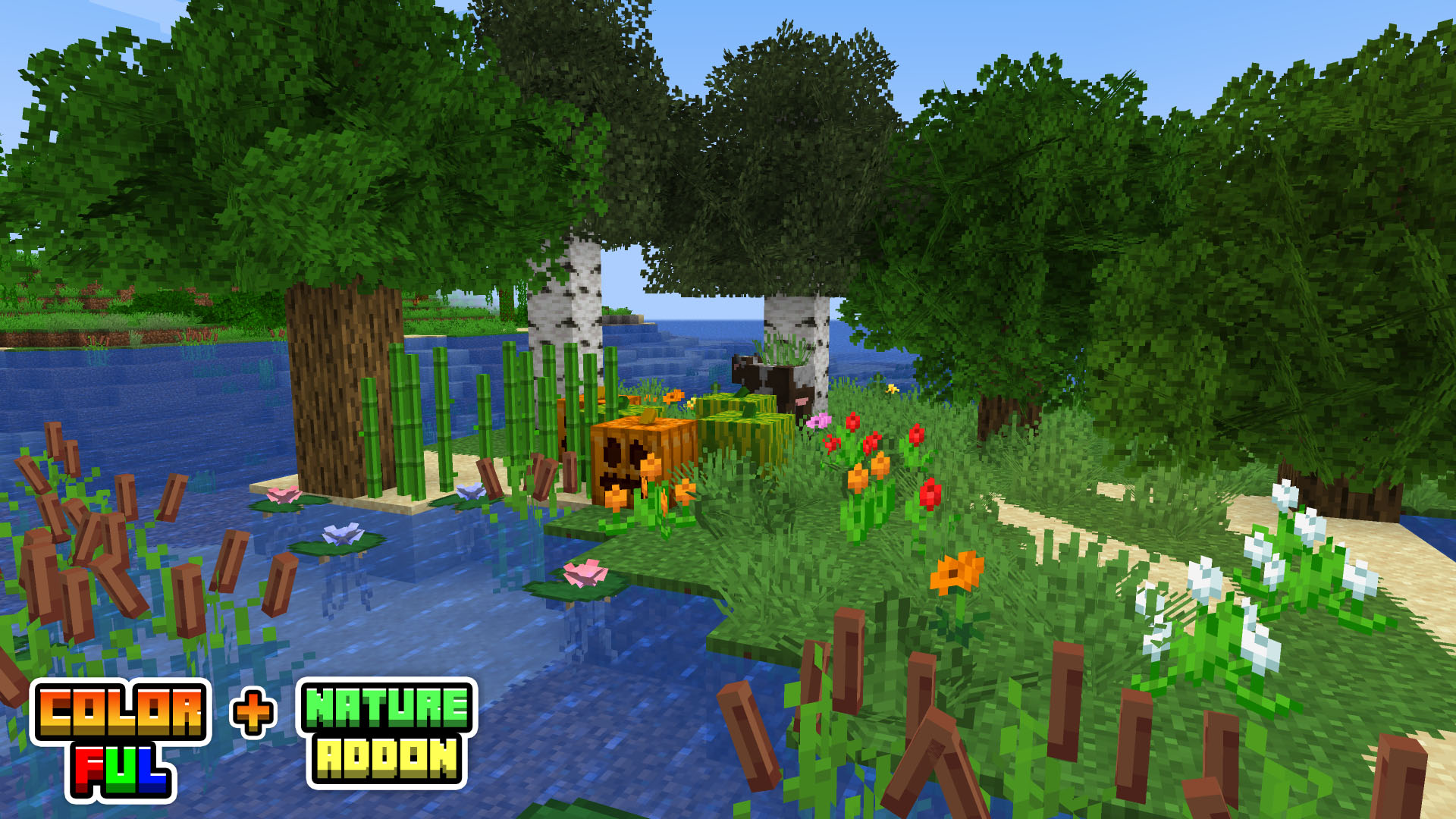
The pack has its own add-on called “Nature” that greatly improves the vegetation and environment of our game. Requires [OPTIFINE] for some features.
Add-on includes:
– improved leaves
– improved grass
– some flowers improved
– random flowers on the grass
– grass overlay
– dirt overlay
– 3D sugar cane
– and much more!


If you have any questions, suggestions or opinions regarding the pack, your comment will always be welcome 🙂


常见问题
Colorful Textures 支持哪些 Minecraft 版本?
Colorful Textures 支持 Minecraft Java 版 1.17–1.19.2,共 8 个版本。下载时注意选择和你游戏版本一致的文件。
Colorful Textures 怎么安装?
把下载的 .zip 文件(不用解压)放进游戏目录的 resourcepacks 文件夹,进游戏后在「选项 → 资源包」里把它移到右边启用。
评论
登录后评论和评分