
截图

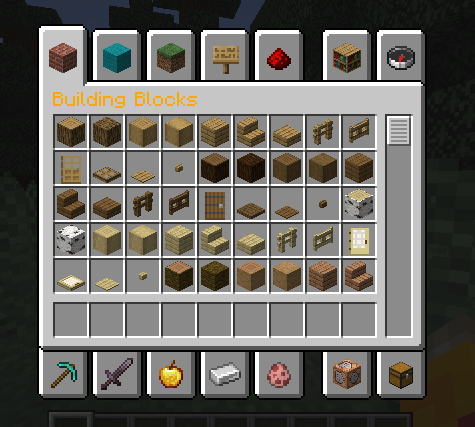
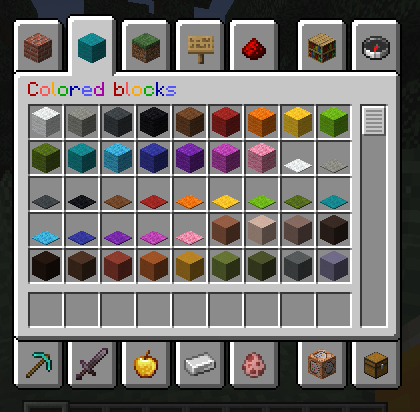
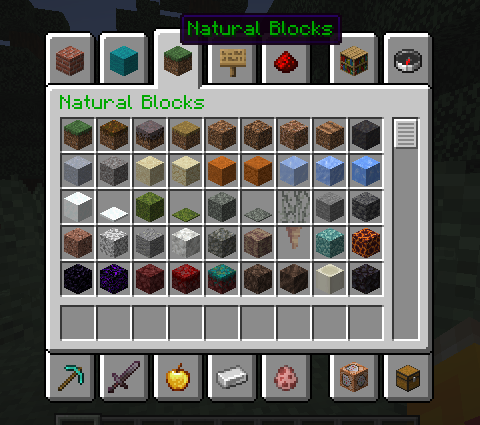

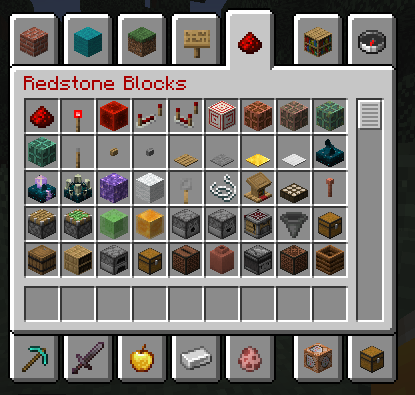



介绍
Ever wanted to make your game look a bit better?
Well, you found the right pack for you!
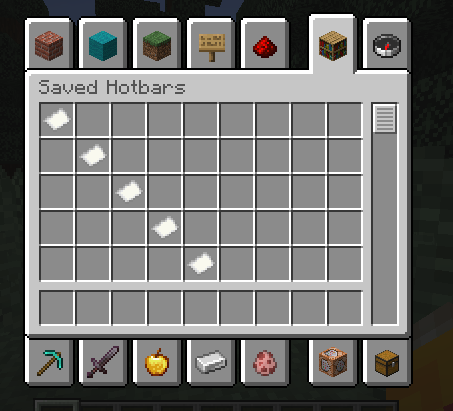
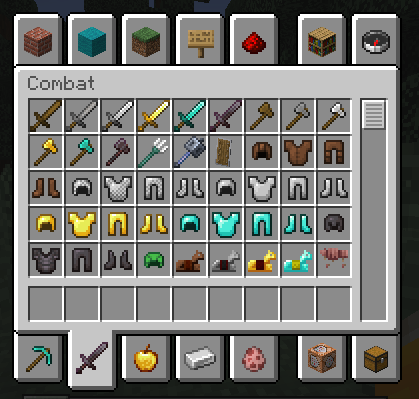
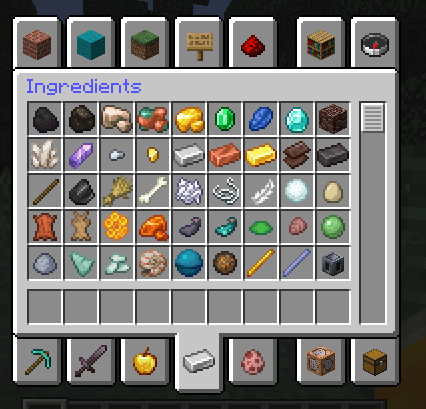
This pack changes the color of some GUI texts to make them stand out!
Supported texts
- Creative inventory tab texts
- On/off texts
- Fancy/fabulous/fast graphic settings
This pack has built-in ResPackOpts) support. With this mod you can customize the pack in-game! To do it, install the mod, and then open the resource pack selection screen. You’ll see a button next to the pack’s name, click it and toggle on/off every feature available!
FAQ
Q: How do I use the in-game config screen?
A: Install the mod ResPackOpts), then go to the resource pack selection screen and click on the button next to the pack’s name.
Q: Does the pack work even if I don’t have ResPackOpts installed?
A: Yes!
Q: Can I redistribute the pack?
A: No, you CANNOT redistribute the pack on any website or share the file. Please share the link!
Q: Can I include your pack in my modpack?
A:
- Modrinth modpacks: Yes with proper credit (link in desc.)
- .zip modpacks: No. Please share the link
- The pack file: No. Please share the link
常见问题
Colorful Texts 支持哪些 Minecraft 版本?
Colorful Texts 支持 Minecraft Java 版 1.13–1.21,共 9 个版本。下载时注意选择和你游戏版本一致的文件。
Colorful Texts 怎么安装?
把下载的 .zip 文件(不用解压)放进游戏目录的 resourcepacks 文件夹,进游戏后在「选项 → 资源包」里把它移到右边启用。


评论
登录后评论和评分