
Clearview
作者:MR_CHOO
Your ultimate solution for a clear visual experience, bringing together all you need in one pack!
截图


介绍
中文介绍正在准备中,下面暂时显示原文。



Clearview enhances your Minecraft experience by making the game less visually obstructive while maintaining its original charm. Designed for players who prefer clearer, less cluttered gameplay, Clearview offers a range of features aimed at improving visibility without removing original game elements.

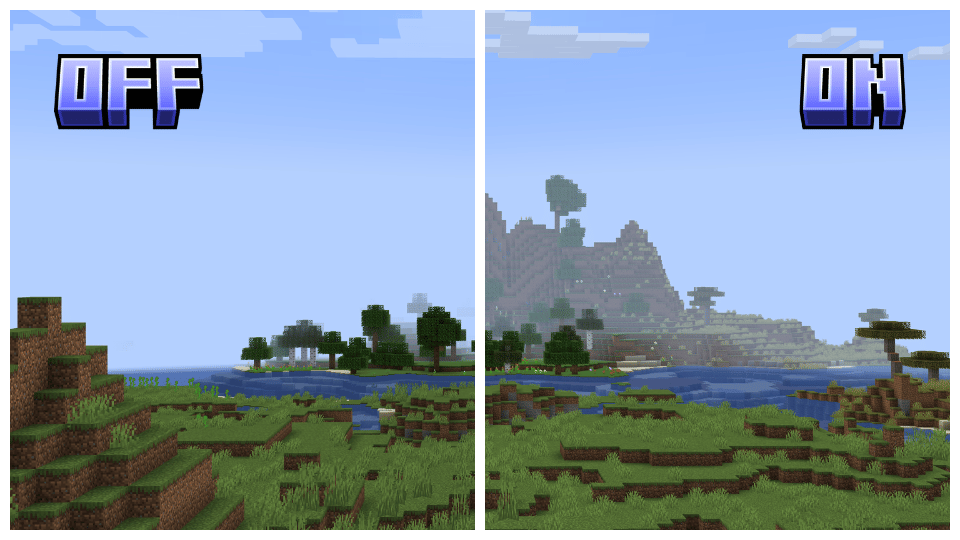
Reduced Fog and Underwater Fog: Greatly decreases fog density, both above and underwater, to enhance distant view and underwater exploration.
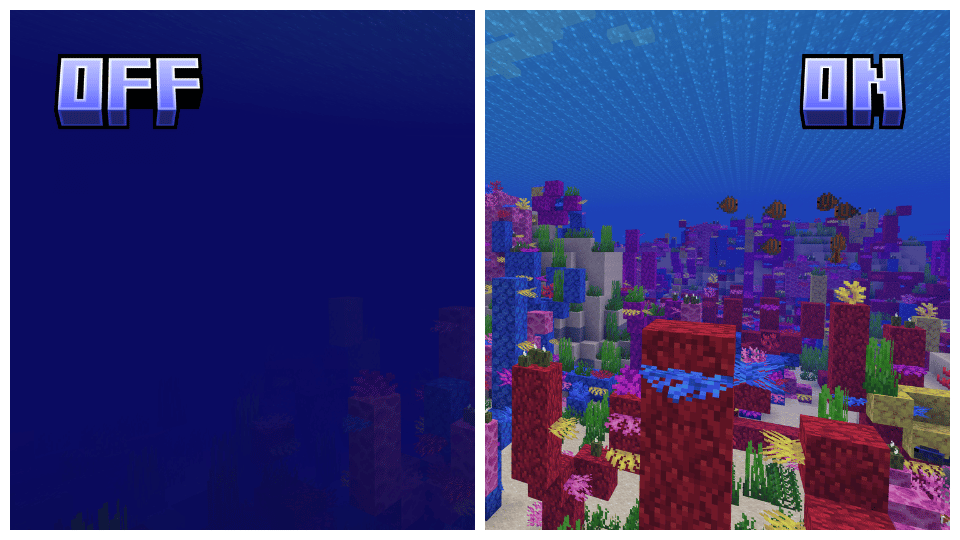
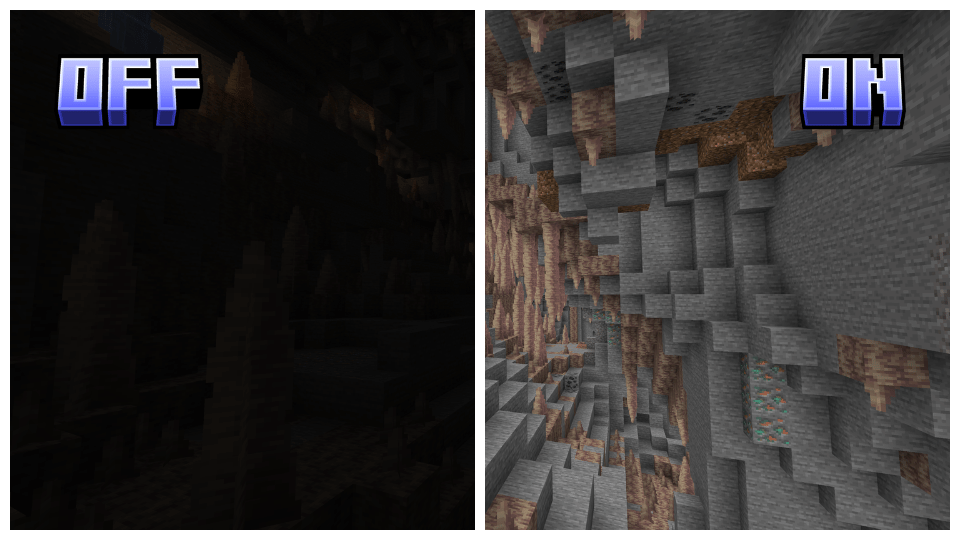
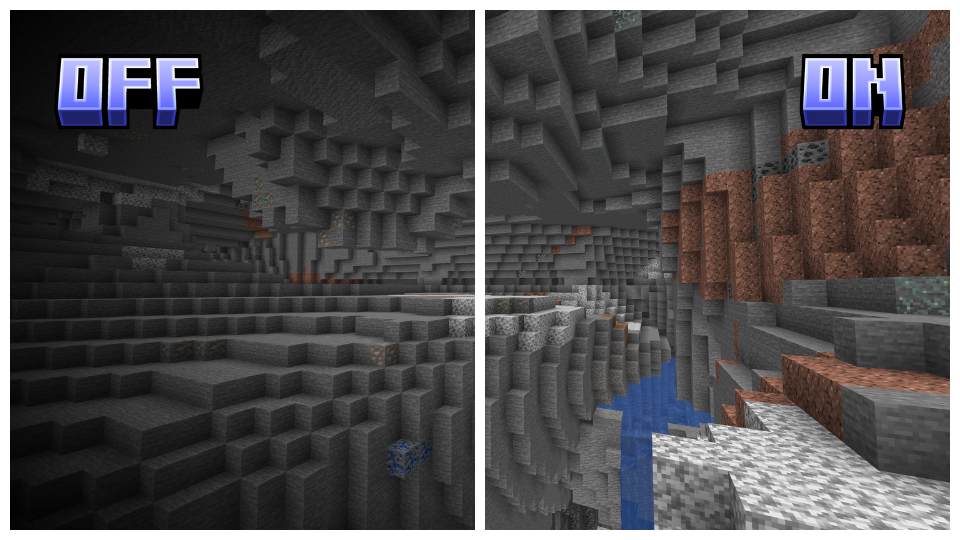
Full Bright: Ensures all environments are fully lit, eliminating dark areas.
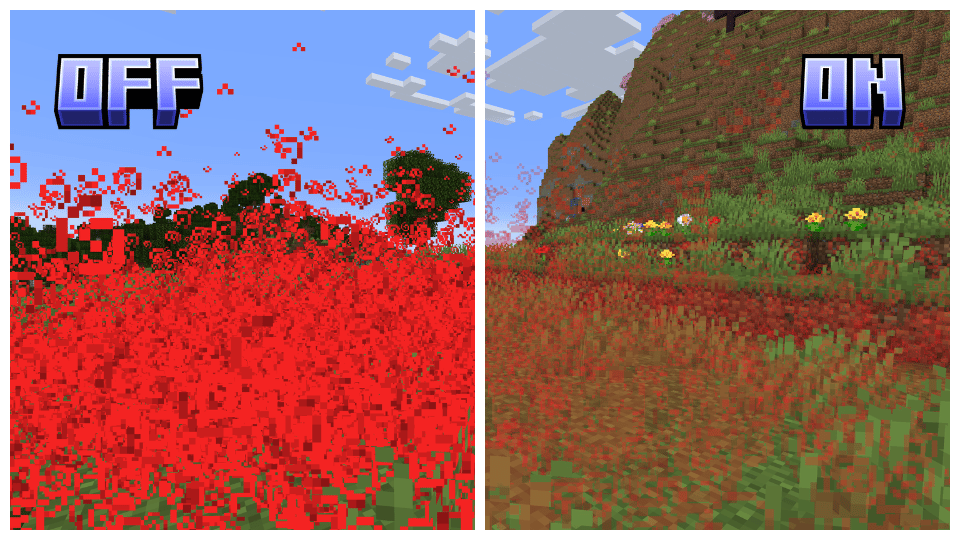
Transparent Particles: Reduces the visual impact of particles, improving visibility in particle-dense areas.
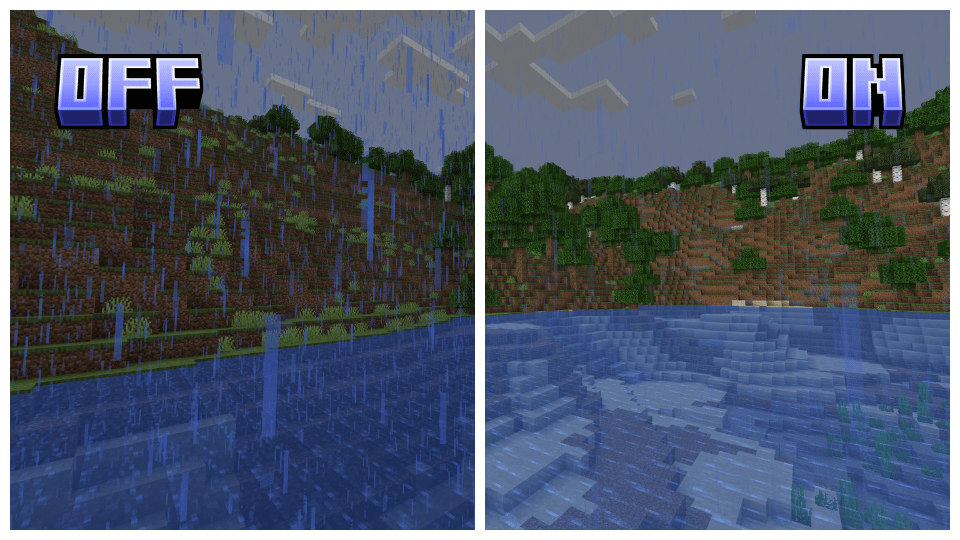
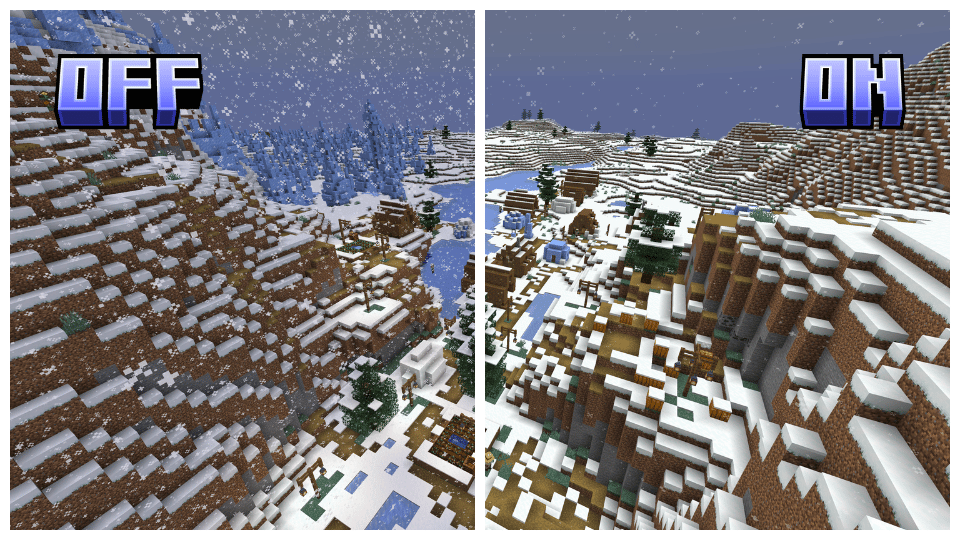
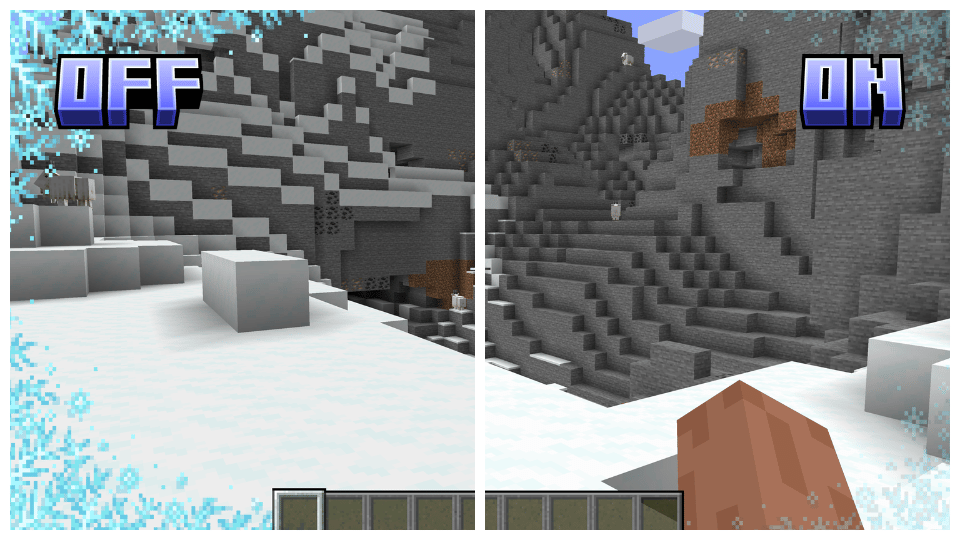
Reduced Snow and Rain: Minimizes the density of snow and rain, enhancing visibility during weather cycles.
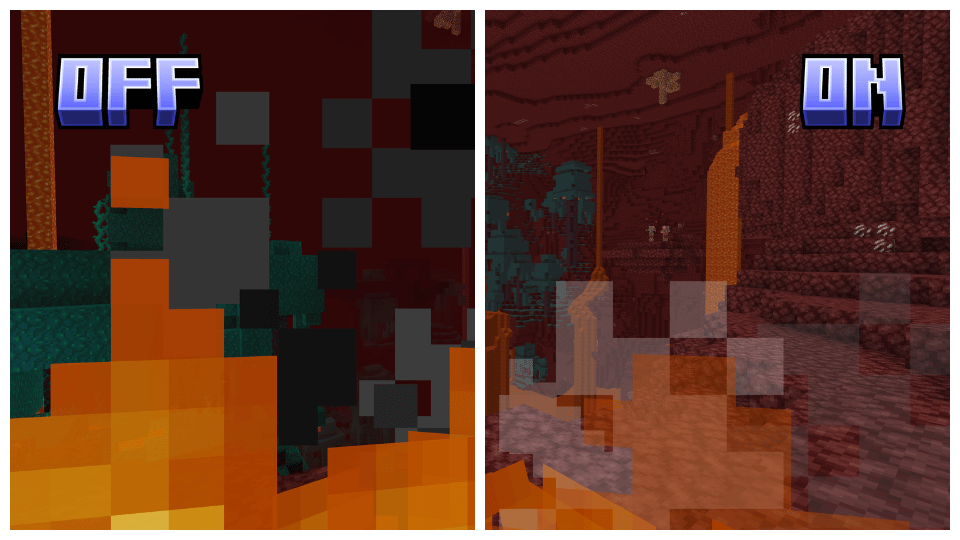
Lower and Transparent Screen Fire: Reduces and makes the fire overlay on the screen transparent for better visibility while the player is on fire.
Transparent Overlays: Makes overlays such as the pumpkin head, powdered snow, and spyglass overlay transparent, maintaining immersion without obstructing the view.
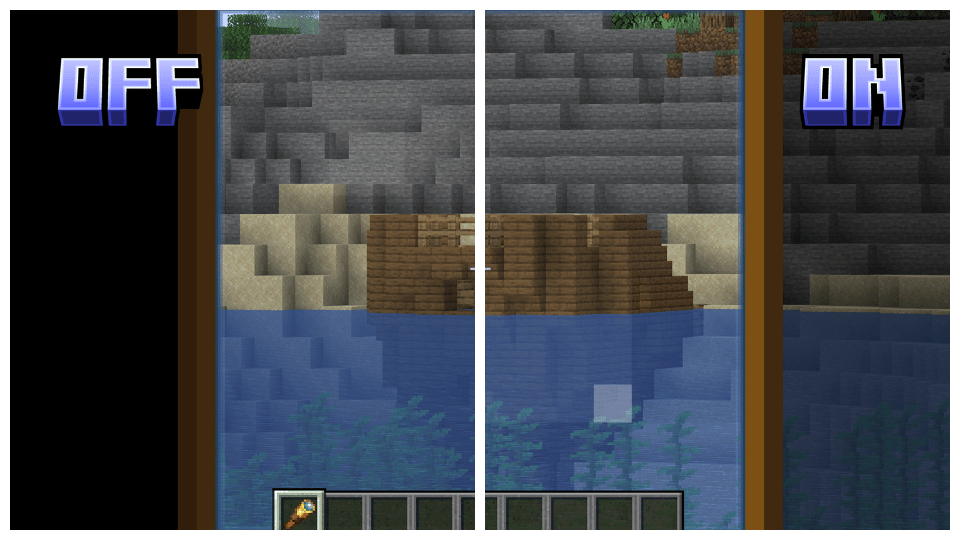
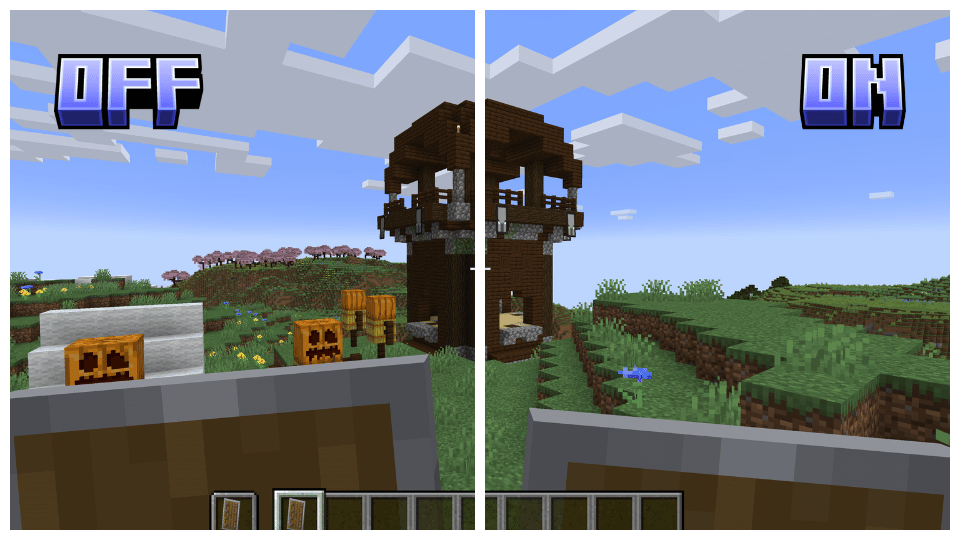
Lower Shield: Lowers the shield position on the screen, allowing for a better field of view.
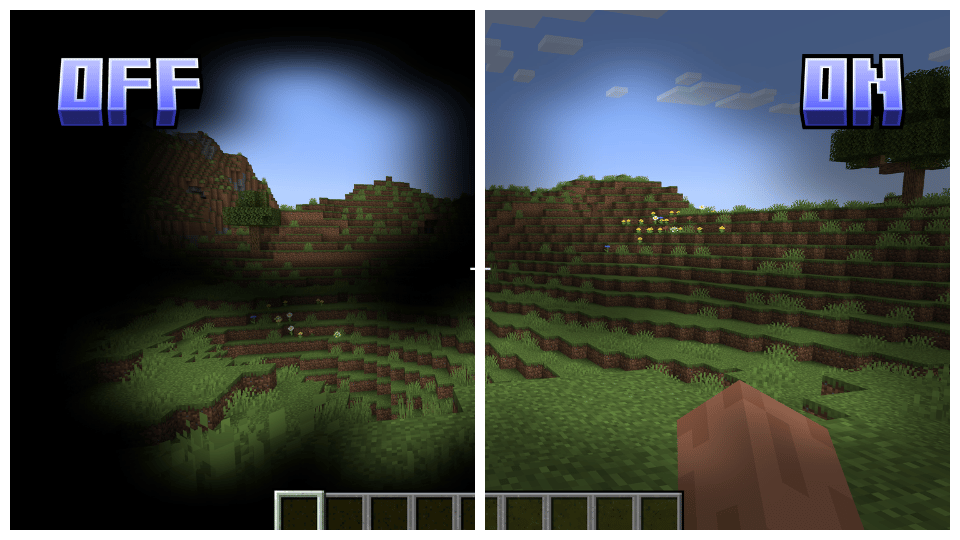
No Vignette: Removes the dark vignette around the screen edges, providing a more open and clear display.

Clearview has several addons to maximize customizability, allowing you to adjust the game to your preferences and remove visual clutter. Check out the link below for more details and to download the addons!

Clearview supports all versions of Vanilla, Optifine, and Sodium starting from 1.17, ensuring a seamless experience across various versions. Please note that for Sodium, you will need to use Colormatic or Polytone to ensure full compatibility.

To install Clearview, simply download the appropriate version for your game, either Vanilla, Optifine, or Sodium, and place it in your resource pack folder. Make sure to set it as the top pack in your resource packs list to ensure all features are applied correctly.



常见问题
Clearview 支持哪些 Minecraft 版本?
Clearview 支持 Minecraft Java 版 1.17–1.21,共 18 个版本。下载时注意选择和你游戏版本一致的文件。
Clearview 怎么安装?
把下载的 .zip 文件(不用解压)放进游戏目录的 resourcepacks 文件夹,进游戏后在「选项 → 资源包」里把它移到右边启用。
MR_CHOO 的其他作品
查看全部 →
Clearview – Sodium
by MR_CHOO
Your ultimate solution for a clear visual experience, bringing together all you need in one pack!
1.2万
2 年前
Modrinth

Clearview
by MR_CHOO
Your ultimate solution for a clear visual experience, bringing together all you need in one pack!
8,380
2 年前
Modrinth

Eco Attire
by MR_CHOO
Enhance your Minecraft experience with biome-specific mob clothing, blending seamlessly into each unique environment.
6,506
2 年前
Modrinth

Clearview – Optifine
by MR_CHOO
Your ultimate solution for a clear visual experience, bringing together all you need in one pack!
4,528
2 年前
Modrinth
评论
登录后评论和评分