
截图
介绍
介绍由机器翻译自 Modrinth 原页面,仅供参考。

简介
这是一个仅修改 GUI 的资源包,因此可以与其他资源包自由搭配使用,只需将它放在你当前使用的资源包上方即可。
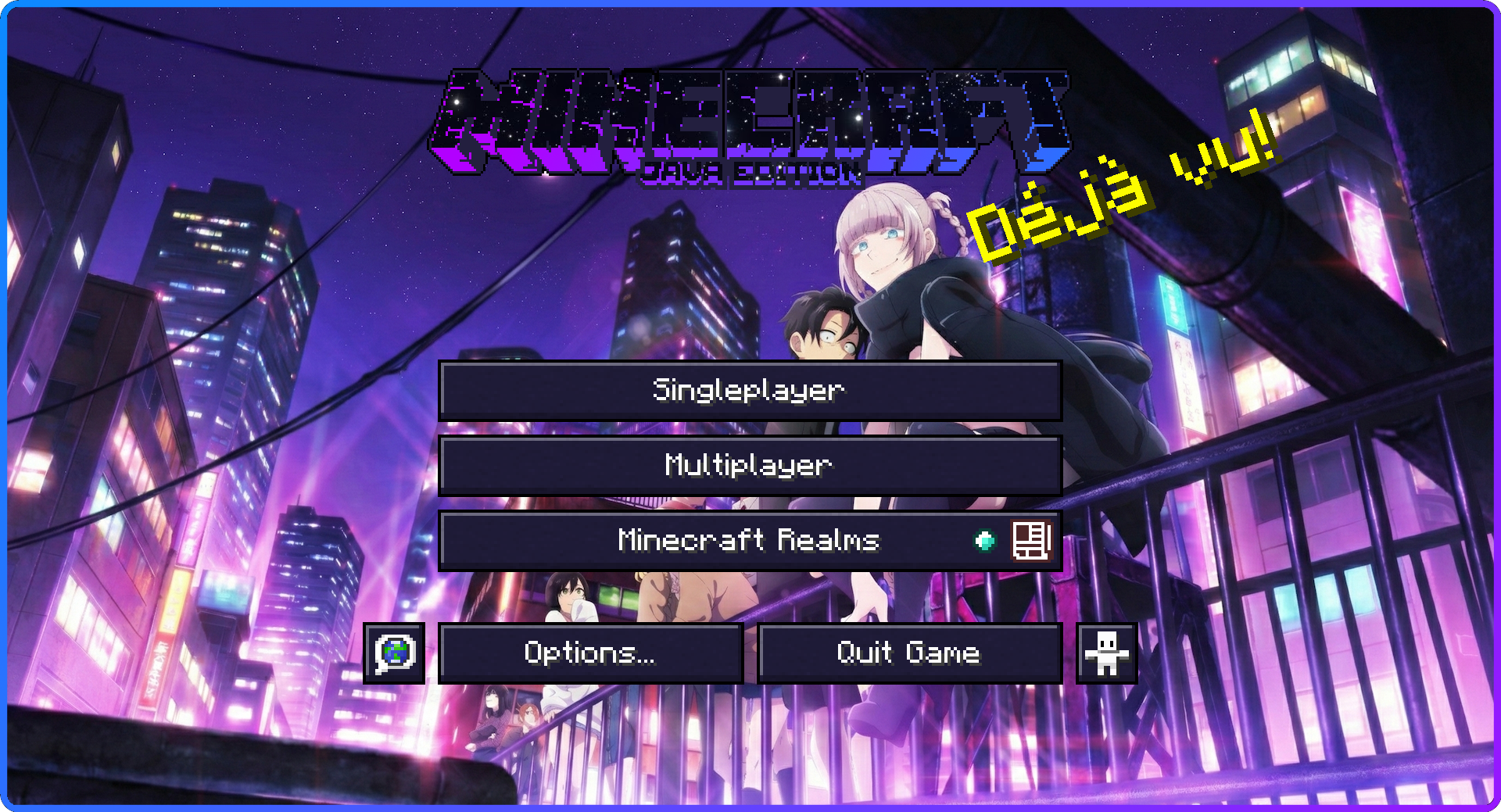
本资源包以《Call of the Night》为主题,采用了深紫色、粉色和浅蓝色的配色方案。我自定义了快捷栏,并为每种容器添加了独特的图像,让整体风格更贴合原作的美学氛围。
和我近期制作的一些资源包一样,这款资源包加入了缩放后的容器界面,调整尺寸后还需要进行大量重新适配。因此,它在视觉上与我以前发布的作品有所不同。
如果你希望今后看到其他配色方案,例如白色与红色或其他组合,欢迎提出建议,我会考虑采纳。
如果发现任何问题,请告诉我,我会尽快修复。
社区互动:
加入我们的 Discord 服务器,提出对未来资源包的建议、参与动漫讨论,还能参加每月举办的 Discord Nitro 抽奖!


🔗 欢迎访问我们重新上线的网站,获取更多内容、资源包和最新动态!
图片:
- 设置

- HUD

- 创造模式菜单

- 铁砧

- 高炉

- 烟熏炉

- 砂轮

- 信标菜单

- 村民交易菜单

其他资源:
- 💬 加入 Discord 服务器,提出对未来资源包的建议、为设计方案投票,并参与动漫讨论
❤️ 感谢你的支持!
你的反馈有助于改进未来的资源包,祝你使用愉快,玩得开心。
常见问题
Call of the Night Custom GUI Pack 支持哪些 Minecraft 版本?
Call of the Night Custom GUI Pack 支持 Minecraft Java 版 1.21.9–1.21.11,共 3 个版本。下载时注意选择和你游戏版本一致的文件。
Call of the Night Custom GUI Pack 怎么安装?
把下载的 .zip 文件(不用解压)放进游戏目录的 resourcepacks 文件夹,进游戏后在「选项 → 资源包」里把它移到右边启用。
Listar 的其他作品
查看全部 →
My Dress-Up Darling Custom GUI Pack
by Listar
《更衣人偶坠入爱河》自定义GUI资源包
98.3万
2 年前
Modrinth · CurseForge

Pokemon Custom GUI Pack
by Listar
宝可梦自定义GUI资源包
87.7万
2 年前
Modrinth · CurseForge

Rent-A-Girlfriend Custom GUI Pack
by Listar
租借女友自定义GUI包
85.6万
2 年前
Modrinth · CurseForge

Spy X Family GUI Pack
by Listar
间谍过家家 GUI 资源包
81.1万
2 年前
Modrinth · CurseForge
评论
登录后评论和评分