
Biomes o’ Plenty 3D Doors and Trapdoors
Compatibility patch for Biomes o' Plenty and Vanilla Tweaks 3D doors and trapdoors.
截图


介绍
The name is quite explanatory. Just Biomes o’ Plenty and Vanilla tweaks parity for 3D doors and trapdoors. Because when you have vanilla 3D doors every other modded door looks plain and out of place.
Models
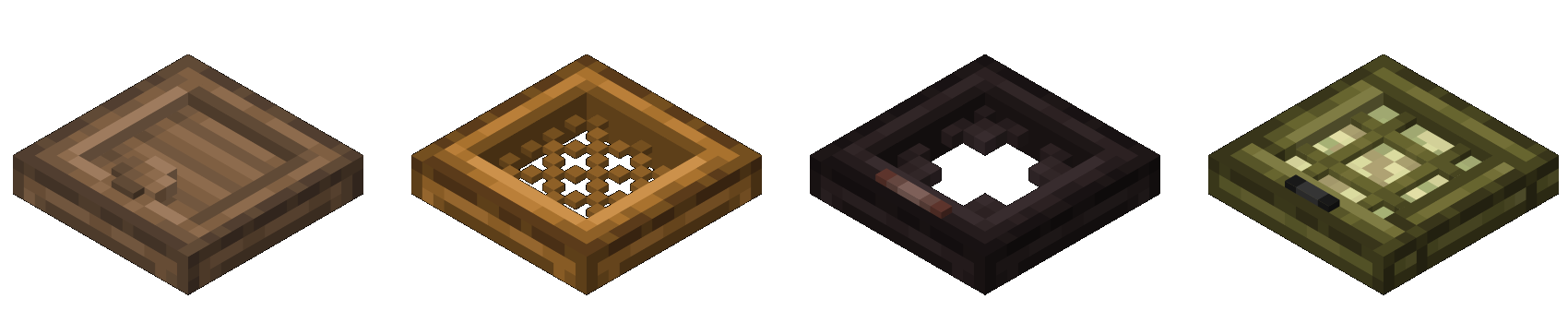
This was my first time using Blockbench. So some of the models are certainly overthought. Also I’m not that good with textures, so I just used ones from BoP. Vanilla Tweaks changes sides of the doors and trapdoors by the way. Maybe I’ll do something like that in the future. Check the gallery for all the previews.
Perfomance
Some of the textures are quite obscure and/or not really intendet for 3D. Like Palm or Willow. So all these little cubes in a grid could impact perfomance, I guess. I don’t have the finest PC and haven’t seen any troubles with them, though.
Compatibility
3D models are based on standart BoP textures, so different textures won’t exactly break the game, but will look out of place.
P.S. and Credits
Yes, I know deadwood door and trapdoor aren’t my magnum opus. And some other doors let’s say have interesting design choices. If you have an idea how to fix them, you are welcome in my discord.
I plan to add more 3D models for BoP (For example, willow vines and big lily pads), maybe for some other mods too. I haven’t decided yet will it be all in one resource pack or I’ll post them separately. If you have any questions or found a bug you can ask in discord server.
Reminder: you need Biomes o’ Plenty for this resourcepack to work.
Also I used some of the files from vanilla tweaks in my project.


常见问题
Biomes o’ Plenty 3D Doors and Trapdoors 支持哪些 Minecraft 版本?
Biomes o’ Plenty 3D Doors and Trapdoors 支持 Minecraft Java 版 1.21–1.21.5,共 6 个版本。下载时注意选择和你游戏版本一致的文件。
Biomes o’ Plenty 3D Doors and Trapdoors 怎么安装?
把下载的 .zip 文件(不用解压)放进游戏目录的 resourcepacks 文件夹,进游戏后在「选项 → 资源包」里把它移到右边启用。
评论
登录后评论和评分