
截图
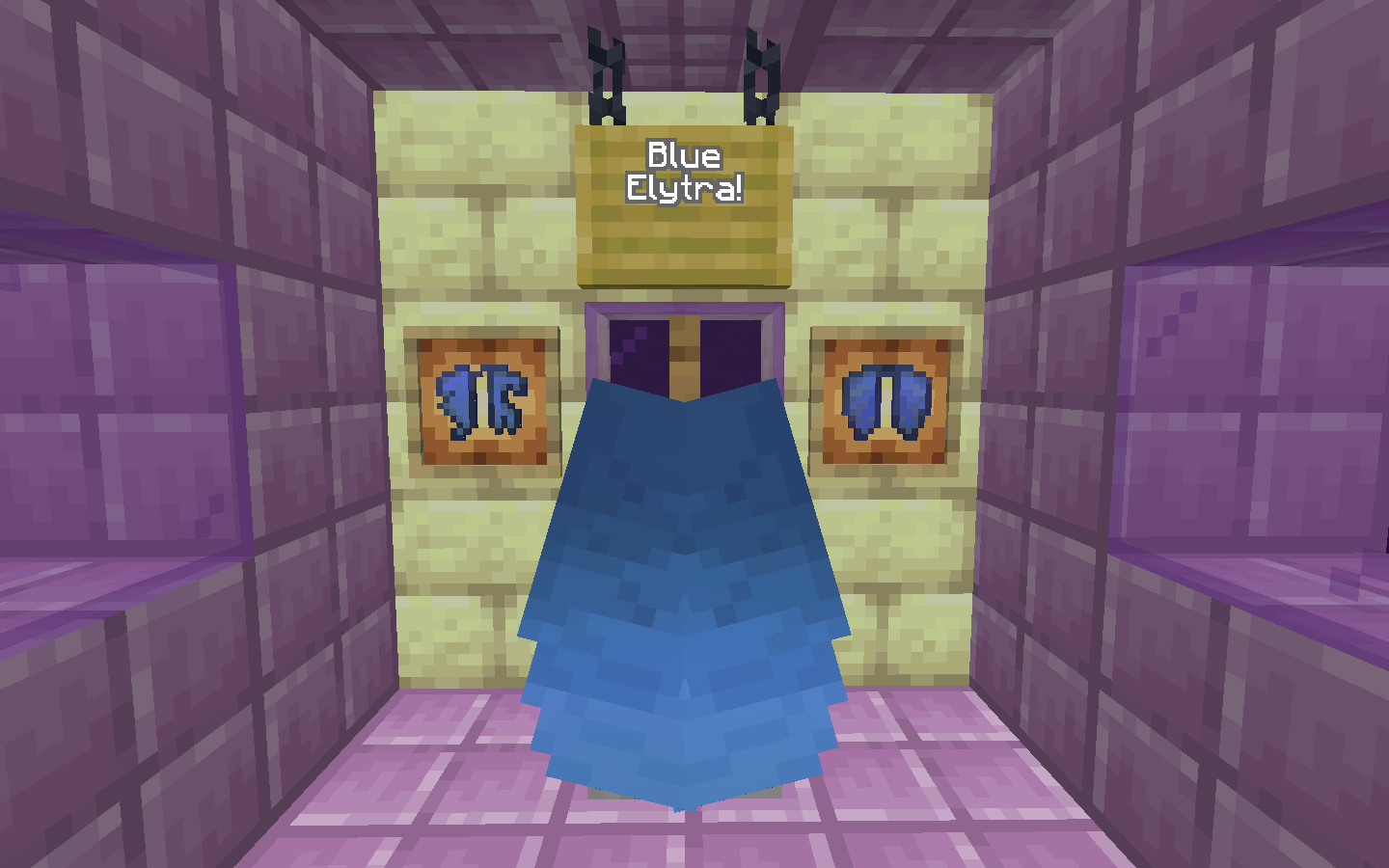

介绍
✅ Pack Features
- Tints the default Elytra texture blue!
ℹ️ Frequently Asked Questions
Q: What Minecraft versions is this resource pack compatible with?
A: This resource pack should be compatible with Java Minecraft versions 1.13 and up, and does NOT require Optifine. If you are playing in a version below 1.21, you can safely ignore the “made for a new version of Minecraft” warning (unless you’re playing on a version below 1.13 of course).
Q: What is your backstory behind making this resource pack?
A: I’ve always thought that the default Elytra texture looked a bit dull and grey. So why not tint the default Elytra texture blue, as blue is my FAVORITE color?
💟 Love the things I do?
- Show your support by following this project! 🥰
- Check out my other projects here as well: https://modrinth.com/user/PhanZon/
🤝 Terms and Conditions of Use
You are allowed to:
- Do _whatever_ you want to this Resource Pack as long as it’s for PERSONAL USE ONLY.
- Modify this Resource Pack for public use as long as it’s free for the community to use, you do not monetize it, you credit me in a clear way, and link back to this page.
You are NOT allowed to:
- Distribute this Resource Pack without crediting me in a clear way and/or linking back to this page.
- Reupload this Resource Pack as is (without proper modifications and/or additions).
- Put any kind of paywall restriction or monetization on any parts of this Resource Pack.
- Distribute this Resource Pack in a way that does not abide by the license used (CC BY-NC-SA)
A template you can use to credit me:
Credits:
- [Resource Pack Name] by PhanZon: [Link back to this page]
Anything is fine as long as it clearly shows my name and a link back to this page!
© Additional Credits
- Based on the work by Mojang on minecraft.net
常见问题
Blue Elytra 支持哪些 Minecraft 版本?
Blue Elytra 支持 Minecraft Java 版 1.21。下载时注意选择和你游戏版本一致的文件。
Blue Elytra 怎么安装?
把下载的 .zip 文件(不用解压)放进游戏目录的 resourcepacks 文件夹,进游戏后在「选项 → 资源包」里把它移到右边启用。
PhanZon 的其他作品
查看全部 →
Totem Tweaks
Makes Totems of Undying less obtrusive!

Visual Trapped Chests
Tints the default Trapped Chest textures red, to easily distinguish them from regular chests!

Budding Amethyst Border
Adds intensity and a border around budding amethyst, making it much easier to distinguish from regular amethyst!

Renamed Leather Armor
Renames leather armor to be consistent with all other armor types!
评论
登录后评论和评分