
截图
介绍
Description
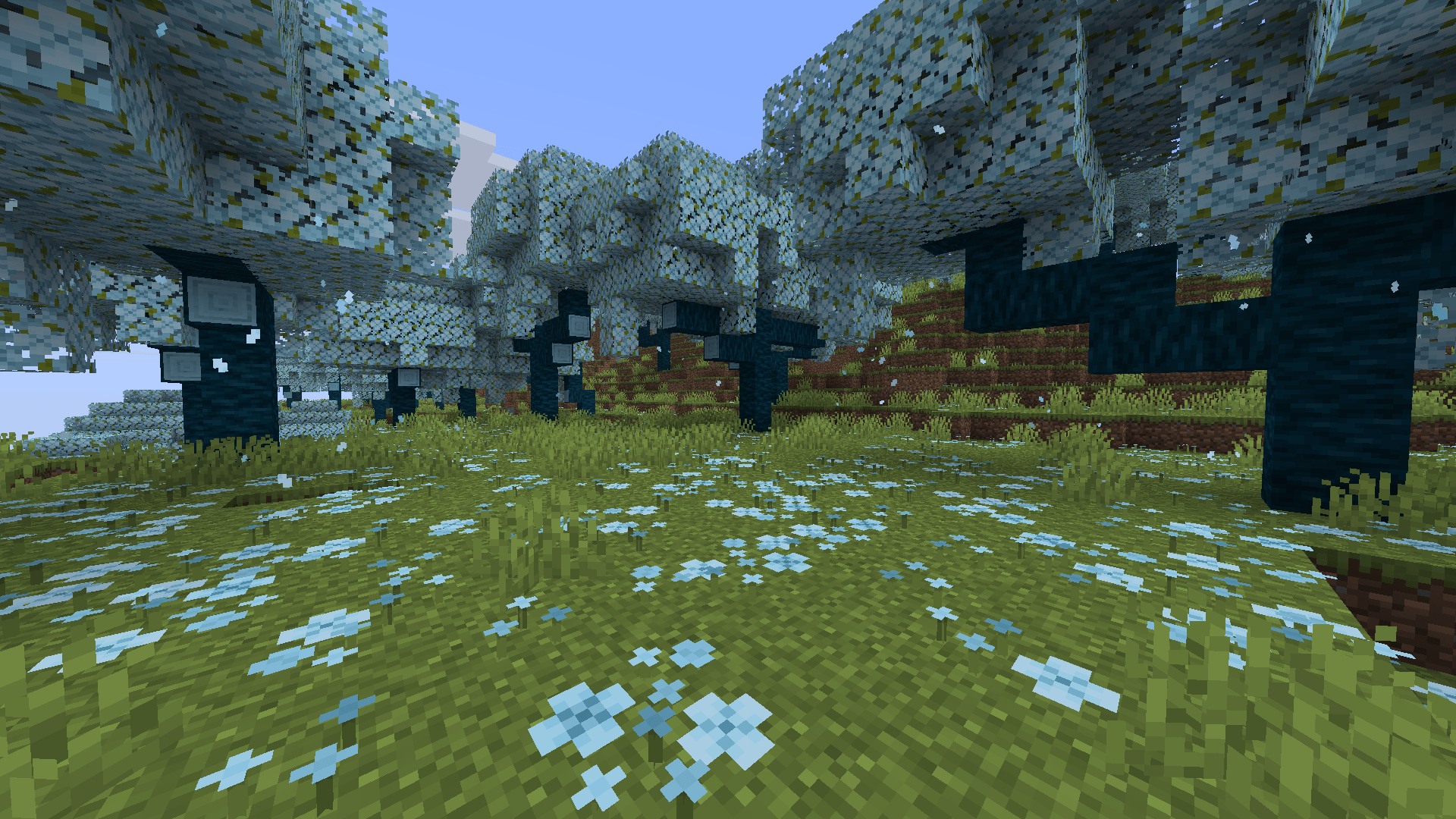
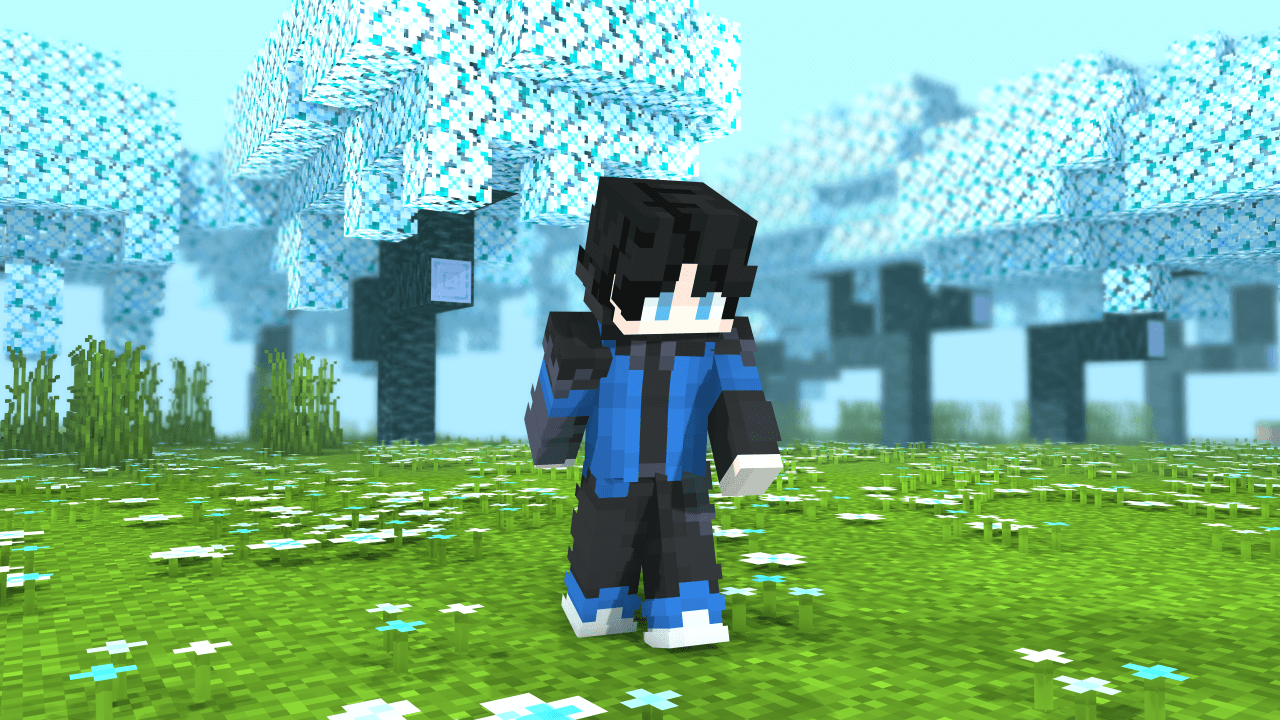
Reimagine the Cherry Grove with a stunning blue aesthetic.
Blue Cherry Grove completely transforms the biome’s visual palette, recoloring its environment, wood, foliage, and particles to create a fresh and immersive new atmosphere.
Perfect for players looking to give their world a magical, unique biome makeover.
Experience Cherry Grove like never before.
How It Works
This resource pack replaces the default Cherry Grove biome colors and related textures with a custom blue variant.
Installation / Usage
- Download and install the resource pack
- Enable it in Minecraft’s Resource Packs menu
- Enter a Cherry Grove biome
- Enjoy the new blue environment
Included Changes
– Blue Cherry Grove foliage
– Recolored cherry wood textures
– Modified biome ambient particles
– Full biome atmosphere overhaul
– Consistent blue visual theme
In-Game Preview
常见问题
Blue Cherry Grove 支持哪些 Minecraft 版本?
Blue Cherry Grove 支持 Minecraft Java 版 1.20–26.3,共 24 个版本。下载时注意选择和你游戏版本一致的文件。
Blue Cherry Grove 怎么安装?
把下载的 .zip 文件(不用解压)放进游戏目录的 resourcepacks 文件夹,进游戏后在「选项 → 资源包」里把它移到右边启用。
Drift007 的其他作品
查看全部 →
Scythes Vanilla Pack (CIT)
This resource pack brings scythes to Minecraft in a clean and immersive way, keeping everything fully vanilla while adding a darker, more medieval fantasy vibe to your weapons.

CamouflagesReload (DISCONTINUED)
is a mod that adds visual variants of the tools and weapons

WAKAMOD
This is a mod that adds variation of survival stuff and RolePlay and was created for Zhark's series of WAKAMODS mods.
Bare Bones x Flower Ores
Replace your normal Minecraft ores with some really floral ores! And with the Bare Bones base 🌸
评论
登录后评论和评分