
Background Template [Customize your own]
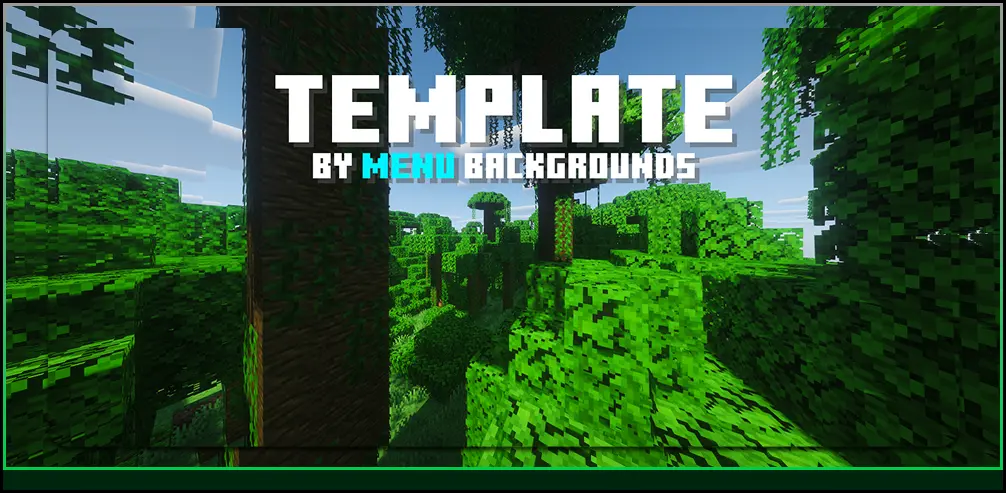
A Resource pack that replaces the Regular Minecraft menu background with a custom version.
截图

介绍

Introduction
Menu Backgrounds replaces the regular Minecraft vanilla menu background with a alternative png image. This resrouce/texture pack does not change anything else except your background gui.
If you like what i do you can view my profile here or this organization to browse on more backgrounds.
Customize [Changing the image of the background to a custom image]
1 | Firstly, go into your file explorer and locate where ever the downloaded resource pack is.(usually in your downlaods)
2 | Right-click on the zipped flder and find “Extract all” and click on it and wait for it to extract.
3 | After, click on the unzipped folder which you have just extracted open it and go to [assets > minecraft > textures > gui > title > background]. You will see a panorama_overlay in the background folder.
4 | Choose a image of your choice to be the Minecraft menu background install it. Then, locate the image and rename it to panorama_overlay and make sure its end has a .png like this panorama_overlay.png or else it wont work.
5 | Drag or paste your image inside and then click on Replace the file in destination.
6 | Test the resource pack in game and have fun 😀 [If you do not know how to install a resource pack in your resource apck folder see the next section]
Installation [Installing the resource pack step by step]
1 | Firstly, install the resource pack. Make sure the resource pack is the same version as your Minecraft version.
2 | Next, go into your resourcepacks folder, you can locate it by pressing WIN + R and pasting this command.
%appdata%\.minecraft\resourcepacks
3 | After, paste the resource pack you downloaded into the resourcepack folder you can do that by either copying and pasting or dragging it in.
4 | Lastly, you can launch Minecraft go to Options > Resource Packs and then choose the resource pack you want to use.

常见问题
Background Template [Customize your own] 支持哪些 Minecraft 版本?
Background Template [Customize your own] 支持 Minecraft Java 版 26.2。下载时注意选择和你游戏版本一致的文件。
Background Template [Customize your own] 怎么安装?
把下载的 .zip 文件(不用解压)放进游戏目录的 resourcepacks 文件夹,进游戏后在「选项 → 资源包」里把它移到右边启用。
Menu Backgrounds 的其他作品
查看全部 →
Background – Deep Ocean
A Resource pack that replaces the Regular Minecraft menu background with a custom version.

Background – Lovely Cherry
A Resource pack that replaces the Regular Minecraft menu background with a custom version.

Background – Underwater
A Resource pack that replaces the Regular Minecraft menu background with a custom version.

Background – A Normal Village
A Resource pack that replaces the Regular Minecraft menu background with a custom version.
评论
登录后评论和评分