
Amaro’s Armory
Alters various tiers of armor, adding detail and consistency between sprites and models.
截图


介绍
This pack changes the textures for various tiers of armor, aiming to give them more detail while remaining simple enough to work armor trims. Serving as a companion piece to Amaro’s Toolbox.
The following is a description of the changes for each armor tier:
- Leather armor has been retextured to no longer have the border effect on its edges. The cap’s icon now sports a thinner brown stripe, the tunic’s buttons are now undyeable brown (same as other pieces of the set), the icon of leather pants now has brown belt seen in its model and smaller knee pads, and the brown soles are now higher on the boots to reflect its sprite.
- Copper armor has been retextured to no longer have the border effect on its edges. The helmet’s icon now sports the nose piece seen the model, the chesplate has been segmented into an upper and lower sections. Copper leggings are now detailed with knee pads, and the boots now sport darker soles.
- Chainmail armor now sports a grayish blue coloration to be reminiscent of iron chains, and all of its pieces no longer have holes in between the licks to give the armor a more cohesive look. It also now sports details such as a belt on the leggings and dark blue boots.
- Iron armor has its color changed to be the same as iron horse armor, and the same detailing as previously mentioned for copper armor.
- Gold armor has its palette changed to that of gold horse armor, and the same detailing as previously mentioned for copper armor.
- Diamond armor has its palette changed to that of diamond horse armor, and the same detailing as previously mentioned for copper armor.
- Netherite armor only has the sprite for the leggings changed, making them more closely resemble the texture on the model.
常见问题
Amaro’s Armory 支持哪些 Minecraft 版本?
Amaro’s Armory 支持 Minecraft Java 版 1.21.9–26.2,共 7 个版本。下载时注意选择和你游戏版本一致的文件。
Amaro’s Armory 怎么安装?
把下载的 .zip 文件(不用解压)放进游戏目录的 resourcepacks 文件夹,进游戏后在「选项 → 资源包」里把它移到右边启用。
Amaro_Lunatico 的其他作品
查看全部 →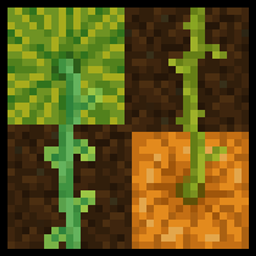
Stemtacular
Alters pumpkin and melon stems to be more distinguishable, and properly connect with the top side of the crops.

Varied Pumpkins
Randomized carved pumpkin and jack-o-lanterns textures.

Varied Pumpkins
Randomized carved pumpkin and jack-o-lanterns textures.

Clearer Nether Wart
Makes the growth stages of nether wart more noticeable, making it easier to identify when it's ready to be harvested.
评论
登录后评论和评分