
截图


介绍
This is a mostly experimental resource pack that uses core shaders for a Level-of-Detail effect.
Overview
Blocks near the player look normal, but as they get further away, their textures are scaled more, so that far away blocks are textured with a single pixel.
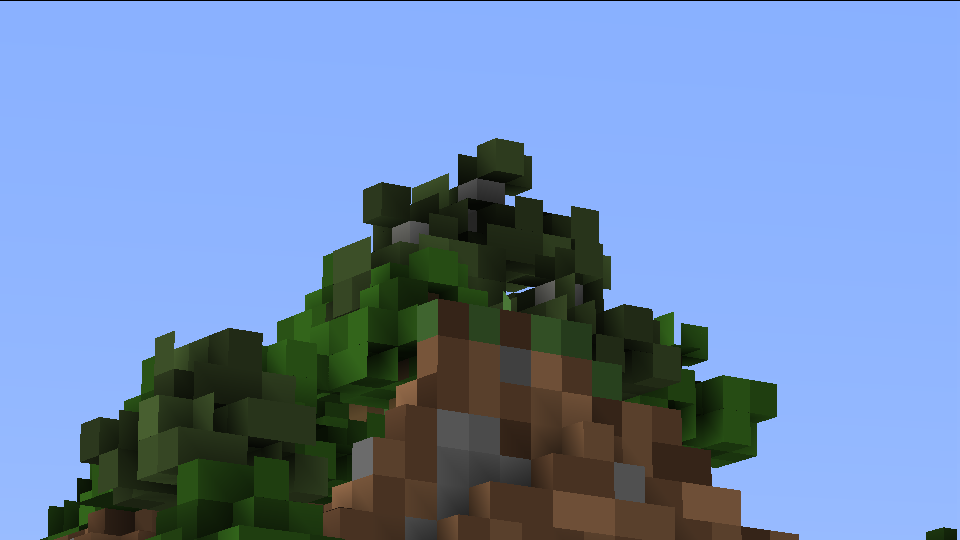
With the default settings, faraway blocks look blockier:
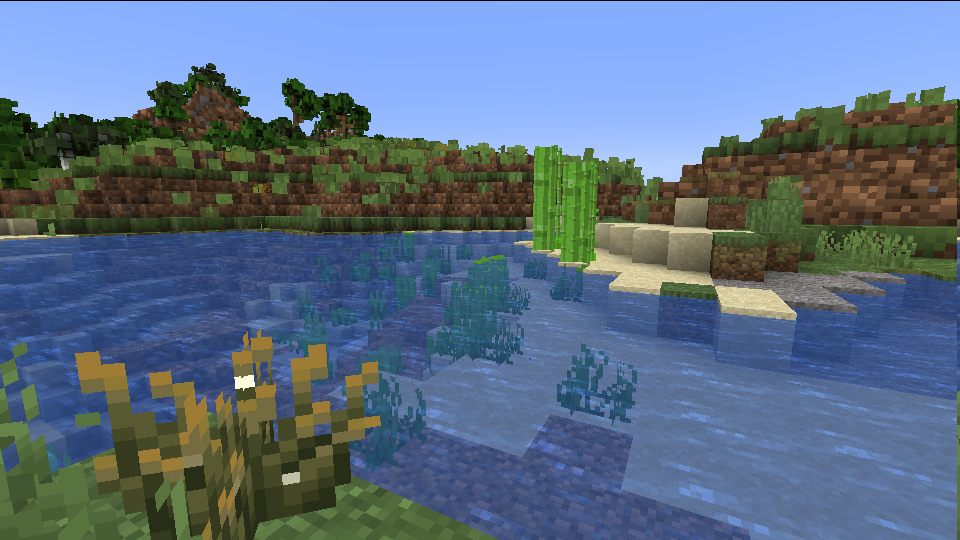
While closer blocks look normal:
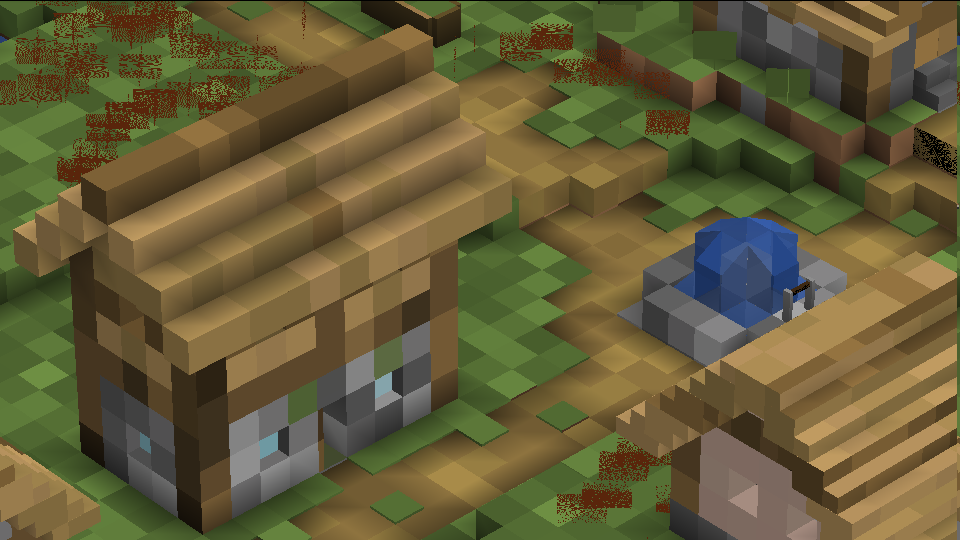
Through the config file, the ranges and zoom levels can be changed. Enabling the max zoom level at all times makes the world look like it was created with the Chisels and Bits mod:
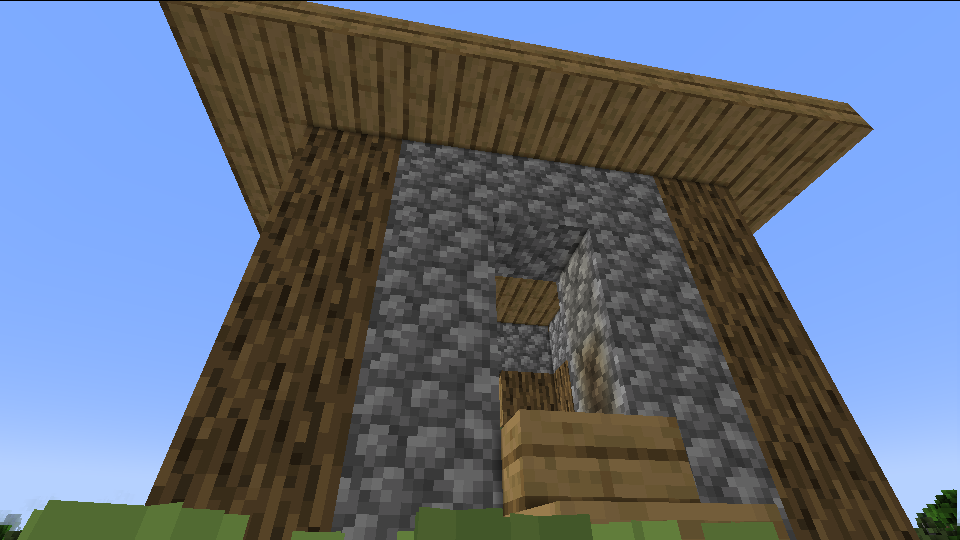
Alternatively, mega-structures can be made to look like normal blocks:
Config
Shader settings can be edited by editing the values in assets/abnc/shaders/include/config.glsl.
BLOCK_MAX_SIZE, BLOCK_MID_SIZE, and BLOCK_MIN_SIZE controls the block scale at different distances. Block sizes can technically be any positive value, but powers of 2 work best.
At scale size 1, blocks look normal. At scale size 16, a 16x16x16 cube of a block will look like a single normally textured block.
BLOCK_MID_START, BLOCK_MID_END, BLOCK_MAX_START, and BLOCK_MAX_END controls the distances the different scales start at. Blocks between START and END values will fade between the two scales.
BLOCK_STILL_WATER, BLOCK_FLOW_WATER, BLOCK_STILL_LAVA, BLOCK_FLOW_LAVA, and BLOCK_ALL_BLOCKS control which blocks are scaled. Set them to 1 to enable, or 0 to disable.
While having all blocks turned on is fun to mess around with, just having water and lava enabled actually just looks nice!
Flowing water is kind of borked right now, so you may want to disable it and leave the other water on.
常见问题
All Bits No Chisel 支持哪些 Minecraft 版本?
All Bits No Chisel 支持 Minecraft Java 版 1.21.5。下载时注意选择和你游戏版本一致的文件。
All Bits No Chisel 怎么安装?
把下载的 .zip 文件(不用解压)放进游戏目录的 resourcepacks 文件夹,进游戏后在「选项 → 资源包」里把它移到右边启用。
dqwertyc.dev 的其他作品
查看全部 →
Glamour Table
An in-game texture editor for tools and canvases.

Enchanted Elytra
Unique Elytra enchantments to provide more mobility options!

Vanilla Entity Shader Effects
This resource pack allows for the creation of animated entity textures, with effect such as glowing, flowing fluids, end-portal stars, and others! Also includes a demo pack that applies the end portal shader to endermen and dragon wings!

Ore Scanner
A consumable ore scanner that highlights nearby ores through walls.
评论
登录后评论和评分